

A multi-chain crypto wallet is one wallet that holds coins on several blockchains, and if you're moving off an exchange the answer to "can one wallet hold everything?" is usually yes, as long as everything means the big networks like Bitcoin, Ethereum and Solana. Where people get caught out is the word "supports." A wallet can advertise thousands of coins and still miss the network your stablecoins sit on, or handle a coin only through somebody else's app, so the check that matters before you buy is your own holdings, written down by network, against each maker's live list.
How a multi-chain crypto wallet works
Every wallet starts from one secret: the seed phrase, a list of 12 or 24 words generated when you set it up. A widely used standard called BIP-44 lays out how a single phrase can produce distinct keys for different coins, each on its own numbered path, so your Bitcoin addresses and your Ethereum addresses come from the same words without sharing a key. That's why one backup can cover several networks, and also why it deserves so much care, since it's the master copy for all of them at once.
What the phrase can't do by itself is talk to a blockchain. The wallet's software has to know each network's address format and how to build a transaction for it, so support gets added one network at a time, and two hardware wallets built around similar chips can end up with very different lists.
"Supports 1,000 coins" can mean three different things
Marketing counts lump together things a buyer should keep apart. Most of a big number is usually tokens, which are assets that run on top of another blockchain (our explainer on token vs coin covers the difference), and one Ethereum integration can add hundreds of them in a single release. A large count, then, tells you little about how many blockchains a wallet covers.
The second difference is where you manage a coin. Ledger's list says its own app supports thousands of cryptocurrencies and points you to third-party wallets for assets outside it. On Trezor's coins page, most entries work in the Trezor Suite app or third-party wallets, a few such as Monero are third-party only, and XRP and Tron are marked as available on some Trezor models. A coin you can reach only through another app is still protected by the device, though you'll be learning, and trusting, one more piece of software.
The third difference is the network itself, and it's the one that costs people money.
Why the network matters more than the coin name
The same coin name can live on several blockchains. Tether's own list shows USDT issued on more than a dozen networks, including Ethereum, Tron, Solana and TON, and each of those is its own token on its own chain even though your exchange shows them under one ticker. A wallet that supports USDT might cover it on Ethereum and Solana but not on Tron, and if you withdraw on a network the receiving wallet can't read, getting the money back ranges from slow to impossible. Coinbase's help center states that it can't recover funds sent on the wrong network.
So when an exchange asks which network to withdraw on, your answer has to match a network your wallet supports for that exact coin. The cheapest option on the withdrawal screen isn't always one of them, which is worth knowing before you click.
A five-minute check before you buy
This works best with your exchange account open in another tab. Make a short list of what you hold, and on every line write the coin and the network it sits on, which most exchanges show on the withdrawal screen. Then open the live supported-coins page for each wallet you're considering and check three things per line: whether the network is listed, whether the coin works in the maker's own app or only through a third-party one, and whether anything you plan beyond holding, such as swapping or staking, has its own support.
Any line that fails tells you something useful. Sometimes it points to a different wallet, and sometimes to two wallets, since nothing stops you keeping most of your holdings on one device and an odd coin somewhere else. A small balance on a network no wallet you like supports might be better swapped into something you can hold, although that trade costs fees and can have tax consequences, so think it through before you move anything. Once you've picked, our guide to moving crypto from Coinbase to a cold wallet walks through the transfer.
Where Ryder One fits, and where it doesn't
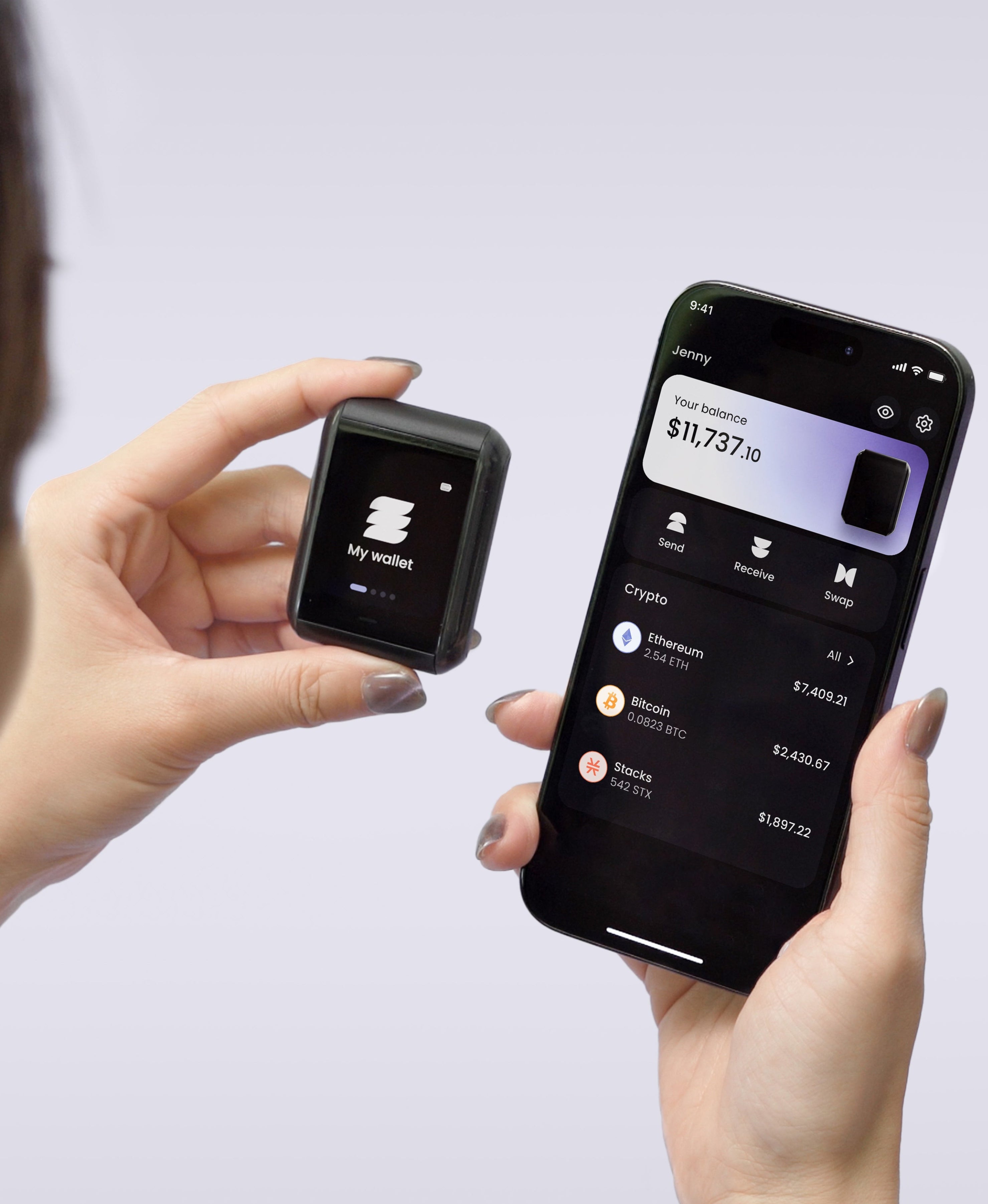
Ryder One is a multi-chain wallet with a deliberately shorter list. Our supported coins page covers Bitcoin, Ethereum, Solana and Stacks, plus popular tokens on Ethereum and Solana, with USDC and USDT available on both. XRP appears on that page without being marked as supported, and Tron isn't listed. If a large share of what you hold is XRP or USDT on Tron, Ryder One won't cover those coins today, and another wallet will suit you better for them.
For the networks it does cover, you manage everything in the Ryder app on your phone, and the Ryder One product page lists sending, receiving, swapping and staking. Swaps between supported networks run inside the app through Ryder Swap, and each transaction is confirmed on the device's own screen before it's signed. The backup covers every supported network at once: TapSafe Recovery splits it into encrypted pieces held by a Recovery Tag and your phone's cloud account, and your seed phrase stays viewable on the device whenever you need it.
The short answer
One multi-chain crypto wallet can hold most people's coins, provided "most" means the major networks and you've checked the network for each holding before buying. Write your list down, match it against each maker's live page, and choose the device that covers what you hold, whatever the number on the box says. If you're still deciding, our checklist on your first hardware wallet covers the other things to compare.


Share: