

Easy Recovery
Recover your Ryder,
no matter what
Easily recover your Ryder if its stolen, lost or worst. Your crypto always stays secure, recoverable and fully in your control. Let us explain how.
Excellent 4.8 rating on


How to backup
Protected by TapSafe™
Your backup is split into encrypted pieces and spread over any of these three. No single piece can open your wallet. Combine enough of them and you're back in. We call this system: TapSafe.
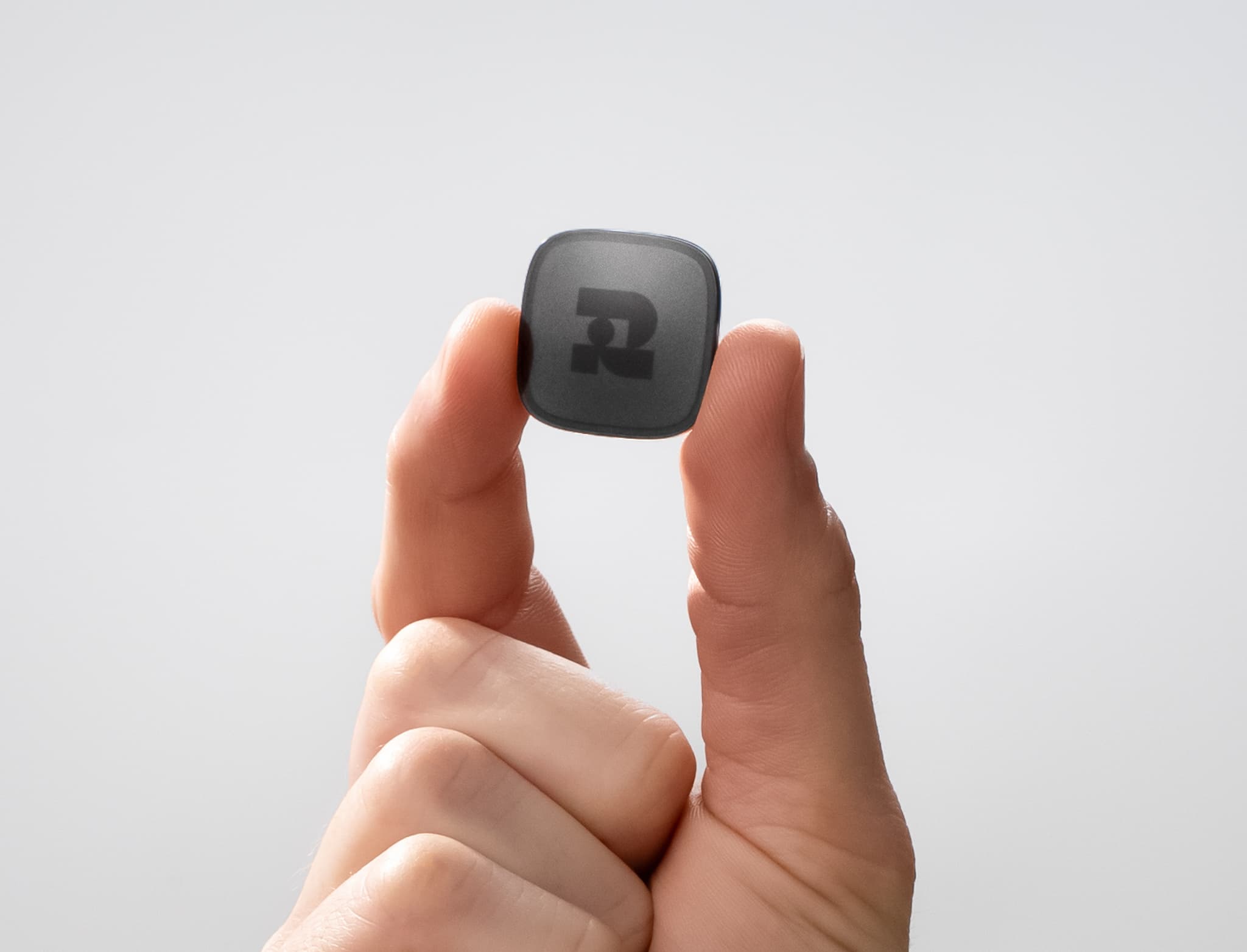
The Recovery Tag
A battery-free, waterproof NFC tag that holds one encrypted piece of your backup. If someone finds it, they can't do anything with it.
Counts as 50% of your recovery
Your phone
Your paired phone keeps another encrypted piece in your iCloud or Google Drive. Lose your phone? Sign in on a new one and it's back.
Counts as 50% of your recovery

Your friends' phones
Add trusted friends or family as Recovery Contacts. Each keeps a small piece on their phone, and none of them can ever see or access your wallet.
Each contact counts as 25%

Together, they recover your Ryder
Choose your Setup
TapSafe adapts to your lifestyle. Every piece is worth a share of your recovery, and any mix that reaches 100% brings your Ryder back. Choose how many Recovery Tags or Contacts work for you.
Get Ryder OneSetups that reach 100%
 +
+
Recovery Tag + your phone
+2 Recovery Tags
+ +
+
Recovery Tag + 2 Contacts
++Your phone + 2 Contacts
++ +
+
4 Recovery Contacts
Or any other mix that adds up to 100%. Add extra Tags or Contacts anytime.
What this means for you.
No PIN. No paper. No risk.
Paper gets lost. Backup cards with a PIN can erase your wallet after 3 wrong attempts. TapSafe replaces both.
Self-custodial. Always.
No Ryder servers, no accounts, no third party holding your keys. Even the encrypted piece in your cloud is meaningless on its own.
Stolen? You're safe.
Every piece is encrypted and incomplete. Nobody can get into your wallet with a single tag or a single phone.
Lost a tag or phone? Replace it.
Tap a new tag, or restore your phone backup from iCloud or Google Drive. Add extra tags or trusted Recovery Contacts for even more ways back in.

Add to your setup
2-Pack Recovery Tag
Two Recovery Tags reach 100% on their own, so you can recover your wallet without your phone or a single contact.
$38.00 USD
More questions? More answers.
Setup
About 60 seconds. Tap your Ryder One to your phone, then tap your Recovery Tags. That's it: no seed phrase to write down, no complicated steps.
Yes. Import your seed phrase into Ryder One and add Recovery Tags, your phone and Recovery Contacts on top. Your seed phrase stays available on your Ryder One, so you can view it anytime.
Yes, you'll need the Ryder app (available on iOS and Android) to pair your phone with your Ryder One and start the recovery setup.
TapSafe is part of the initial setup process. When you create your wallet, your backup is split to your phone and the Recovery Tag included in the box.
Yes, anytime. You can add extra Recovery Tags or Recovery Contacts whenever you want from your Ryder One. Your security grows with you.
Recovery Tags
A small, battery-free NFC tag that holds a piece of your backup. It's completely offline: no Bluetooth, no WiFi, no internet. It works like tapping a credit card.
In different physical locations. For example at home, at a family member's house, or in a safe deposit box. Losing one doesn't matter because a single Recovery Tag isn't enough to recover your wallet, you also need your paired phone or other pieces.
No. A single Recovery Tag can't access your funds on its own. It only holds one piece of your backup.
Yes. Recovery Tags are IP69K rated, ultra-resistant to dust and water.
No. They're completely passive. They draw power from NFC when you tap them, just like a contactless credit card. They'll last for years with no maintenance.
As many as you want. Each additional tag is another path to recovery.
Recovery Contacts
A trusted person (a friend or family member) who holds a small piece of your backup on their phone. They can help you recover your wallet if you lose your devices.
No. They only hold one piece of your backup. They can never see your balance, your transactions, or access your wallet on their own.
Each contact holds ¼ of a recovery. You'll typically need at least two contacts combined with another piece (your tag or your phone) to reach full recovery. You can add as many as you like.
Their piece is backed up in their cloud storage (iCloud or Google Drive). If they get a new phone, their piece is still available.
No. They just need a smartphone with the Ryder app installed.
No. Only your Recovery Contact can remove themselves as contact via the Ryder App.
That's fine. Recovery Contacts are optional. You can rely entirely on Recovery Tags and your phone for your backup.
Security
A cryptographic method invented in 1979 that splits a secret into multiple pieces. No single piece reveals anything, you need a specific combination of pieces to reconstruct the original. TapSafe uses this to split your wallet backup. Learn how it works
Yes. Every line of TapSafe's code is public on GitHub. Anyone can inspect, audit, and verify how your backup is split, stored, and recovered. View on GitHub
Yes. TapSafe has been independently audited by Halborn, a blockchain security firm trusted by top financial institutions and ecosystem leaders. The full audit report is publicly available. Read the audit report
TapSafe is designed to outlive Ryder. It's open-source, so the code is public and any wallet can adopt it. Your recovery never depends on a single company.
Your phone counts as ½ and a tag counts as ½, so together they reach full recovery. That's why your phone should be secured with biometrics or a passcode, and your tags should be stored in locations only you know about.
No. TapSafe is fully self-custodial. Your backup pieces are stored on your Recovery Tags (offline), your phone (encrypted iCloud or Google Cloud), and your Recovery Contacts' phones. Ryder never has access to your keys.
Recovery
Combine enough backup pieces to reach 100% recovery. For example: one Recovery Tag (½) + your phone (½), or two Recovery Tags (½ + ½), or one tag (½) + two contacts (¼ + ¼). Tap the pieces on a new Ryder One and your wallet is restored.
You can retrieve your phone backup by logging in to your Apple or Google account. And you can regain access to your wallet by pairing your new phone with your Ryder One.
You can create new backups using your Ryder One at anytime. And you can regain access to your wallet by pairing it to your new phone.
You can still recover using your Recovery Contacts. Your new phone will retrieve its backup after logging to iCloud or Google Drive, so you can recover using 2 Recovery Contacts and your new phone, or 4 Recovery Contacts.
Yes. Your seed phrase is always available as a fallback. You can view it anytime directly on your Ryder One. TapSafe is an additional recovery method, not a replacement.
Protect your crypto today.
With TapSafe built in, your wallet is backed up in seconds and recoverable no matter what.


