

Most advice about buying your first hardware wallet compares security chips. That is the wrong starting point for someone whose crypto is sitting on an exchange right now, because the chip is rarely what causes regret. What causes regret is opening the box and finding the device does not hold one of your coins, or that it expects a laptop you do not want to involve, or that the backup process asks more of you than you were told.
Those three gaps account for most of the beginner questions we see. Here is how to close them before you pay, in the order that matters.
Check one: does it hold the coins you already own
This sounds obvious and it is the most common mistake. Hardware wallets do not all support the same assets, and "supports 5,000+ coins" on a marketing page usually means the manufacturer's companion app can reach that many through third-party integrations, which is a different claim from the device signing them natively.
Open your exchange account and write down what you hold, including the small positions you forgot about. Then check each one against the manufacturer's own asset list rather than a review site, since review-site lists go stale fast.
The outcome worth planning for is a split. Plenty of people find a wallet that covers 90 percent of their holdings and nothing for the rest, which leaves them either keeping a tail on the exchange or buying a second device. Decide which of those you are willing to do before you buy, because discovering it afterwards is how a device ends up in a drawer.
For us: the Ryder One supports Bitcoin, Ethereum, Solana, and a growing list of top ERC-20 and SPL tokens. It does not support XRP or Tron. If either is a position you care about, check our live list before ordering, and that advice applies to every brand rather than just ours.
Check two: can you set it up and use it without a computer
Almost nobody asks this before buying, and it shapes daily use more than any specification. Some wallets are built around a desktop application and a cable, some around a phone app, and some can do either. If you mostly hold crypto on your phone, a device that needs a laptop for routine signing will quietly stop being used.
Three questions settle it. Does initial setup need a computer, or can the device onboard from a phone? Does an ordinary send need a computer? And if the companion desktop software stops being maintained one day, what happens to your access?
That last question matters more than it reads. Your coins live on the blockchain and your keys live on the device, so a discontinued app does not strand your money as long as the wallet follows a standard recovery format. It can still make routine use awkward for months.
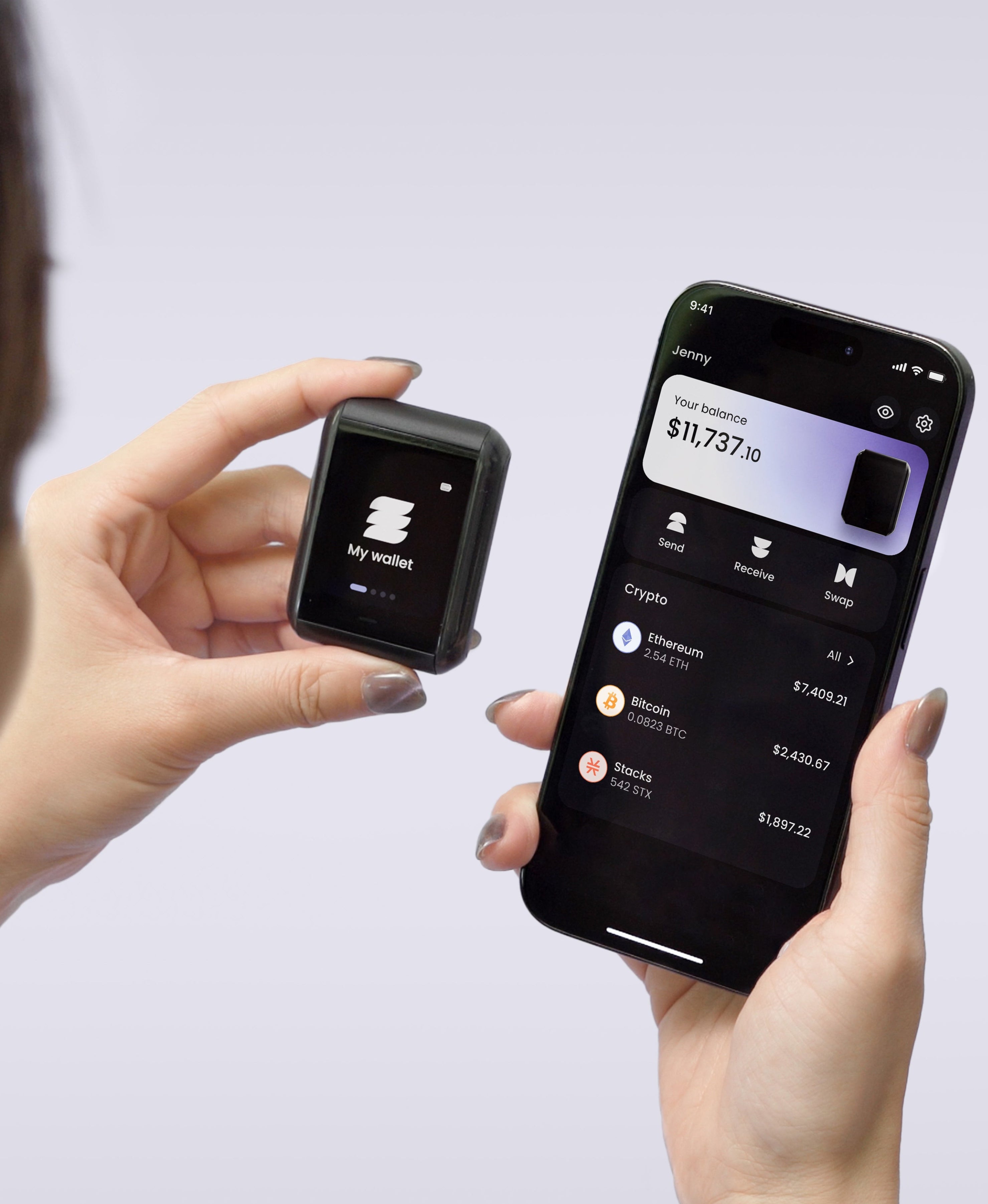
The Ryder One answers the first two the same way: setup and signing both happen from your phone over NFC, with no cable and no desktop application. There is no wired USB port and no Bluetooth radio on the device at all. The honest limit on the other side is that we currently have no desktop plugin and no browser-extension bridge, so if your routine depends on signing inside a desktop wallet or a browser extension today, that is a mismatch worth knowing now rather than after delivery.
Check three: what the recovery asks of you, and what TapSafe changes
Every hardware wallet hands you a backup responsibility at setup. The standard version gives you twelve or twenty-four words, tells you to write them on a card, and leaves the rest to you. Read that arrangement carefully, because it is the part of the purchase with the longest tail: the card has to survive fire, water, moving house, and anyone who might come across it, for as long as you hold crypto.
The common upgrade is stamping the words into steel, which does solve the house-fire problem that paper cannot. It leaves the shape of the risk alone. One object still rebuilds your entire wallet, so it has to stay both undamaged and unseen forever, and a plate somebody else finds is a wallet somebody else empties.
We built TapSafe Recovery to break that single-object dependency rather than harden it. Recovery is split using a Shamir's Secret Sharing implementation we wrote: your Recovery Tag holds half, your paired phone holds the other half encrypted into your own iCloud or Google Drive rather than on the handset, and optional Recovery Contacts hold a quarter each while learning nothing about what you own. Because no single share opens the wallet, losing one is an errand instead of an emergency. Your seed phrase stays available on the device as a last resort under the BIP-39 standard, so you are never locked to our hardware.
Whichever brand you choose, ask the question this way: if one object in my house is destroyed tomorrow, do I still have my crypto? A yes is worth paying for.
What setup looks like, and how long to budget
Setup is where first-time owners get stuck, usually because they expected ten minutes and hit a firmware update, an app download, and a twenty-four-word transcription with a verification step.
Budget an unhurried hour for your first device regardless of brand, and do it somewhere you can be alone with no one reading over your shoulder. Then move a small test amount first, confirm it arrives, send a small amount back out, and only then move the rest. That test round trip catches a surprising number of problems while they are still cheap.
On a Ryder One the sequence is three taps and runs under a minute: pair your phone with a tap, tap the Recovery Tag against the back of the device, then tap your phone to confirm. Onboarding happens on the device itself.
Where the money goes
Price sorts the market more cleanly than feature lists. Entry devices with a small screen and a cable sit lowest, touchscreen models run two to four hundred dollars, and the premium is mostly screen size and finish rather than a different security model.
What the screen buys you is the ability to read a destination address before you approve it, which is the defence against malware that swaps an address between copy and paste. A device that shows you unreadable data and a confirm button is not protecting you from that, whatever its chip is certified to.
The Ryder One is 149 USD for the Starter Combo and 179 USD for the Super Safe Combo, with the Recovery Tag, wireless charger and pouch included. Keys are generated inside an EAL6+ certified Infineon SLC38 secure element and never leave the chip, the signing button is wired directly to that chip so no software path can approve a transaction alone, every transaction renders in readable detail on the 1.6-inch AMOLED screen before you confirm, and Halborn audited the firmware independently with the report published in full.
Run the three checks against whatever you are considering. If the answers line up with how you hold crypto, get your Ryder One.


Share: