

If you own a Ledger, you spend far more time looking at Ledger Live than at the device in your drawer. The app draws your balances, walks you through firmware updates, and puts a Buy button in front of you. That gap between where your attention sits and where your keys sit causes most of the confusion we hear from people moving into self-custody, so it helps to be exact about what Ledger Live is. It's a companion app: an interface to the blockchain that your device signs for, and a piece of software with no ability to move a single coin by itself.
One wrinkle in 2026 is the name. Ledger has rebranded the app to Ledger Wallet, while the older name still shows up across support pages, forum threads and the search bar, and both point at the same software. We'll use Ledger Live here because that's what most people still type.
What Ledger Live is for
Think of it as the control panel. The app keeps a list of your accounts and their balances, installs the per-chain apps that let your device sign for Bitcoin or Ethereum, and delivers firmware updates when Ledger ships them. Layered on top is a marketplace: Ledger advertises support for more than 15,000 assets across upwards of 50 blockchains, with buying, swapping and staking routed through outside providers rather than handled by Ledger directly. Staking covers roughly ten assets, Ethereum and Cosmos among them.
There's no account to create, which surprises people arriving from Coinbase. Ledger doesn't ask for an email and password; your portfolio data sits on your own machine instead of a server you log into, and that puts it well ahead of an exchange app on privacy. Access to your money comes from holding the device and knowing its PIN.
What Ledger Live can't do
It can't sign anything. When you press send, the app assembles an unsigned transaction and hands it to the device, which displays the destination address and the amount on its own screen and then waits for you to approve with the buttons. Because the private keys are generated inside the secure element and never leave it, a compromised laptop can propose a payment it cannot complete.
The dependency also runs the other way. A Ledger has no internet connection of its own, so it can't broadcast the transaction it just signed, and that job falls to Ledger Live and whatever computer or phone is running it. The device guards, the app carries messages, and nothing reaches the chain without both.
This is why the screen on the device matters more than anything in the app. Malware on your computer can rewrite what Ledger Live shows you. It cannot rewrite what the hardware wallet displays, so the address on the small screen is the one you should be reading before every approval.
What the app knows about you
To draw a portfolio, Ledger Live has to know your addresses. It derives them from the public keys your device exposes, then queries chain data to fill in balances and transaction history, which means the app holds a running picture of what you own even though it can never spend any of it. Ledger publishes the source for this app on GitHub under LedgerHQ/ledger-live, so the behaviour is open to inspection.
Where Ledger has been hurt is on the customer-data side rather than the key side. The 2020 e-commerce leak put names, phone numbers and home addresses of buyers into circulation, and a further exposure surfaced in January 2026. None of that touched anyone's coins, though it did tell thieves exactly who owns a hardware wallet and where they sleep.
The companion app is where the attacks land
On 14 December 2023 an attacker phished a Ledger employee's NPM account and pushed a poisoned build of Ledger Connect Kit, the library that third-party sites use to talk to Ledger devices. Versions 1.1.5 through 1.1.7 carried wallet-draining code for around five hours until 1.1.8 shipped, and roughly 600,000 dollars left user wallets in that window. Ledger's own incident report states that neither Ledger Live nor the devices were compromised, and the losses ran entirely through decentralised apps that had pulled the bad package.
Counterfeit downloads are the other recurring problem. We covered one campaign in $9.5 Million Gone in a Week, where a fake Ledger app harvested recovery phrases from people who thought they were reinstalling the official one. Download only from ledger.com, and treat any app, email or letter that asks for your 24 words as an attack regardless of how official the branding looks.
Where this leaves your backup
Ledger Live holds none of your recovery. If your device is lost or bricked, the words you wrote down during setup are the whole plan, and that is a heavy load for one sheet of paper to carry. Ledger's own attempt to soften this, a subscription service that shards an encrypted copy of your seed across three companies, drew enough anger from long-time users that we wrote up the backlash at the time.
We took a different route. TapSafe Recovery splits recovery across a Recovery Tag holding half of what is needed and your paired phone holding the other half, encrypted into your own iCloud or Google Drive rather than stored on the handset, so losing either one on its own costs you nothing. Recovery Contacts are optional and hold a quarter each, learn nothing about your balances, and are set up in person with a tap. Underneath sits a custom implementation of Shamir's Secret Sharing, and the seed phrase stays available on the device as a last resort under the BIP-39 standard, so you can walk to another vendor whenever you want.
How the same job works on Ryder One
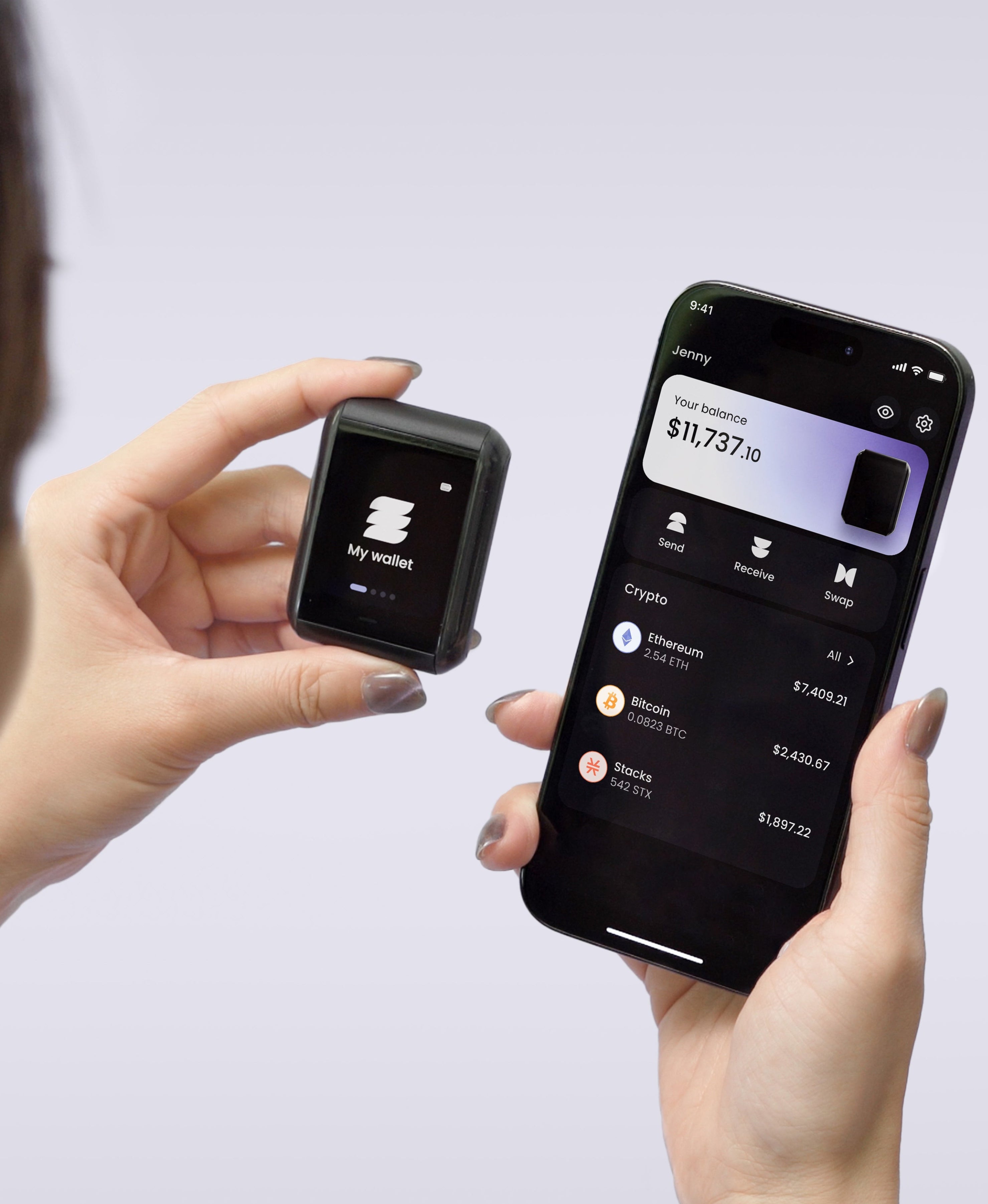
The companion app pattern isn't going away, because a signing device needs something with an internet connection to talk through. What changes is how much you have to trust the middle. On the Ryder One there's no cable and no Bluetooth radio: the app and the device communicate over NFC, so a session starts when you physically tap and ends when you take the device away.
Every transaction is rendered in full on the 1.6-inch AMOLED touchscreen before the button wired directly to the secure element will sign it. Receive addresses can be verified on the device too, which is the defence against clipboard-hijacking malware that swaps in an attacker's address at the last second. An on-device address book covers the destinations you use often, fee alerts warn you when network costs spike before you confirm, and buying through MoonPay or swapping through Ryder Swap happens in the app while the keys stay put.
What to check tonight
Open your Ledger Live and confirm two things. First, that the version you're running came from ledger.com rather than a search ad, since the fake-installer campaigns lean on people who reinstall in a hurry. Second, that you could still recover your accounts today if the device stopped working, which for most Ledger owners means finding the card they filled in years ago and confirming the words are legible and complete.
If that second answer makes you uncomfortable, the problem isn't the app on your screen. It's that one object in one location decides whether your crypto survives the next decade. Get your Ryder One.


Share: