

Developing story, last reviewed 7 November 2026. None of this week's loss claims had been confirmed by Trust Wallet when this was written. Ryder makes a hardware wallet, so weigh our advice accordingly.
If posts telling you "Trust Wallet is vulnerable, everyone is getting drained" reached you this week, here's where things stand: no one has shown a new flaw in Trust Wallet's own app. What's circulating is a mix of three separate things, namely unexplained losses reported by individual users, a fake Trust Wallet website built to steal funds, and DarkSword, an iPhone attack that reads data from wallet apps on phones running older iOS. The advice to update iOS is sound whichever explanation turns out to be right. Switching to a different wallet app, or building a multisig, only helps if you also deal with the reason a wallet gets drained in the first place, which is that someone else learned its recovery phrase or got you to sign something.
What's being reported as a Trust Wallet hack
The post that started most of the noise came on 3 November, when a user said on X that 3,830 USDT had left his Trust Wallet without any approval or warning, on a wallet he'd used for about five years. The cause hasn't been identified, and crypto.news found no public response from Trust Wallet to that case. A day later the security researcher behind the Malwarehunter account flagged a lookalike site at trastwallet.cam, which was set up to connect to Trust Wallet, Phantom and OKX Wallet and move balances to the attackers, and Binance's founder Changpeng Zhao warned followers that ".cam is not .com."
The largest claim is the least supported. An X account called Emperor.SOL alleged that about 1.1 million USD had been taken from Trust Wallet users through an exploit on iPhones running iOS 18.5, posting screenshots of large USDT transfers, but FinanceFeeds noted the screenshots don't connect those transfers to any iPhone flaw. Treat that number as a claim until a security firm or Trust Wallet confirms it.
The iPhone link: DarkSword
The part with solid evidence behind it sits in the phone. In March, Google's Threat Intelligence Group documented DarkSword, a chain of six bugs that takes over iPhones running iOS 18.4 through 18.7 when their owner opens a booby-trapped page in Safari. In October, the security firm iVerify listed Trust Wallet among the wallet apps that DarkSword's theft tools look for, alongside Binance, Coinbase Wallet, OKX, Bitget, Exodus, TronLink and Bitpie, and found the attack being delivered through ordinary ads and hijacked website code.
That distinction matters for what you do next. DarkSword is a weakness in iOS, so it threatens any app that keeps its key on the phone, and leaving Trust Wallet for another phone wallet doesn't change your exposure if the phone is still out of date. Apple has fixed all six bugs, the last of them in iOS 26.3, so updating closes the documented route.
Trust Wallet's real breach was in December 2025
There is a confirmed Trust Wallet incident, and it's the reason these rumours spread so fast. On 24 December 2025, version 2.68 of Trust Wallet's Chrome browser extension shipped with malicious code that pulled recovery phrases from users who logged in, and Trust Wallet later counted 2,596 affected addresses and about 7 million USD in losses. The company said the mobile app and other extension versions weren't affected, and it set up a process to compensate victims. If you're weighing Trust Wallet for the long term, that incident, and how it was handled, is the history worth reading about.
What to do if you use Trust Wallet now
Start with the phone. Install the latest iOS, and if your phone can't run it, Google recommends turning on Lockdown Mode under Settings, Privacy & Security. Then check for the most common way a phrase leaks: search your photos, screenshots and Notes for your recovery words, and if they're there, assume they've been read.
If your phrase may be exposed, deleting it from your phone won't make it private again. Create a new wallet on an updated phone, write the new phrase on paper or metal, and move your funds across, which is the step CertiK and iVerify both give for a suspected DarkSword infection. While you're at it, open only trustwallet.com from a bookmark, ignore anyone in Discord, Telegram or your messages who offers "support," and review the token approvals your wallet has granted, because an old approval can let a contract move tokens without a fresh signature.
Is multisig the fix?
The other half of the viral advice is to build a 2-of-3 multisig on Safe, the smart-contract wallet that needs two of three wallets to approve every transfer. It's a well-tested tool, and our guide to multisig wallets covers how it works. Whether it suits you depends on a few things the posts skip over.
A Safe account lives on Ethereum and other networks that run Ethereum-style contracts, so it can hold ETH, USDT and other tokens there but it can't hold bitcoin, and each network you use it on needs its own setup and network fees. Its protection also depends on keeping the three signers apart. The example in the viral post pairs Rabby, SafePal and Exodus and calls two of them cold wallets, but Rabby and Exodus are software wallets, and if two signing phrases end up on the same phone, one infected iPhone can reach both and the 2-of-3 rule stops protecting you. Finally, you're now responsible for three recovery phrases instead of one, and losing two of them locks the funds for good.
For a big holding on Ethereum, with signers spread across different hardware devices and backups kept in different places, multisig is a strong setup. For most people coming off an exchange, the bigger gain comes from moving the key off the phone entirely. Trial a small amount first either way, which is the one piece of the viral advice nobody should skip.
Where a hardware wallet fits
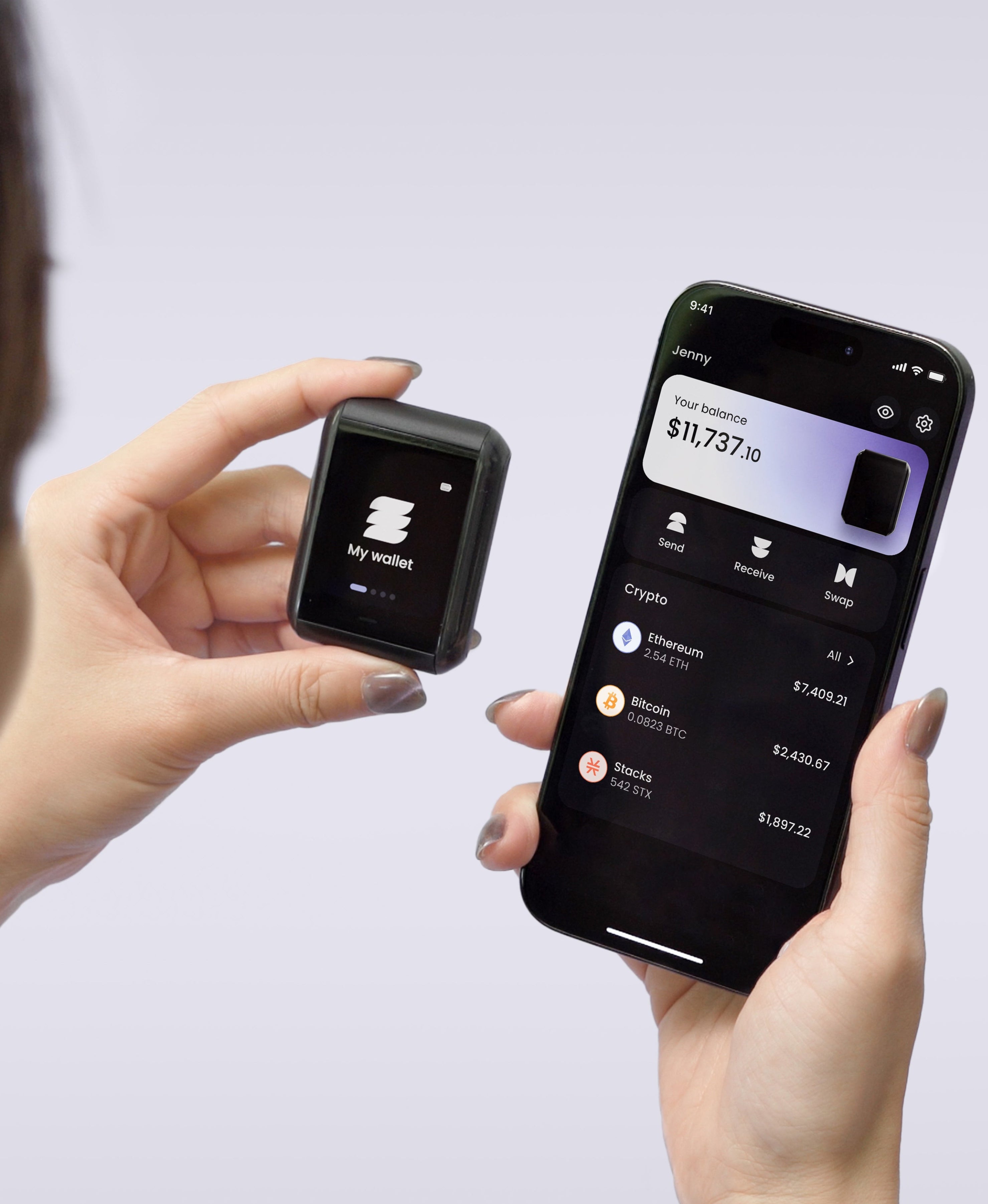
Every route in this story ends with someone reading a phrase or a key that sits on a phone or in a browser. A hardware wallet keeps the key inside its own chip, so a hacked phone has nothing to copy, and it shows each transfer on its own screen so you can catch a request that doesn't match what you meant to send.
On Ryder One, the key is generated inside an EAL6+ certified secure element and stays there, the device talks to your phone only over NFC while you hold them together, and you confirm every transaction on its 1.6-inch AMOLED touchscreen. One limit is relevant here: Ryder One works through the Ryder app and can't currently sign for browser-based apps such as Safe, so it can't be one of the signers in the multisig described above. If a Safe multisig is the setup you want, pick hardware that supports it; if what you want is your key off your phone with a backup you can recover without writing words into Notes, TapSafe Recovery is built for that, and our checklist on your first hardware wallet covers what else to compare.
What we're watching
We'll update this page if Trust Wallet comments on this week's reports, if a security firm traces the 3,830 USDT loss or confirms the 1.1 million USD claim, or if a DarkSword variant turns up that works on current iOS.


Share: