

You plug in a Ledger you haven't touched since last winter, and instead of a charging icon you get a warning that the battery has a problem and charging has stopped. For a device whose whole job is guarding the keys to your money, that message lands badly. So here is the reassuring part first, before any troubleshooting: the battery is a power source, and your coins were never kept inside it.
That distinction is worth understanding properly, because it explains both why the warning is survivable and why the thing you should be checking is not the device at all.
What the warning means
Ledger's own documentation is blunt about the cause. For safety reasons the device stops charging as soon as it detects a fault with the cell, and the E1 troubleshooting page points owners who see this message toward Ledger Support rather than offering a home fix. Lithium-ion cells can fail in ways that turn dangerous when current keeps flowing into them, so firmware that refuses to charge is behaving correctly.
Two neighbouring error codes account for most of what people run into, and both are far less alarming than E1. If the device has been somewhere cold, Ledger's E3 page explains that charging halts when it detects an abnormally low temperature, and that moving the device somewhere warmer and trying again usually clears it. The other one is a maintenance quirk rather than a fault.
The one that looks like death and isn't
E7 is the code worth knowing, because it catches people who did everything else right. Ledger's battery conditioning page describes what happens after a Nano X sits unused for weeks or months: the cell needs conditioning before it will take a charge, and the company's suggested fix is to connect the device to a power source and hold it in your hands for a few minutes. Warmth from your palms brings the battery back. Ledger compares it to a car battery stored through a cold season, which is a fair way to picture it.
If you are the kind of owner who bought a hardware wallet, moved your coins across, and then sensibly left it in a drawer for eight months, E7 is the message you are most likely to meet. Long storage is the cause, and long storage is also the correct way to use the thing.
What to try before assuming the device is finished
Start with the version of Ledger OS on the device, since Ledger notes on both troubleshooting pages that an outdated version accounts for some battery-related faults and that updating can resolve them. After that, work through the environment: get the device to room temperature, connect it to a wall charger rather than a laptop port that may be throttling power, and give it longer than feels reasonable before concluding anything.
Ledger's published maintenance guidance is specific enough to act on. The company recommends storing the device where humidity sits between 40% and 80% with an ambient temperature between 20°C and 25°C, and it suggests charging the battery every three months to keep the cell from degrading. Almost nobody does that last one, which is why so many of these searches exist.
If the device still refuses after all of that, you are looking at a hardware failure and a support ticket. That is the point where most people panic, and the point where the panic turns out to be misplaced.
Why your coins are not inside the device
A hardware wallet does not hold your crypto. Your balances live on the blockchain, and what sits inside the device is a private key that authorises movement of those balances. On a Ledger that key lives in a certified secure element, a chip designed so the key is generated inside it and never leaves. Losing power does not erase it, because that kind of chip holds its contents without a current running through it.
More to the point, the key on the device is a copy. When you set the wallet up you were given a recovery phrase, and that phrase is the wallet in a form you can carry. Any device that speaks the same standard can rebuild the same accounts from those words. A Ledger that will not charge is a signing tool that has stopped working, and a signing tool is replaceable in a way your coins are not.
So the answer to "my Ledger won't charge, are my coins gone" is no, provided you can answer a second question: where is your recovery phrase, and can you get to it today?
What a dead battery reveals about your backup
This is the part that deserves more attention than the error code. A battery fault is a cheap, harmless test of a much more important question, and plenty of people discover at exactly this moment that they never wrote the words down, or wrote them down somewhere they can no longer reach.
Paper is where most people stop, and it leaves one sheet that has to stay both secret and intact for as long as you hold crypto. Stamping the words into steel is the standard upgrade and it solves durability, though it leaves the other half of the problem untouched, since a plate that someone else finds is a wallet that someone else empties. Both arrangements share a shape: everything depends on one object surviving everything.
We built TapSafe Recovery because that shape is the thing worth changing. TapSafe splits access across pieces instead of concentrating it in one. Your Recovery Tag carries half, your paired phone carries the other half encrypted into your own iCloud or Google Drive rather than sitting on the handset itself, and optional Recovery Contacts hold a quarter each while learning nothing about your wallet. No single piece opens anything alone, so no single piece has to be defended perfectly or survive a house fire.
Your seed phrase stays available on the device as a last resort and meets the BIP-39 standard, so you are never locked to our hardware.
Where Ryder One sits in this
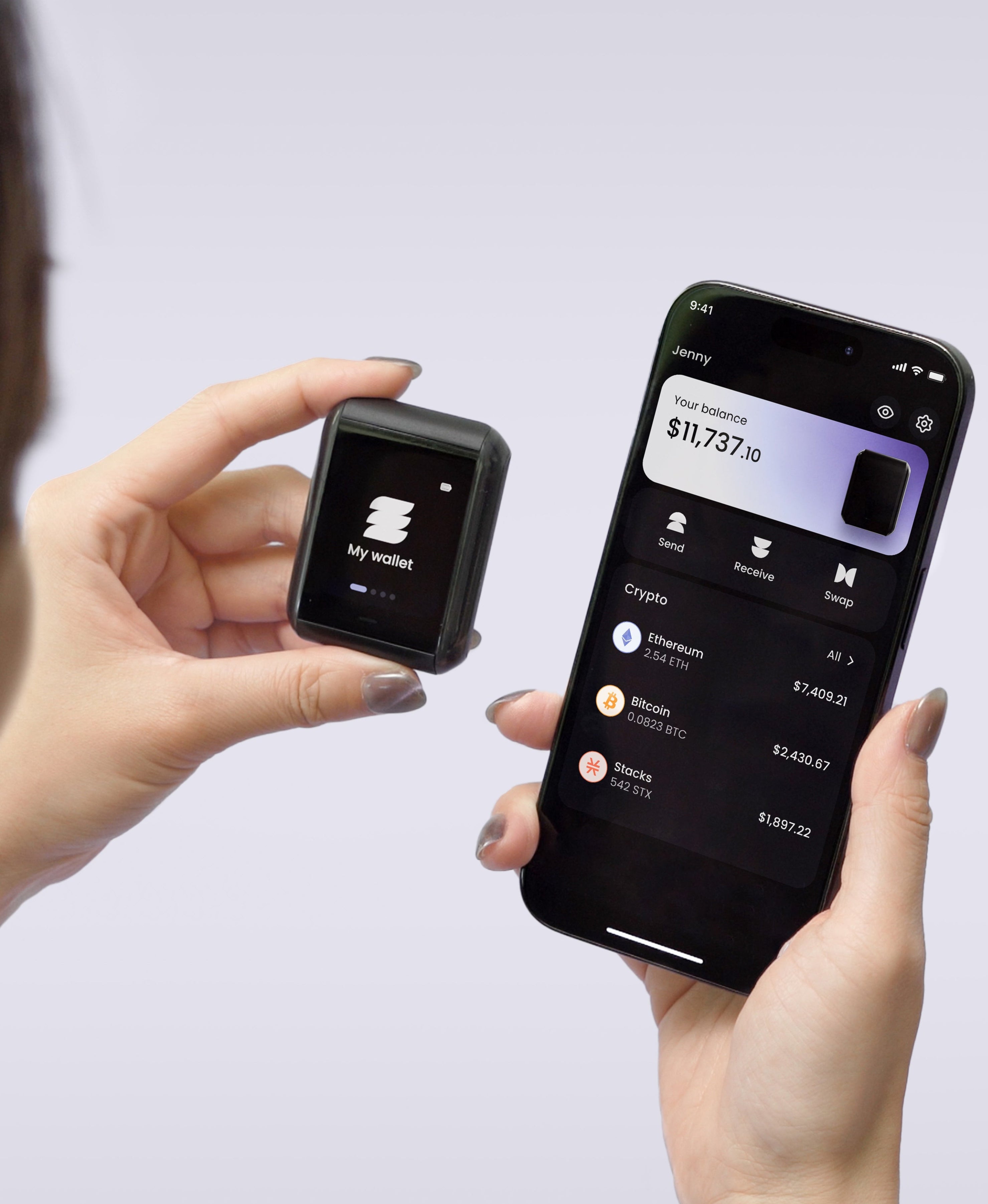
The Ryder One has a 200 mAh rechargeable battery and charges over Qi, so it is subject to the same chemistry as any other powered device; batteries age and eventually they stop cooperating. What differs is how much rides on the outcome. Keys are generated inside an EAL6+ certified Infineon SLC38 secure element and never leave the chip, the firmware was independently audited by Halborn with the report published, and communication runs over NFC only. If the hardware fails, TapSafe means your route back does not depend on one sheet of paper you hope is still in the safe.
On the specific failure this article is about: a Ryder One with a flat battery still operates while it sits on its wireless charger. Put it on the charger and it runs. An aged cell changes where you can use the device, and it leaves your access to the wallet where TapSafe already put it, spread across pieces you can still assemble.
The habit worth building has nothing to do with charging cables. Check that you can reach your recovery today, while the device is working and nothing is on fire, because the afternoon your wallet refuses to power on is a poor afternoon to find out. Get your Ryder One.


Share: