

A self-custody web3 wallet does two jobs that people tend to treat as one. The first is holding your coins, which means storing a key and using it to send. The second is talking to applications: a lending market, an exchange front end, a mint page, a game. That second job is where most of the money gets lost, and it is worth understanding why before you connect anything.
The phrase gets used loosely enough that it hides the question that matters. Self-custody describes who holds the key. Web3 describes what the wallet is allowed to do once an application asks it for something. You can have the first without thinking carefully about the second, and plenty of people do.
What a web3 wallet does that a holding wallet does not
A wallet built only for holding has a small job. It generates a key, shows you a balance, and signs a transaction when you choose to send to an address you typed. The set of things it will ever be asked to approve is short and legible.
A web3 wallet adds an open-ended one. Applications can now request signatures from it, and those requests are not limited to "send this amount to this address." A request might grant a contract ongoing permission to move a token on your behalf, agree to a trade whose terms are encoded in data you cannot read, or authorise something whose effect only becomes clear later. The wallet's job shifts from executing your instructions to interpreting someone else's.
Connecting itself is harmless. A connection shares your public addresses, lets the site display your balances, and moves nothing. Everything that costs money happens at the next step, when you approve a request the connection enabled.
Where the keys sit, and why it decides your exposure
There are three common arrangements, and they differ in one respect that matters more than any feature list.
Browser extension or mobile app. The key is encrypted on a device that also runs a browser, a mail client, and whatever you installed last month. It is a self-custody wallet in the sense that no company can freeze it, and the key is reachable by code running on the same machine. September 2026 produced a direct illustration: the attack on the D'CENT App Wallet drained about 12.4 million XRP from 6,678 wallets, and the attackers were working from keys they had already obtained rather than breaking any cryptography. A number of those wallets belonged to people who had entered a hardware wallet's recovery words into software and left them there.
Custodial wallet with a web3 interface. Convenient, and it is not self-custody, whatever the product page suggests. Somebody else can stop a withdrawal.
Hardware wallet signing for a software interface. The key is generated inside a dedicated chip and never leaves it. The interface proposes; the device decides. An application can ask for anything it likes and the request still has to be approved on a separate piece of hardware that the compromised machine cannot drive on its own.
That third arrangement is what people mean when they talk about using a hardware wallet with web3, and the protection it offers depends on one detail that often gets skipped.
The signature you cannot read
A hardware wallet only helps if the screen tells you something true. When a device shows a wall of hexadecimal and a confirm button, you are approving a decision you have not been shown, and the chip's certification is irrelevant to the outcome. The industry calls this blind signing, and it is the gap through which a careful person with good equipment still loses money.
The useful question to ask of any wallet is therefore narrow: when an application requests a signature, what appears on the screen? A readable destination, an amount, and a plain description of what is being authorised is the standard worth holding to. Anything less means the hardware is a formality.
On-device address verification belongs in the same category. Clipboard-hijacking malware swaps a destination address between the moment you copy it and the moment you paste it, and the only defence that works is reading the address off a screen the malware cannot reach.
How Ryder One handles the signing side
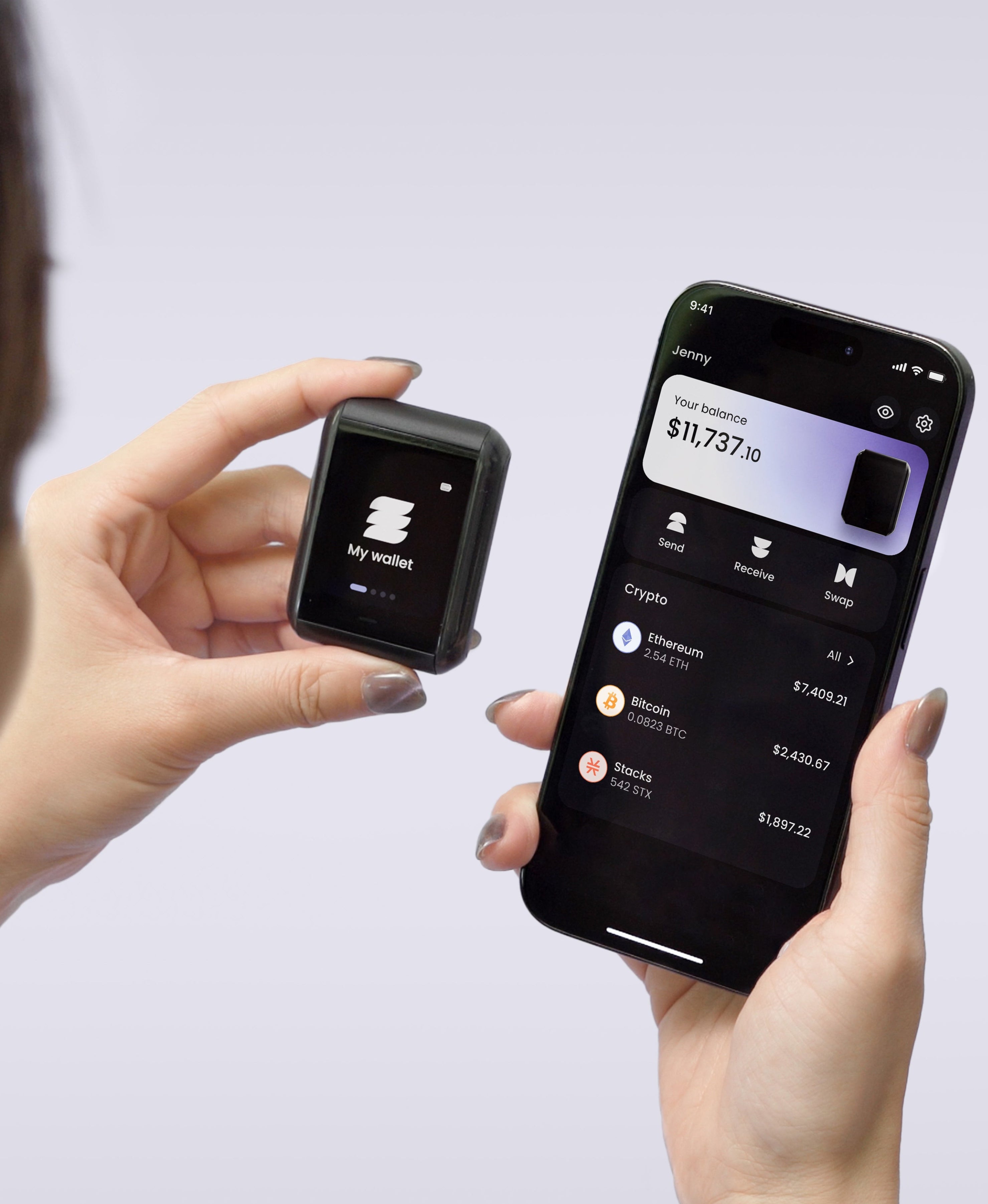
The Ryder One was designed around the readability problem. Every transaction renders in full detail on a 1.6-inch AMOLED touchscreen before you confirm it, so what appears on the device is what gets signed. The confirmation button is wired directly to the secure element, which means no software path can approve a transaction without a deliberate press, and receive addresses are verified on the device itself to close the substitution attack described above.
Keys are generated inside an EAL6+ certified Infineon SLC38 secure element and never leave the chip. Communication is NFC only: no Bluetooth radio, no Wi-Fi, no data over a cable, so the device is reachable only when you physically tap it against your phone. Halborn audited the firmware independently and published the report in full. Ryder Swap handles cross-chain swaps from inside the Ryder app using Swaps.xyz for routing, and fee alerts warn you before you confirm a transaction when network costs are unusually high.
Supported assets are Bitcoin, Ethereum, Solana, and a growing list of top ERC-20 and SPL tokens, so check your holdings against that list before you buy any hardware, ours included.
One limit worth stating plainly, since this article is about connecting to dapps: Ryder One does not connect to third-party dapps. There is no WalletConnect bridge and no equivalent, so you cannot point it at an arbitrary site and approve a contract call from it. What runs inside the Ryder app is a fixed set of flows, Ryder Swap for cross-chain swaps routed through Swaps.xyz and card purchases through MoonPay, and those are the ones the device renders and signs. If approving contract calls across the open web is central to how you use crypto, keep a hot wallet for that part and let the hardware hold what you are saving.
What your backup has to survive, and what TapSafe changes
Securing the signing side leaves the other half of self-custody open, which is what happens when the device is gone. The standard answer puts twelve or twenty-four words on paper, and paper is the weakest object in your setup: it tears, burns, fades, and gets tidied away by someone who has no idea what it is. Stamping the words into steel is a sensible upgrade, because metal survives a house fire, and it leaves the underlying shape alone. One item still reconstructs the entire wallet, and it has to stay both undamaged and unseen for as long as you hold crypto.
TapSafe Recovery was built to end that dependency on a single item. Recovery is split with a Shamir's Secret Sharing implementation we wrote: the Recovery Tag holds half, your paired phone holds the other half encrypted into your own iCloud or Google Drive rather than on the handset, and optional Recovery Contacts hold a quarter each without learning anything about your holdings. No single share opens the wallet, so losing one piece is a repair job rather than the end of your wallet. The seed phrase stays available on the device as a last resort and follows the BIP-39 standard, so you can always walk away to other hardware.
One rule follows from September's losses and is worth stating plainly: a recovery phrase that has been typed into any software wallet should be treated as exposed, and the funds behind it moved to keys that have only ever existed inside hardware.
Choosing one
Judge a self-custody web3 wallet on three things rather than on its feature list. Where is the key generated and can anything on your computer reach it? When an application asks for a signature, does the screen tell you in plain terms what you are agreeing to? And if the device disappears tomorrow, how many separate objects have to survive for you to get your wallet back?
A browser extension answers the first question badly and the third one not at all. The Ryder One is 149 USD for the Starter Combo and 179 USD for the Super Safe Combo, with setup running about 60 seconds across three taps. Get your Ryder One.


Share: