

Cold storage means keeping the private keys that control your crypto on a device that never connects to the internet. That's the whole idea. A hacker on the other side of the world can't touch keys that sit offline, because there's no connection to attack. In this guide we'll cover what cold storage protects you from, who needs it, how to set it up, and the backup mistakes that have cost people their savings.
We build hardware wallets at Ryder, so you know where we stand. Still, the case for cold storage rests on a pattern that has repeated for over a decade: when someone else holds your keys, your crypto is only as safe as that company. When the FTX crypto exchange collapsed in November 2022, the US Department of Justice found that its founder had stolen more than 8 billion USD of customer money. Those customers did nothing wrong. Their funds sat in accounts they didn't control, and when the company failed, the money went with it.
Hot wallets versus cold wallets
A hot wallet is any wallet that runs on an internet-connected device: a phone app, a browser extension, or an account on an exchange. Hot wallets are convenient, and for small amounts they're fine. The trade-off is exposure, since malware, phishing links, and fake apps all reach you through the same connection you use to trade.
Cold wallets flip that trade-off. A hardware wallet is the most common form: a small device that creates and stores your keys offline, then signs transactions without ever exposing those keys to your computer or phone. You give up a little convenience and gain a wall between your savings and the internet.
Think of it the way you think about money in daily life. A hot wallet works like the cash in your pocket, handy for spending but a bad place for your life savings, while cold storage works like a vault you visit when you need it.
Who needs it (and at what amount)
If losing your crypto would hurt, it has outgrown a hot wallet. A rule of thumb we like: once your holdings are worth more than the cash you'd feel comfortable carrying in your pocket, it's time to move them offline. Most hardware wallets cost between 50 and 200 USD, which is small next to what they protect, and the device lasts for years. Nobody regrets buying one too early.
Cold storage is one half of self-custody, the practice of holding your own keys instead of trusting an exchange to hold them for you. The other half is a backup you'd stake your savings on, and we'll get to that below, because it's where most people go wrong.
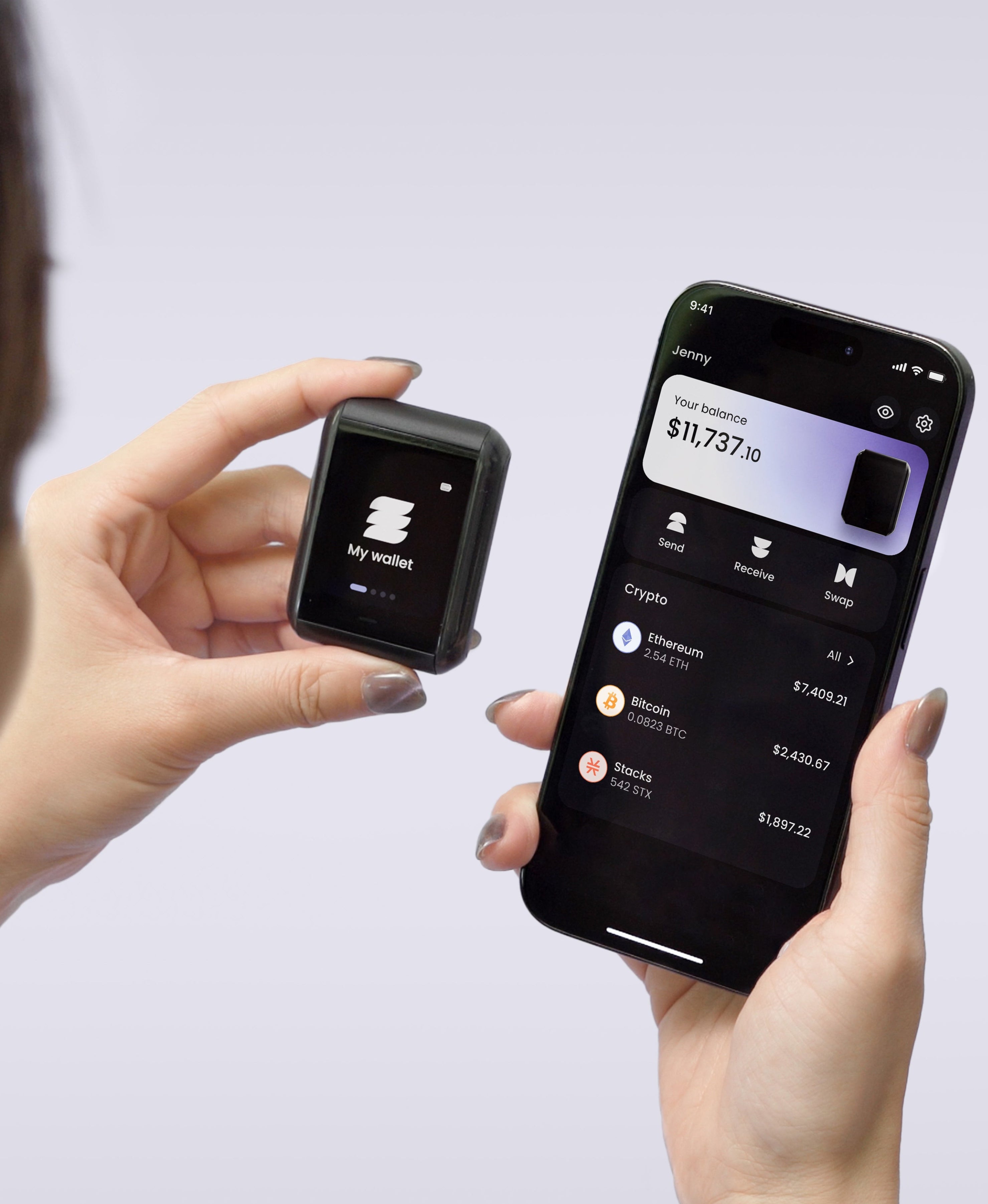
You don't need to be technical. The first generation of hardware wallets was built by engineers for engineers, and that reputation stuck, but a modern device walks you through everything on its own screen. Our Ryder One finishes setup in 60 seconds with three NFC taps, and people in more than 40 countries use it today.
How to set up cold storage, step by step
The process below applies to any hardware wallet. We'll note where the Ryder One differs.
- Buy new, from the maker. A tampered device can hand your keys to a stranger, so skip secondhand listings and third-party marketplace sellers. Order from the manufacturer's own store.
- Set it up out of the box. The device creates your keys itself, offline. On most wallets you'll choose a PIN and write down a seed phrase, the master backup for everything the wallet holds. On the Ryder One, setup is three NFC taps: pair your phone, tap your Recovery Tag against the back of the device, then tap your phone to confirm. That's TapSafe Recovery doing the work a handwritten seed phrase would normally do.
- Finish your backup before you deposit. Whatever backup method your wallet uses, complete it before any money moves. On the Ryder One this step is already behind you, because TapSafe set it up during those first taps.
- Send a test amount. Move a small amount first, confirm it arrives, and confirm the balance shows on the device.
- Verify addresses on the device screen. Malware on a computer can swap a copied address for a thief's. A hardware wallet shows the receive address on its own screen so you can check it before funds move; the Ryder One verifies every transaction on-device over NFC, with no USB, Bluetooth, or Wi-Fi involved.
The mistakes that cost people their crypto
Most cold storage losses have nothing to do with hackers. They come from backups, and the pattern repeats so often that we can list it from memory.
Writing the seed phrase on paper and stopping there. Paper is fragile. It burns, fades, soaks through, and gets tossed out in a move, so a backup that can't survive a house fire is a weak foundation for savings you plan to hold for years.
Upgrading to metal and calling it done. Stamping your seed phrase into a steel plate is the standard upgrade from paper, and it does solve the fire-and-flood problem. What it can't solve is the deeper issue: your entire wallet still depends on one object staying hidden, intact, and findable for decades. Anyone who discovers the plate owns your crypto, and if the plate disappears, there's no way back. Metal changes what your single point of failure is made of; it doesn't remove the single point of failure.
Typing the seed phrase into anything with a screen. No photos, no notes apps, no password managers. A cloud note can sit quietly for years without a problem, right up until the day there is one. The moment those words touch a connected device, your cold wallet is cold in name only.
That single point of failure is why we built TapSafe Recovery into the Ryder One. Your backup splits across a Recovery Tag holding half of what's needed and an encrypted copy in your own iCloud or Google Drive holding the other half, so no single piece can unlock your wallet and no single piece can lose it. You can also add Recovery Contacts, trusted people who each hold a quarter share with zero access to your funds. And because the Ryder One follows the BIP-39 standard, your seed phrase stays available on the device as a last resort, so you're never locked to our hardware.
The safe default
Cold storage stopped being an expert's tool years ago; today it's the boring, sensible choice, like a seatbelt. Pick a device with a security record you can check (our firmware was audited by Halborn with zero critical and zero high findings, and the full report is public), set it up on a quiet afternoon, and test your backup before you rely on it.
If you want the version with no seed phrase to guard, the Ryder One Starter Combo is 149 USD and ships with the Recovery Tag, wireless charger, and travel pouch in the box, with your keys held in an EAL6+ certified secure element. Sixty seconds of setup stands between you and keys the internet can't reach. Get your Ryder One here.


Share: