

The best Bitcoin wallet for coins you plan to keep is a hardware wallet that generates its keys offline, and the choice that narrows the field fastest is whether you hold only Bitcoin. If you do, a Bitcoin-only device such as a Coldcard Q or a Trezor in its Bitcoin-only edition runs less code, and the Coldcard Q is built to enforce multisig spending policies. If you also hold Ethereum or Solana, a multi-coin device saves you from running two wallets. For the small amount you spend, a free phone app like BlueWallet does the job, and Sparrow on a desktop is the usual companion once you want more control.
Written by the Ryder team on 27 November 2026. We make the Ryder One, which is one of the wallets below, so every claim about another product links to that maker's own page as we read it on that date, and we say where a different device suits you better.
Three questions that pick most of the answer
Before comparing models, it helps to know which problem you're solving, because a wallet that's ideal for a ten-year Bitcoin stack can be a poor fit for someone who also holds tokens and checks them weekly.
- Is it only Bitcoin, now and later? A Bitcoin-only device has fewer features, and every feature it leaves out is code that can't contain a bug. If there's a fair chance you'll hold other coins, a multi-coin device avoids a second purchase and a second backup to look after.
- How often will you sign? Someone who moves coins twice a year can put up with QR codes and memory cards that keep the signer away from any computer. Anyone sending every week will want an easier route, or they'll end up leaving coins on the exchange to avoid the hassle.
- Would losing it change your life? Past that line, multisig (where two or three separate devices must approve a spend) is worth learning, and it changes which hardware makes sense.
The best Bitcoin wallet shortlist, and what each is for
The shortlist below covers the names that came up again and again in the US "best Bitcoin wallet" results we reviewed. We've described each from its maker's page and left out prices that change weekly, especially around Black Friday.
| Wallet | Type | Bitcoin-only? | How it signs or connects | Best fit |
|---|---|---|---|---|
| BlueWallet | Phone app (iOS, Android) | Yes | Keys on your phone | Small spending balances; also offers multisig vaults |
| Sparrow | Desktop app | Bitcoin wallet | Pairs with hardware wallets by cable or air gap | Running single-sig or multisig with hardware signers |
| Coldcard Q | Hardware | Yes | QR scanner, microSD, NFC; never needs a computer | Large Bitcoin-only savings, multisig |
| Trezor Safe 3 and Safe 5 | Hardware | Optional Bitcoin-only edition | Wired USB | A mainstream device with a Bitcoin-only option |
| Blockstream Jade | Hardware | Bitcoin and Liquid | Camera QR; cable and Bluetooth also listed | Air-gapped QR signing |
| Ledger Nano X | Hardware | Multi-coin | Bluetooth to iOS 14+ or Android 10+ | Multi-coin holders who sign from a phone |
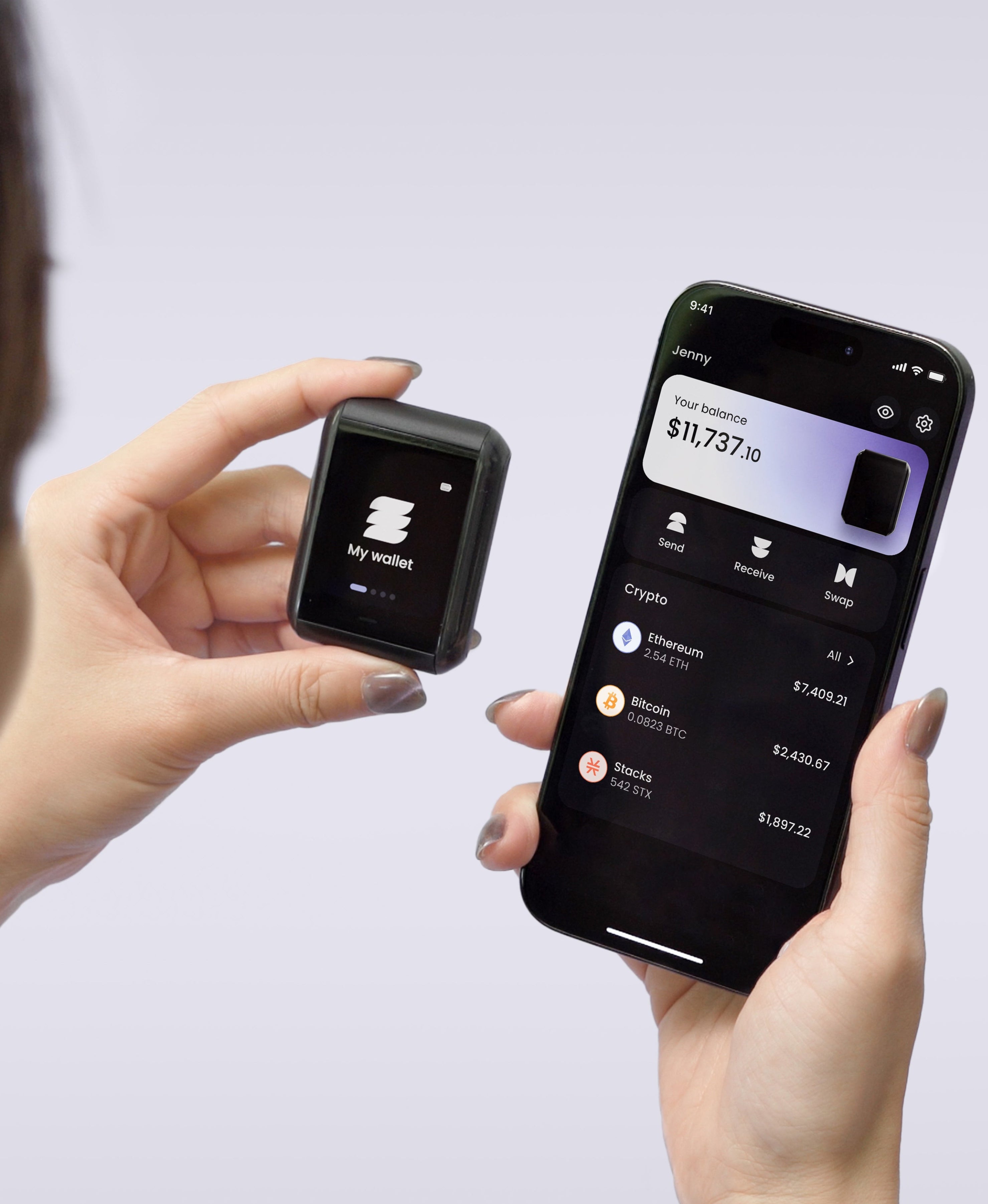
| Ryder One | Hardware | Multi-coin | NFC tap to the Ryder App on iOS or Android | Phone-first holders who want a backup without writing down words |
A few details from those pages matter more than the table can show. Sparrow says it has "full support for single sig and multisig wallets" and works with "all common hardware wallets in USB and airgapped modes," which is why it sits behind many Bitcoin-only setups. Coldcard says the Q is "Bitcoin Only," carries two secure elements, and "never needs to touch a computer." Trezor's Safe 3 and Safe 5 pages list an EAL6+ certified secure element and link a separate BTC-only edition of each. Blockstream's Jade page takes a different route: rather than a secure element, it uses what Blockstream calls a "Blind Oracle," and it lists air-gapped QR signing.
Bitcoin-only or multi-coin, in plain terms
A Bitcoin-only device doesn't make your coins safer by magic. What it does is shrink the amount of software standing between your keys and an attacker, and it keeps the screens you read before signing focused on one kind of transaction. That's the case for picking one if Bitcoin is all you hold.
The cost shows up the day you buy something else. Running one wallet for Bitcoin and another for Ethereum means two devices to update, two PINs and two backups to store safely. For a first-time buyer moving a mixed exchange balance, a single multi-coin device that's set up carefully is usually the better trade, because the biggest jump in safety comes from leaving the exchange at all. Once the Bitcoin share grows large, moving it to a dedicated Bitcoin-only signer, or into a multisig, is a sensible second step that doesn't require throwing out the first device.
What the Coldcard entropy bug taught Bitcoin buyers
Every wallet starts from a random number, and in 2026 Bitcoin holders got a hard lesson in what happens when that number isn't random enough. As our earlier write-up on the Coldcard entropy bug explains, a build error in firmware shipped in March 2021 left some devices generating seeds from weak randomness, and Coldcard's own Mk4 page now warns that "installing firmware does not repair an existing affected seed." The practical takeaway works for any brand you choose: when a maker announces a seed-generation flaw, updating the firmware isn't enough, and you'll need a new wallet and a transfer of your coins to it.
When you compare devices, look for a written statement of where the randomness comes from, and check that the maker publishes advisories when something goes wrong. Both are easy to find on a maker's site before you buy, and both tell you more than a star rating.
Where Ryder One fits, and where it doesn't
We built Ryder One for people who hold Bitcoin alongside other coins and manage everything from a phone. Our coins page lists Bitcoin as supported along with Ethereum, Solana and Stacks. Keys are created inside an EAL6+ secure element, and our write-up on wallet generation explains that the 256 bits of entropy come only from that chip's hardware random number generator. The device talks to the Ryder App over NFC alone, and its backup, TapSafe, lets you recover by tapping a Recovery Tag or using Recovery Contacts, while the seed phrase stays available to view on the device. When we checked on 27 November 2026, the product page listed the Starter Combo at $149 and the Super Safe Combo at $179, both marked sold out.
There are also limits worth knowing. Ryder One is multi-coin, so it isn't the pick for someone who wants Bitcoin-only firmware. The same generation write-up says it doesn't currently accept dice rolls as extra entropy or a BIP-39 passphrase (the optional "25th word"), and our Ordinals guide says Ordinals aren't supported yet. You manage it through the Ryder App, per our FAQ, and we don't document a Sparrow or multisig setup for it. If any of those matter to you, a Coldcard Q, a Bitcoin-only Trezor or a Jade paired with Sparrow is the better choice, and we'd rather you buy the right device than ours.
A short checklist before you move Bitcoin off the exchange
- Buy from the maker or an authorized seller, and set the device up yourself from a blank state.
- Let the device create the seed. Never type a seed phrase into a phone, a computer or a website.
- Store the backup before you deposit, whether that's metal plates, a multi-share backup or TapSafe Recovery Tags, and keep it away from the device.
- Send a small test amount first, check the receive address on the device screen, and then recover the wallet once to prove the backup works.
- Move the rest, and keep only a spending balance in a phone app like BlueWallet.
If something goes wrong later, our guide to recovering a Bitcoin wallet covers the four ways people lose access, from a missing seed phrase to an old wallet file with a forgotten password. And if your coins sit on Coinbase today, the walkthrough on moving crypto from Coinbase to a cold wallet walks through the transfer.


Share: