

You're about to send Bitcoin to a friend. They text you their wallet address. You copy it from the message and paste it into your wallet app. You hit send but the Bitcoin goes to a stranger. That's an address-substitution or address poisoning attack. The address your friend sent you wasn't the address that ended up in the field where you pasted. Something on your computer or your phone replaced it between copy and paste, and you didn't notice. Address-substitution attacks are not rare, nor are they exotic. And while many of these incidents never get publicly attributed, we do have clear, real-world examples of the pattern: in one address-poisoning campaign analyzed by Chainalysis, victims sent roughly \$3 million to attacker-controlled lookalike addresses (excluding an unusual \$68 million payment that was later returned).The attack surface keeps growing as more people manage crypto from devices that also run a thousand other apps. The defense isn't a different password manager or a more careful copy-paste habit. It's structural: you need a device that shows you the receiving address on a screen the attacker can't reach. This piece walks through how an address-substitution attack works, why most defenses fail, and the one feature that breaks the attack chain.
What address-substitution looks like
The attack has three steps. - First, the attacker compromises something on your computer or phone. That can be a clipboard manager, a browser extension, a malicious wallet update, a piece of malware bundled with another app you installed, or a fake wallet pretending to be the real one. The compromised software gets the ability to read and modify what's on your clipboard, or to inject content into your wallet app's UI. - Second, the malware waits. It watches your clipboard for anything that looks like a crypto address. Bitcoin addresses, Ethereum addresses, Solana addresses, and so on each have a specific format the malware can match against. - Third, when the malware sees one, it swaps it. The address you copied gets replaced with the attacker's address before you paste. To you, the field looks like it should: a long alphanumeric string. The first six characters look right, because the malware uses a vanity-generated address that begins with the same prefix. The last six characters look right too. The middle is different. The middle is also where humans don't read addresses. You confirm the transaction and the blockchain records it. The funds are gone. There's no chargeback, no dispute, and the blockchain doesn't know whose address is whose. It just moves what you signed.
Why most defenses don't work
The intuitive defense is "I'll just be careful." Read every character and use a hardware wallet. These help with some attacks but not this one. Be careful: Humans cannot reliably read 42 alphanumeric characters and notice if six of them in the middle have changed. We can pattern-match the first and last characters. The attacker knows that. They generate addresses that match the first and last characters of the address you're trying to send to. Vanity-address generation has been weaponized for exactly this purpose. Use a hardware wallet: A hardware wallet protects your private key from being extracted, which is a different problem. If your laptop has malware and you're using a hardware wallet that just acts as a signing oracle without showing you what you're signing, the malware can still feed the wallet a transaction with a swapped address. The wallet signs what it's told to sign. The hardware part doesn't help here. Sign on a clean device: Most people don't have a clean device. The phone or laptop they manage crypto on is the same one they read email and install apps on. "Clean device" is a fine practice for institutional treasuries. It isn't realistic for retail. The defense that works has to live somewhere the attacker can't reach. That's the device's own screen.
The one feature that breaks the attack chain
What stops address-substitution is on-device address verification. The hardware wallet doesn't take an address from the computer and sign blindly. It shows you the address on its own screen, the one your laptop's malware can't draw to, and asks you to confirm. Two parts to this. For sending crypto, the device shows the destination address on its screen before you sign. If the address on the screen doesn't match the address you intended to send to, you reject the transaction. The malware on your laptop can swap the address in your wallet app's UI all it wants. The hardware wallet is showing you the address that sits inside the transaction, pulled from the bytes the wallet is about to sign. You see what you're signing, not what your laptop says you're signing. For receiving crypto, the device shows your own receive address on its screen so you can read it directly off the hardware, not off your laptop. You write that address down or read it aloud to the sender, instead of copying it from your laptop's wallet app. The malware never sees the address in transit because the address never traveled through the compromised computer. This is the structural defense. Not "be careful," not "use better antivirus," not "trust your wallet vendor's security claims." A second screen that the attacker has no path to.
How Ryder One implements it
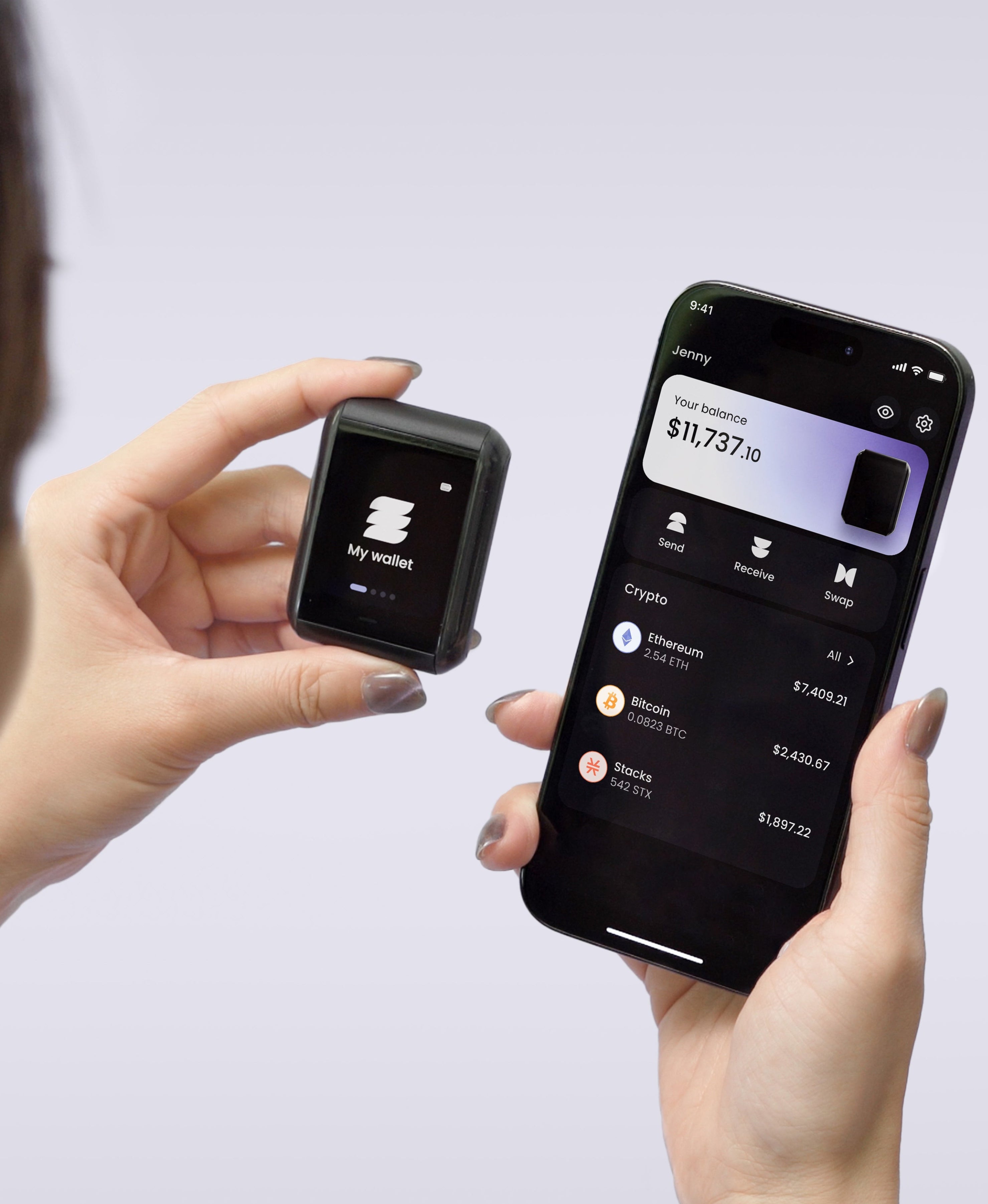
Ryder One does both of these by default. The 1.6-inch AMOLED touchscreen on the device shows every transaction in full, readable detail before you sign. What you see on the device is what you're signing. There is no "blind signing" mode where you trust the laptop's display. The physical button is wired directly to the secure element. The secure element won't sign without a physical confirmation, so there's no software path that can sign on your behalf. The malware on your laptop can prepare a transaction. It can't make Ryder One sign one. Ryder One is also NFC-only. No USB cable, no Bluetooth radio, no Wi-Fi. The only way the device communicates with anything is through a tap, which keeps the attack surface small even before signing comes into play. The firmware that runs all of this is independently audited by Halborn. If you want to see what an external security review of a wallet's secure element looks like, the audit report is public.
What to look for when buying a hardware wallet
Three questions worth asking before you trust any device with your funds.
Does the device have its own screen, and does the screen show the destination address before signing? If not, every signing operation depends on the laptop or phone you're using, which defeats most of the point.
Is every transaction shown in human-readable detail, or just a confirmation prompt? "Confirm: send transaction" with no address visible is the wallet asking you to trust the host. Transaction details rendered on the device are the wallet showing you what you're about to sign.
Is the secure element wired to a physical button, or can the host trigger a signature? A wallet that can sign without a deliberate human gesture isn't a hardware wallet in the security sense. It's a USB key.
These aren't exotic features. They're the difference between a hardware wallet that defends against this attack and one that doesn't.
Verify on the device, not on your laptop. Ryder One shows every transaction in full readable detail on its own screen, with the EAl6+ secure element wired to a secure LED so you know that your device isn’t compromised. See how it works.
The bottom line
Address-substitution succeeds because it exploits the gap between what your computer shows you and what your computer is about to do. Anything that lives on the computer can be tricked. The only durable defense is to move the verification step off the computer, onto a screen the attacker can't reach. That second screen is the difference between a wallet that's safe to use on a normal laptop and one that depends on the laptop being clean. Most people don't have a clean laptop. They need the second screen.


Share: