

Every self-custodial crypto setup starts with the same small piece of paper. It has 12 or 24 English words written on it. Those words are called a seed phrase, and they are the real proof that you own your crypto. Miss a step with this, and your crypto can be gone for good, either lost or worse, taken by someone else. Here is what a seed phrase is, and how to handle it the way long-term holders do.
This post is for people who are new to self-custody. If you already have a hardware wallet running, skip to the storage section near the end.
What is a seed phrase?
Your seed phrase is a list of 12 or 24 words, picked by your wallet from a fixed set of 2,048 common English words. That fixed set of words is called the BIP-39 word list. Every modern wallet uses the same list, which is why a seed phrase from one wallet can restore your coins on almost any other wallet. You can see the full word list on GitHub or read the full BIP-39 spec if you want the math behind it.
When your wallet picks those words in order, it is really building a huge number behind the scenes. That number is the secret key. The words are just a friendlier way to write the number down. Some people call it a recovery phrase or a mnemonic phrase, but they all mean the same thing.
What the seed phrase controls
The seed phrase is the master copy of your wallet. Given those 12 or 24 words, in the right order, any compatible wallet can rebuild your accounts, see your balance, and send your coins anywhere. That's the whole point. If your phone gets wet or your hardware wallet breaks, you can buy a new one, type the words in, and get everything back in a few minutes.
The other side of that is scary but simple. Anyone who reads the words can do the same thing. They don't need your phone or PIN, nor do they need to break into anything. Once the words are public, the money is public to move.
So the full rule is short. If you have the words and nobody else does, you own the coins. If someone else has them, you don't. Bitcoin.org's secure your wallet guide makes the same point from a different angle.
How to write the seed phrase down
Most wallets show you the words during setup, one at a time. You write them down, in order, on a piece of paper that comes with the wallet.
Rules that hold up over time:
- Write each word clearly in print, don't use cursive.
- Write them in order and number them 1 to 12 or 1 to 24.
- Check the list by typing the words back into the wallet when it asks. Do not skip this.
- Store the paper somewhere safe and dry, where no one can find it. Don’t store it in a random drawer or your phone’s Notes app.
Paper is fine as your first backup and beats having no backup at all, but paper can burn, soak, tear, or fade. For anything you plan to hold for years, you want something stronger, which leads to the next step.
Moving to a metal backup
A metal seed phrase backup is a small piece of stainless steel where you stamp or engrave the words instead of writing them. Stainless steel can survive fire, floods, and decades of storage without losing the words. Paper can't do this.
The simple version is a plate with the first few letters of each word stamped on it. The first four letters are enough to find the full word on the BIP-39 list, so most metal backup kits only ask you to stamp four letters per word, which is also much faster than stamping the whole word.
Metal is the standard upgrade from paper, but it doesn't change the structural problem. The whole wallet still lives on one object that has to survive everything. The wallet we built around a different answer is Ryder One, where TapSafe Recovery splits the backup across a battery-free Recovery Tag, your phone, and optional Recovery Contacts, so no single piece of metal is the thing standing between you and your coins.
The mistakes that cost people the most
Most seed phrase losses don't come from fancy hacks. They come from boring mistakes that feel small at the time. Here are the most common ones:
Taking a photo of the words just for backup. The photo ends up in iCloud or Google Photos, gets tied to your email, and lives there until someone gets into either account. If they do, they don't need your phone, they just read the photo and drain the wallet.
Typing the words into a computer, a password manager, or a note app. Same idea. Anywhere the words exist in digital form is a place the words can leak.
Storing the backup in the same spot as the hardware wallet. A burglar or a fire that gets one gets both can wipe out your entire net worth.
Telling someone the words, just in case. Relationships change and people make mistakes. Even a trusted person can have their laptop stolen, their email hacked, or their phone borrowed. The words should live with as few people as possible. Ideally, only you.
The general rule. The seed phrase exists only on physical stuff, in places you control, and nowhere else. The Electronic Frontier Foundation's surveillance self-defense guide and Bitcoin.org's wallet security page both line up on this. No photo, no cloud, no typed copy.
Every rule in this section exists because a BIP-39 seed phrase is one secret on one surface. We built TapSafe Recovery on Ryder One to redesign that surface, but the rules above still apply if you are using a traditional setup.
When to use the seed phrase
In normal use, almost never.
You use your seed phrase when you first set up the wallet and you may type it back in to check it. After that, you tuck the backup away and don't touch it again unless something breaks or you need access to your wallet.
If your wallet breaks or gets lost, you buy a new one, type the words in, and every coin that was on the old wallet is back. That's the whole promise of self-custody: no bank, no help desk, no account recovery, just these words.
If you ever move to a new backup (for example, from paper to metal), destroy the old copy as soon as the new one is tested. Do not leave two paper copies hanging around.
A warning about recovery services
If you ever see a service, app, or person online offering to recover your seed phrase, help you verify it, or store it safely for a fee, walk away. The second the words leave your hands, the coins can be someone else's. Real self-custody never involves typing your seed phrase into a website or sharing it in a chat. The moment that comes up, walk away.
Treat the seed phrase as the most important step from day one. Write it down in order, check it once, and move it to metal if a paper backup is all you have. Don't let those words touch a screen. Follow this guide and the hardest part of self-custody is already behind you, and the cleaner long-term answer is a wallet like Ryder One where the backup is built into the system instead of stamped onto a single plate.
How we built the safest place for long-term holdings
Every rule in this post ends up in the same place: on paper or metal, in a safe. That's the problem we built Ryder One to solve.
The pattern running through every rule above is that a BIP-39 seed phrase is one secret on one surface, and the whole game is keeping that surface out of reach. Paper in a safe, metal in a vault, two copies in two cities: all of it exists because the phrase itself is a single point of failure.
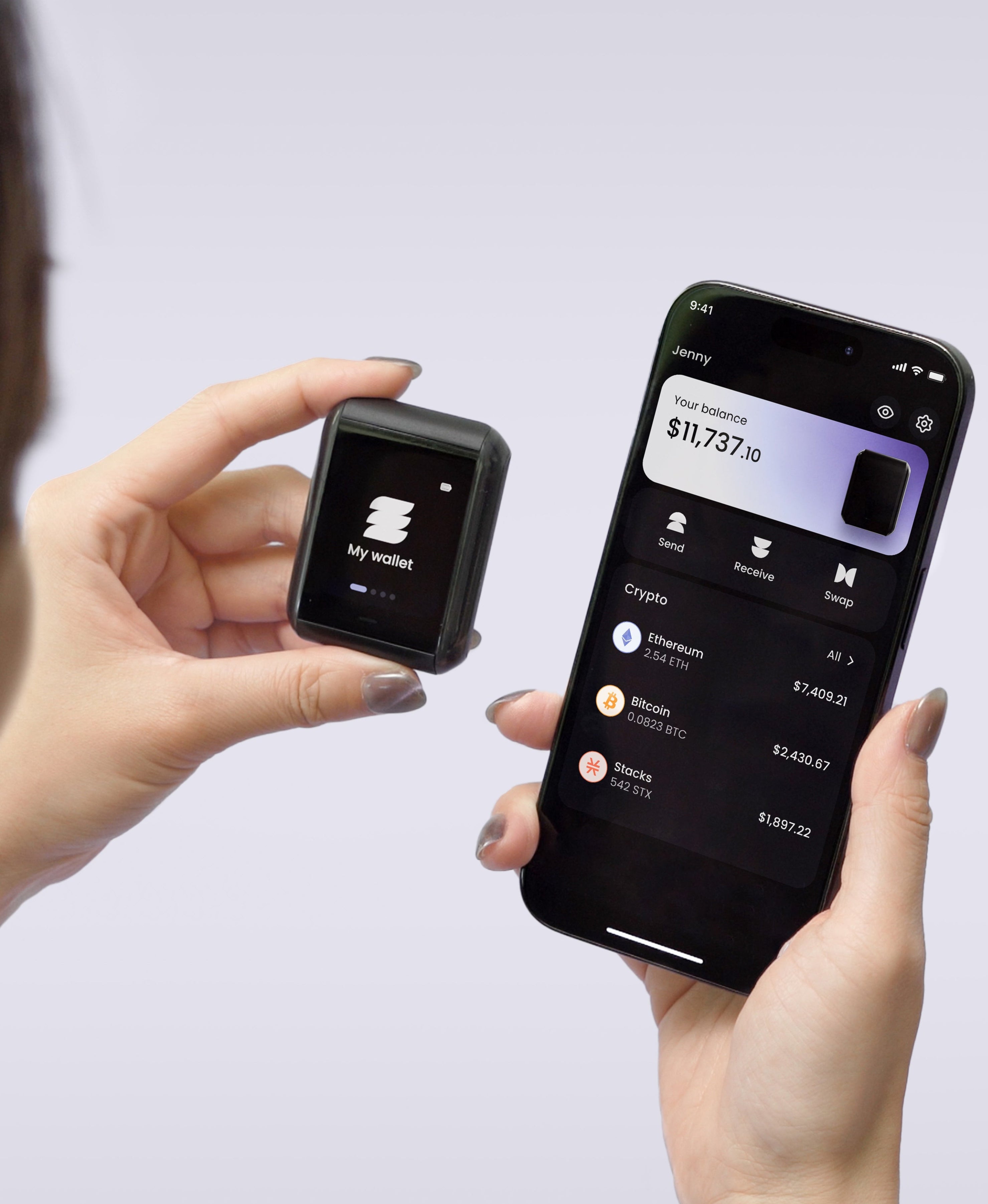
Ryder One is built around removing that single point of failure. TapSafe Recovery uses a weighted Shamir Secret Sharing scheme to split your wallet backup into pieces, and stores those pieces across a battery-free Recovery Tag, your phone, and optional Recovery Contacts (a trusted friend or family member running the Ryder App). No single piece can recover the wallet on its own. Lose your phone, the backup still works. Lose a Tag, the backup still works. An attacker needs multiple pieces in hand at the same time, which is a very different threat model from "find the piece of paper."
The setup matches the security model. Ryder One is NFC-only, with no USB port and no buttons, fully offline by design, and protected by an EAL6+ Infineon secure element (the highest commercial security rating available). The 1.6-inch AMOLED display shows the full destination address before you approve any transaction, so clipboard swaps and address-poisoning attacks fail at the final gate. Setup takes about a minute. If the rules in this post feel like the tax you pay to hold your own crypto safely, Ryder One is the device built so you mostly don't have to pay it.
If you want a wallet where the rules in this post are built into how the hardware works, not just habits you have to keep in your head, Ryder One is the shortest path there. Full specs and pricing live at ryder.id.


Share: