

Some of the most anxious questions in crypto come from people staring at a number they can't touch. A watch only wallet shows you an address, its full history and its current balance, and then refuses every attempt to send anything out of it. Search around and you'll find thousands of people asking how to withdraw from one, how to unlock one, and where the private key went. The answer is the same in every case, and it's better news than it sounds, because understanding it protects you from a scam that runs on this exact confusion.
What a watch only wallet is
Every blockchain is a public ledger. Anyone can look up any address, read every transaction it has ever made and add up what it holds, which is why block explorers exist and why nobody needs permission to use one. A watch only wallet is your wallet app doing that same lookup and presenting the result in a familiar interface, using nothing but the address you typed in.
Think of a bank statement that someone has photocopied for you. You can read the balance, trace every payment in and out, and tell exactly how rich the account holder is. Reading a statement has never let anyone move the money, because the document describes the account without granting any authority over it. The address works the same way: it is derived from a public key, and publishing it is how you receive funds in the first place.
Why the balance won't move
Sending crypto means producing a signature that only one secret can produce. That secret is the private key, and the network's rules check the signature against the address before accepting any transfer. Without the key there's no signature, and without a signature the transaction is rejected by every node that sees it.
Trust Wallet, whose users generate a large share of these searches, puts the mechanics plainly in its own documentation: watch-only wallets do not allow for outgoing transactions, and the funds cannot be spent without the private key. No setting, app version, support ticket or fee changes that, because the limit isn't a feature of the app at all. It's the consensus rule that makes the whole system work, and the same rule is what stops strangers from spending your coins.
So there are two situations, and it's worth knowing which one you're in. If you imported an address that you created and you still hold its recovery words somewhere, import those words instead and the wallet becomes spendable again. If the address was never yours, no route to those funds exists.
The scam built on this confusion
Once you see how a watch only wallet behaves, a widespread fraud becomes obvious. Sellers advertise "loaded" wallets on social media, backed by screenshots showing a healthy balance, when what they've done is import somebody else's address into a clean app and photograph the screen. Trust Wallet describes the second half of the pattern too: the wallet is presented as specially configured for mining or investment, and the buyer is asked to deposit funds to unlock or activate it.
The deposit is the entire point. There's nothing to unlock, the balance on screen belongs to whoever holds the key that made it, and the money you send to activate it leaves for good. A useful habit here is treating any unexpected balance as information rather than property. Tokens you didn't buy can be sent to your address by anyone at all, since receiving requires no consent, and dusting your wallet with a worthless token to start a conversation is a standard opening move.
Two rules cover almost every version of this. Nobody can hand you spendable crypto by giving you an address, a screenshot or a login, and any request to pay before you can withdraw is the fraud announcing itself.
When watching without spending is the point
Read the limitation the other way round and it becomes a feature that careful holders use on purpose. You can keep the signing key on a device that stays offline in a drawer, load the address into an app on your phone, and check the balance whenever you like without ever putting the key near the internet. Bitcoin holders have worked this way for years, importing an extended public key so a phone or desktop app can see the whole account and derive fresh receiving addresses while remaining unable to authorise a single payment.
That separation between observing and authorising is the idea underneath cold storage generally. What the phone knows and what the phone can do stop being the same question, and a compromised handset that has your addresses can spy on you while getting nowhere near your coins.
Where the spending key should live, and how to back it up
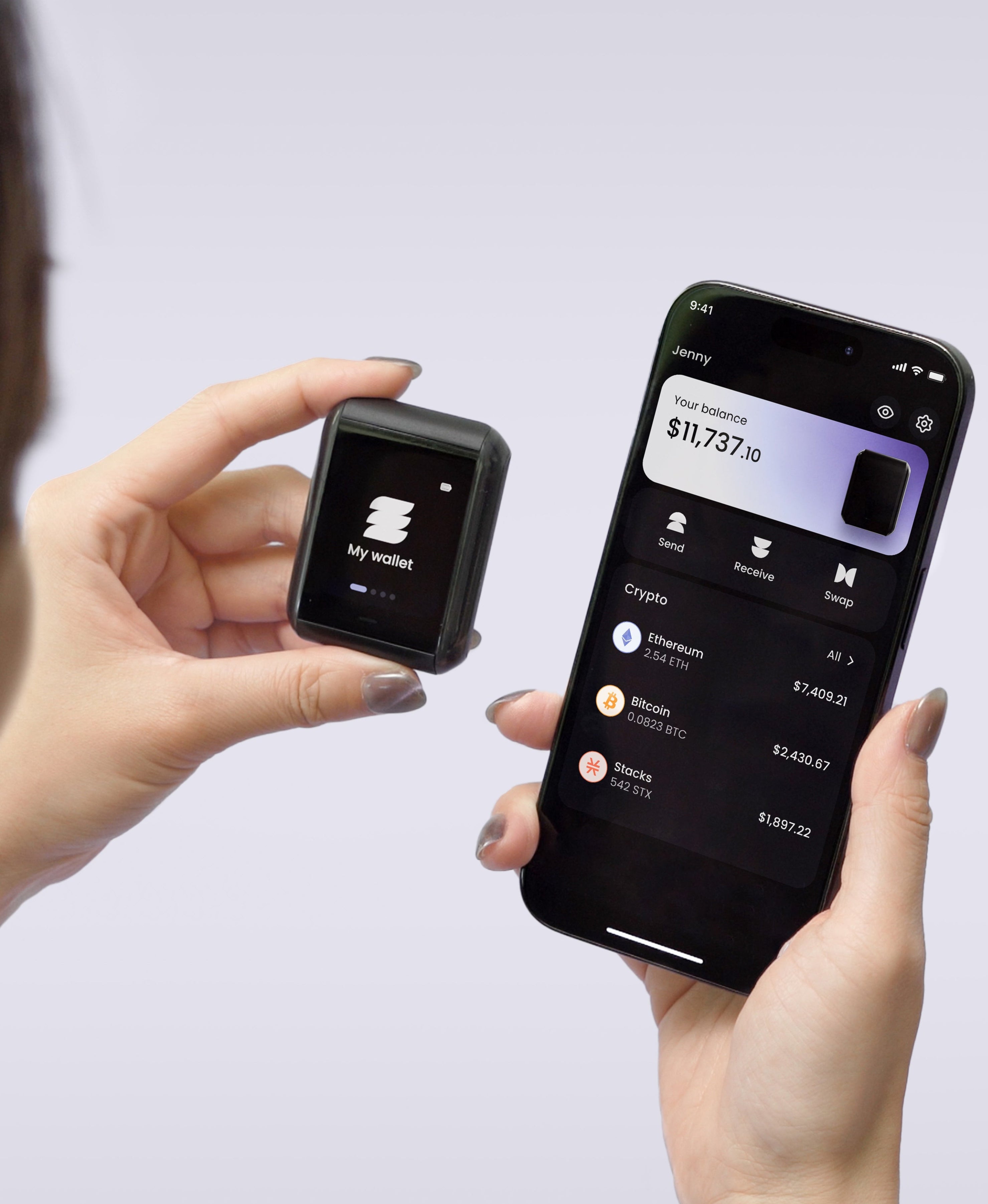
Hardware wallets formalise the split. The key is generated inside a certified secure element and never leaves it, the companion app holds addresses and history, and a transaction is only valid once the chip has signed it. Approving a payment means confirming the details on the device itself, so the app can be lied to without the signature following.
On Ryder One the key is generated in an EAL6+ certified Infineon SLC38, the firmware has been audited by Halborn with the full report public, and every transaction appears in readable detail on the 1.6-inch AMOLED touchscreen before you approve it. Communication runs over NFC alone, with no wired data path and no Bluetooth or Wi-Fi radio.
Which leaves the question these watch-only searches keep circling: what happens when the key is the thing you lose? A written seed phrase on paper survives every digital attack and then meets fire, damp and the recycling bin. Stamping it into steel settles those and hands your whole balance to one object that has to stay hidden for decades, which is an upgrade on paper rather than an answer. TapSafe Recovery splits a restore instead of hardening a single copy: half lives on the Recovery Tag, half travels with your paired phone held encrypted in your own iCloud or Google Drive, and neither half alone reveals anything usable. Recovery Contacts are optional, hold a quarter share each, and see no balances or addresses at any stage. Your words stay available on the device as a last resort under the BIP-39 standard, so you're never locked to our hardware.
The short version
A watch only wallet is a window. It reports what an address holds and what it has done, it cannot sign, and no amount of unlocking will change that. Treat the window as a convenience for keeping an eye on coins whose key sits somewhere safer, and treat anyone selling you a view of a balance as someone selling you a photograph.
Ryder One is 149 USD for the Starter Combo and 179 USD for the Super Safe Combo, with a Recovery Tag, wireless charger and pouch included. Setup takes about 60 seconds across three NFC taps.
Meta description: A watch only wallet shows a balance it can never spend. Why the funds won't move, the scam that exploits it, and when watching without signing is useful.




Share: