

Developing story, last reviewed 24 November 2026. The cause of this loss is unknown, and the details below may change as Trezor, Exodus or investigators say more. Ryder makes a competing hardware wallet, so weigh our view with that in mind.
If you saw a Trezor wallet hacked through an iPhone in your feed this week and you run a hardware wallet from your own phone, here's where things stand: nobody has shown that the phone, the Bluetooth link or the Trezor itself was the way in. What the on-chain record does show is that the stolen transfers were signed with the wallet's own authority, so someone either had the keys or got a signature out of the device, and the reports don't yet say which. That leaves a short list of setup habits that matter for any phone-paired wallet, and they're worth checking today whatever the final explanation turns out to be.
What was reported, and who reported it
On 23 November, crypto.news reported an investigation by the on-chain analytics account Onchain Lens into a user who reported losing more than 600,000 USD from a Trezor Safe 7 and an Exodus wallet used with the same iPhone. By the article's breakdown, about 580,000 USD left as USDT on the Tron network and another 23,400 USD as USDC on Solana, both from accounts on the Trezor, while 9,500 USD was taken from the Exodus wallet. The user had owned the Safe 7 for about two months and connected it over Bluetooth to the Trezor Suite app on an iPhone 17 Pro Max running iOS 27.2.1, with Exodus installed on that handset.
Every figure and detail here traces back to that one Onchain Lens thread. The outlets we could read, including crypto.news and BigGo Finance, relay the thread rather than adding their own checks, and BigGo reported that neither Trezor nor Exodus had issued a detailed public statement on the case when the investigation came out. We couldn't find a company statement on a page we were able to open, so we haven't quoted one.
Was the Trezor wallet hacked? Confirmed, claimed and unknown
The parts that are on the blockchain carry the most weight. According to the investigation as crypto.news describes it, the disputed Tron transfer used the account's default owner permission, the same one a 21 November payment the user recognized had used, rather than a token approval. On Solana, the victim's own address appeared as the transfer authority, the signer and the fee payer, with no separate delegate listed.
The victim's account is a claim. They say the recovery phrase appeared on the Trezor's screen during setup, that they wrote it on paper and never stored it digitally, and that they never approved the transfers. Nobody outside the case has been able to test that, which is normal at this stage, and it should be read as one side of a story that nobody has independently checked yet.
Several questions are still open. crypto.news reports that the Trezor's Tron and Solana accounts shared one recovery phrase, but the thread didn't establish whether the user also paired the Trezor with Exodus, and how the Exodus wallet was reached is a separate question that remains unanswered. How the signing authority was obtained, and whether one method reached both wallets, is unresolved in every report we read.
Does this point to an iPhone or Bluetooth flaw?
Nothing published so far shows that. Apple's security notes for iOS 27.2.1, released on 9 November, list two Bluetooth-related fixes: one where an attacker in Bluetooth range might corrupt process memory, and one where a malicious Bluetooth device might pair without the user's involvement. The victim's phone was running that patched release, and crypto.news reports that Onchain Lens found no evidence connecting those issues to the wallet transfers.
On the Trezor side, the Safe 7 is the company's first model with Bluetooth. Trezor's Bluetooth guide says pairing uses a one-time password, that the data sent over the link is encrypted, and that the private keys sit in protected parts of the device that never directly interact with Bluetooth. Those are the maker's own design claims, and this incident hasn't produced evidence against them yet.
What "signed with the wallet's own authority" tells you
A signature that only the wallet's key can produce narrows things down. As one summary of the case put it, either the keys leaked or the cold wallet itself signed the payments, and those two paths need different fixes.
If the keys leaked, the cause sits with the recovery phrase: a photo in a camera roll, a phrase typed into an app or a fake website, or that phrase loaded into a hot wallet whose keys live on the phone. Any of those would let someone sign without ever touching the hardware. If the device signed, the question becomes what was shown on its screen and approved, and the user says nothing was. Until an investigator publishes more, both remain possible and neither is proven.
How to set up a hardware wallet with your phone after this
These steps don't depend on how this case ends, and each one closes off a path that the reports leave open.
- Keep the recovery phrase off the phone completely. No photos, notes, cloud documents or password managers, and never type it into an app because the app asks. A hardware wallet protects keys that were generated on it and stayed there.
- Don't share one phrase between your hardware wallet and a phone app. If a hot wallet holds your hardware wallet's seed phrase, the phone holds your keys too, and the hardware no longer stands between an attacker and your coins.
- Read the address and amount on the device's own screen before you confirm. The phone can be fooled into showing something different, which is why the device's display is the one that counts.
- Switch off a radio you don't use. Trezor says Safe 7 owners can turn Bluetooth off and connect by cable instead, and it's a reasonable choice while this case is unexplained.
- Keep iOS current, and keep the hot wallet small. The 9 November release patched the Bluetooth issues above, and a spending wallet on your phone should hold what you'd be prepared to lose.
If you think your recovery phrase may ever have been exposed, the step that holds whatever the cause is to move funds to a new wallet with a newly generated phrase. For the wider picture of choosing and running a phone-first device, our guide on a hardware wallet for your phone covers connection types, phone replacement and what the screen has to show.
Where Ryder fits
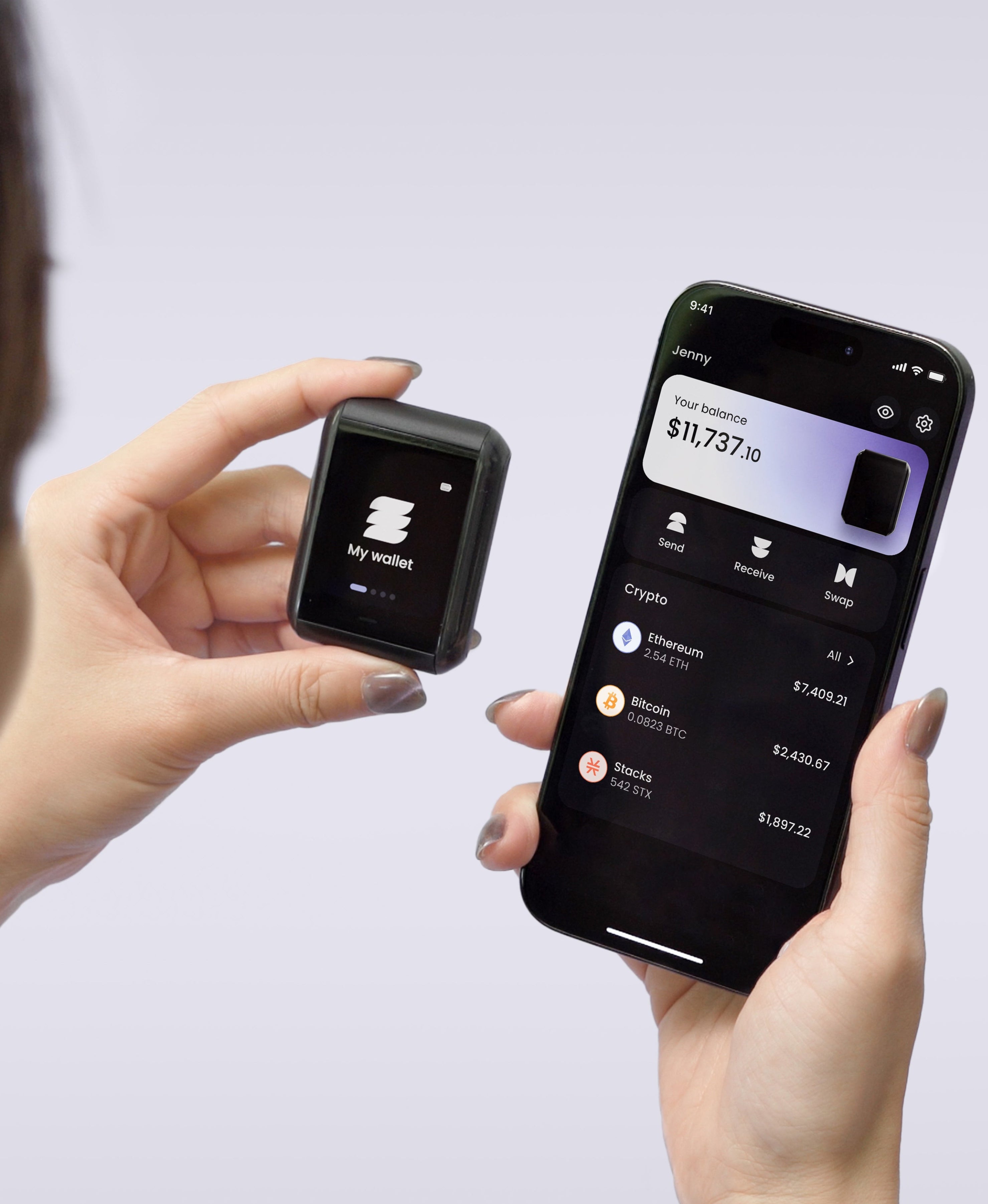
We make the Ryder One, which also runs from a phone app, so these questions apply to us as well. It connects to your phone by NFC only, with no Bluetooth, Wi-Fi or wired data transfer, and every transaction appears on its own color display before you approve it. That removes the Bluetooth question from the list, though nothing in a hardware design protects a recovery phrase someone else already has.
Two limits matter for anyone reading this after the Tron losses. Ryder One doesn't support Tron, so it isn't an option for holding USDT on that network. Our TapSafe Recovery also involves your phone: the paired phone keeps an encrypted share of your backup in your iCloud or Google Drive, worth half of a recovery, and the Recovery Tag holds the other half, so neither piece opens the wallet alone. We'll update this page if Trezor, Exodus or Onchain Lens publish a cause.


Share: