

Robinhood made buying crypto feel like buying a stock, which is exactly why so many people ended up holding coins there without ever deciding to. The balance on the screen is a number the broker owes you, and the keys underneath it belong to Robinhood. Learning how to transfer crypto from Robinhood to a cold wallet is the step that turns that number into something you hold yourself, and the process takes about ten minutes once you know where the traps are.
We've written before about when it makes sense to move. This is the how.
Check three things before you start
Robinhood supports sending more than 100 cryptocurrencies to outside addresses, though the list of what you can send is shorter than the list of what you can buy, so confirm your specific asset first. You'll also need identity verification and two-factor authentication switched on, and new accounts sit through a short waiting period before withdrawals open.
Second, check that your hardware wallet holds the asset you're moving. This trips people up more than the Robinhood side does, because a broker will happily sell you a token that half the cold storage market doesn't support. The Ryder One covers Bitcoin, Ethereum, Solana and a growing list of top ERC-20 and SPL tokens, so a Dogecoin or Cardano position needs a different home.
Third, know which network you're using. USDC exists on Ethereum, Solana, Base and several others, and the coins only arrive if the network you pick on Robinhood matches the network your receiving address belongs to. Getting this wrong is the single most expensive mistake in the whole exercise.
The steps
- Set up your hardware wallet first. Unbox it, run the setup, and complete the recovery process before any money is in motion. Setting up under pressure with a pending transfer is how people rush the part that matters.
- Get your receive address from the wallet, and verify it on the device. Copy it into Robinhood however you like, then check the first and last several characters against what the wallet's own screen shows. Clipboard-hijacking malware swaps addresses at this exact moment.
- In the Robinhood app, open the detail page for the coin you're moving and tap Send. Paste the address, select the matching network, and enter an amount.
- Send a small test amount first. Five or ten dollars is enough. Wait for it to land in your wallet and show up as a confirmed balance before you move the rest.
- Review the fee, then send the remainder. Robinhood charges nothing to send, but the network fee comes out of your pocket either way, and choosing Send All deducts that fee from the amount rather than adding it on top.
Most transfers land within minutes. A congested network can stretch that to hours, and the transaction ID Robinhood gives you can be pasted into a block explorer if you want to watch it move.
The mistakes that cost people money
Robinhood states it plainly: crypto transfers are final and cannot be cancelled or reversed, including by Robinhood. There is no support ticket that undoes a send to the wrong place, which is why the test transaction earns its ten minutes.
Some assets need a memo or destination tag alongside the address. If your receiving wallet asks for one and you leave it blank, the coins can arrive at an address that has no idea which account they belong to. Read the send screen rather than skimming it.
Watch out for the sequencing too. Doing the whole thing in one sitting, on a device you trust, beats splitting it across a phone and a borrowed laptop, and no part of this process should ever involve typing your recovery words into anything. Robinhood will never ask for them, and neither will we.
Robinhood Wallet is a different product
Confusingly, Robinhood runs two things with similar names. Robinhood Crypto is the brokerage inside the main app, where the company holds your keys. Robinhood Wallet is a separate download, a self-custody app that gives you the private keys and hands you a recovery phrase to write down, covering Ethereum, Bitcoin, Solana, Dogecoin and several layer-2 networks.
Moving from the brokerage to Robinhood Wallet does improve who controls the coins. It also puts the keys on an internet-connected phone, which is a hot wallet by any definition, and it makes you responsible for a recovery phrase without giving you much help in keeping it. That's the gap cold storage fills.
Once the coins land, your backup becomes the weak point
Here's the part nobody warns you about at the moment of transfer. You've moved from a risk you didn't choose, a broker that could freeze, fail or be ordered to hand things over, to a risk that is entirely yours: a set of words that has to survive fires, floods, house moves, divorces and decades. Plenty of people complete the transfer, feel relieved, and then leave the only copy of their recovery in a kitchen drawer.
Paper burns. A stamped steel plate answers the durability problem well and is the standard upgrade, though it still concentrates everything into one object that has to stay intact, stay unread by visitors, and stay findable by you. TapSafe Recovery removes the single point of failure instead of hardening it. Recovery splits across a Recovery Tag holding half of what's needed and your paired phone holding the other half, encrypted into your own iCloud or Google Drive rather than sitting on the handset, so no one object is worth stealing and losing any single piece is survivable. Recovery Contacts are optional, hold a quarter each, never see anything about your balances, and are added in person with a tap. Underneath it runs a custom implementation of Shamir's Secret Sharing, and the seed phrase stays on the device as a last resort under the BIP-39 standard, so you're never locked to our hardware.
What good looks like a week later
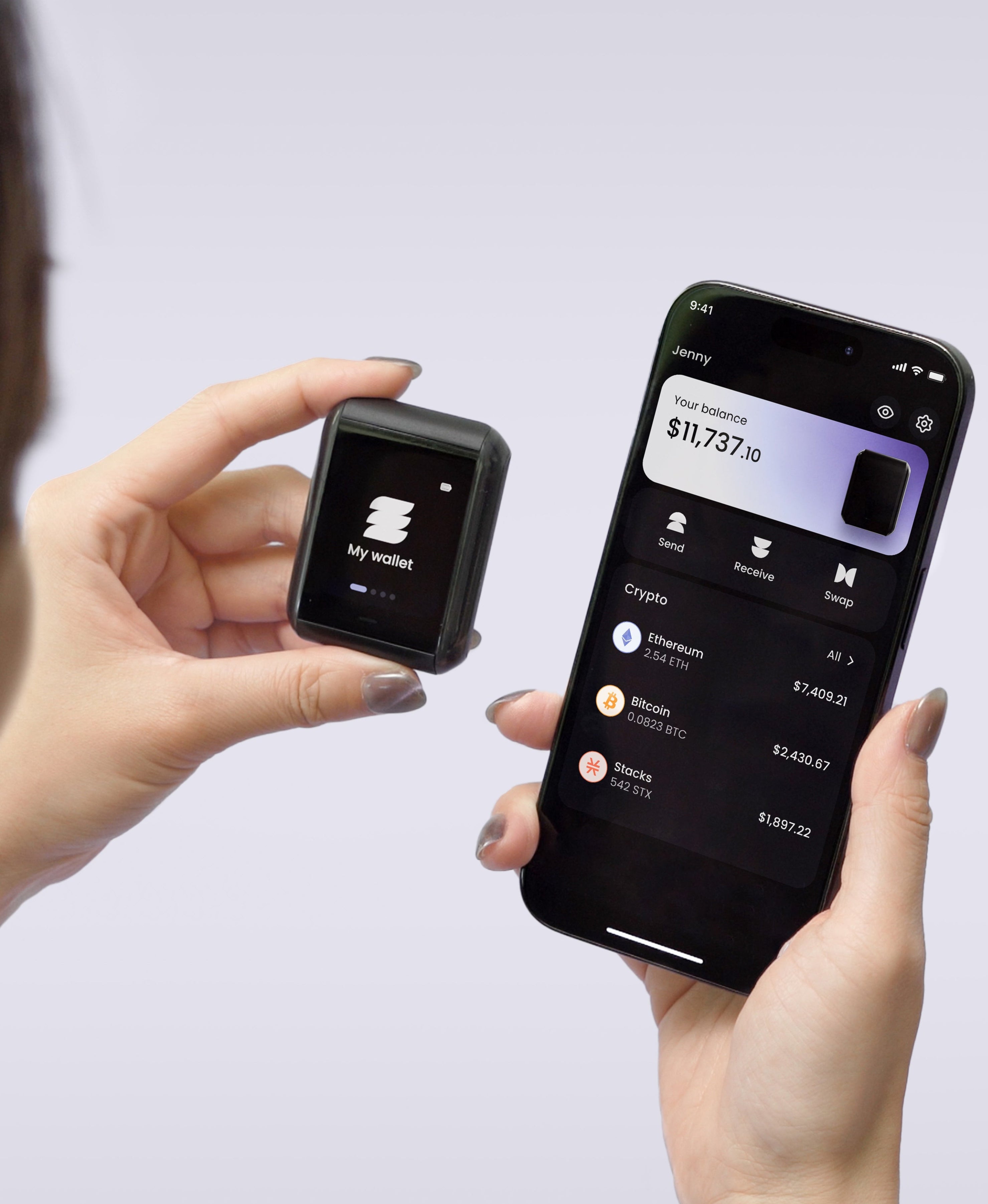
A month after the move, the setup that holds up is boring. Your coins sit on a device that has no USB port, no Bluetooth and no Wi-Fi, and that only wakes up when you tap it against your phone. Every outgoing transaction is drawn in full on the 1.6-inch screen, verified against a button wired directly to the secure element, so what you see is what gets signed. Your recovery doesn't live in one drawer.
Setup on the Ryder One runs three taps and under a minute, and if you already hold a 12 or 24-word phrase from somewhere else you can import it and layer TapSafe on top rather than starting again. Get your Ryder One.


Share: