

Once you have decided to switch hardware wallets, one choice shapes everything that follows. You can import your existing recovery phrase into the new device, which brings your addresses and history across in minutes. Or you can let the new device generate a fresh set of keys and move your crypto to them as ordinary transactions.
Both are correct in different situations, and the deciding factor is not convenience. It is the history of the secret you are carrying over.
What importing does
Importing types your existing twelve or twenty-four words into the new wallet. The device derives the same keys, so the same addresses appear with the same balances and the same history. Nothing moves on-chain, you pay no network fees, and in most jurisdictions nothing has happened that a tax authority would consider a disposal, though that is worth confirming with someone qualified rather than taking from a blog.
It is fast and it is the right answer more often than people assume. It also carries one thing across that the new hardware cannot fix.
Your old seed existed outside the new device's secure element. It was displayed on an old screen, written on a card, possibly photographed, possibly typed into something, and possibly stored in a place you would not choose today. The new wallet's certified chip protects keys generated inside it; keys arriving from outside inherit whatever exposure they already had. A better device does not retroactively un-see a phrase.
What a fresh start does
Letting the new device generate its own keys gives you a secret with a known, clean history. It was created inside the secure element, has never been displayed to an old device, and has never existed anywhere you did not intend.
The cost is that your coins have to move. That means on-chain fees across every asset you hold, which adds up if you hold many small positions. It may create a taxable event depending on where you live and how the transfers are structured. And anything pointing at your old addresses needs updating: exchange withdrawal whitelists, recurring payouts, mining or staking destinations, and anyone who pays you directly.
You also need both devices working at the same time, which is fine, and it means not wiping the old one until the move is finished.
How to choose, in one pass
Run these in order and stop at the first yes.
- Has your old recovery phrase ever been photographed, typed into a phone or computer, stored in a password manager, kept in cloud storage, or seen by anyone else? Generate fresh keys. This is the whole reason the option exists.
- Are you leaving your old brand because of a trust or security concern rather than usability? Generate fresh keys. If the worry is about how that vendor handled keys, carrying its seed forward keeps the worry.
- Was the old device ever bought secondhand, or did it arrive with a phrase already filled in? Generate fresh keys, and treat any funds on it as already compromised.
- Do you hold many small positions across several chains, with a clean phrase history? Import. The fees and admin of moving everything will outweigh a theoretical gain.
- Everything else: import is fine. A phrase that has only ever lived on paper in one place, unseen, is not improved by being replaced.
Most people switching for usability reasons land on import. Most people switching after a breach, a leak, or a secondhand purchase should not.
The compatibility check that stops imports dead
Before you plan around importing, confirm the new device accepts the kind of backup you have. This is where switches fail on the day, and the failure is not obvious until the words are being typed.
Standard BIP-39 phrases of twelve or twenty-four words are the common format and import almost everywhere. Several things look like them and are not. Shamir backups from a Trezor use SLIP-39 and will not restore on a wallet expecting BIP-39. Electrum has its own seed format that most hardware wallets reject. Phrases of thirteen or twenty-five words usually mean a passphrase is involved. And some wallets use word counts outside the standard entirely.
The Ryder One imports standard BIP-39 phrases of twelve or twenty-four words. If your backup is a SLIP-39 Shamir set or an Electrum seed, importing is not the path, and the fresh-keys route is how you move. Check this against your own device before you order anything.
One more: if your old wallet used a passphrase, sometimes called the twenty-fifth word, the words alone restore a different and usually empty wallet. The passphrase is part of the backup, and the Ryder One does not support a BIP-39 passphrase, so a passphrase-protected wallet needs the fresh-keys route.
The order of operations
Whichever route you chose, do it in this sequence. The dangerous step is wiping the old device too early.
- Set the new wallet up completely, including its backup, before touching any funds.
- Verify the new backup works. If you imported, confirm the expected addresses and balances appear. If you generated fresh keys, confirm you can recover before you fund it.
- Send a small test amount to the new wallet and confirm it arrives.
- Send a small amount back out, which proves you can sign and spend rather than just receive.
- Move the rest, in batches if the amounts are large.
- Update everything pointing at old addresses.
- Only now wipe the old device, and keep the old backup until you are certain nothing is left behind.
Step four is the one people skip. Receiving proves an address; spending proves you control it.
What your new backup should look like, and what TapSafe changes
You are about to set up a backup arrangement that outlives this switch, so it is worth doing differently rather than recreating the thing you are leaving. The standard version hands you words on a card and asks you to keep one object intact and unseen for as long as you hold crypto. Steel plates survive a house fire that paper does not, which is a sound upgrade, and one item still rebuilds the whole wallet.
TapSafe Recovery breaks that dependency with a Shamir's Secret Sharing implementation we wrote. Your Recovery Tag holds half, your paired phone holds the other half encrypted into your own iCloud or Google Drive rather than on the handset, and optional Recovery Contacts hold a quarter each while learning nothing about your holdings. No single share opens the wallet, so losing one is a repair. Your seed phrase is still there on the device as a last resort under BIP-39, which means the next switch, if you ever make one, stays as open as this one.
If you import, note that you are layering TapSafe on top of a phrase with its own history. That is supported and it is worth being clear-eyed about: the split protects you from losing the backup, and it cannot undo earlier exposure.
Where this leaves the decision
Importing buys speed and costs you the provenance of your old secret. Fresh keys cost fees and admin and buy you a secret that has only ever existed inside a certified chip.
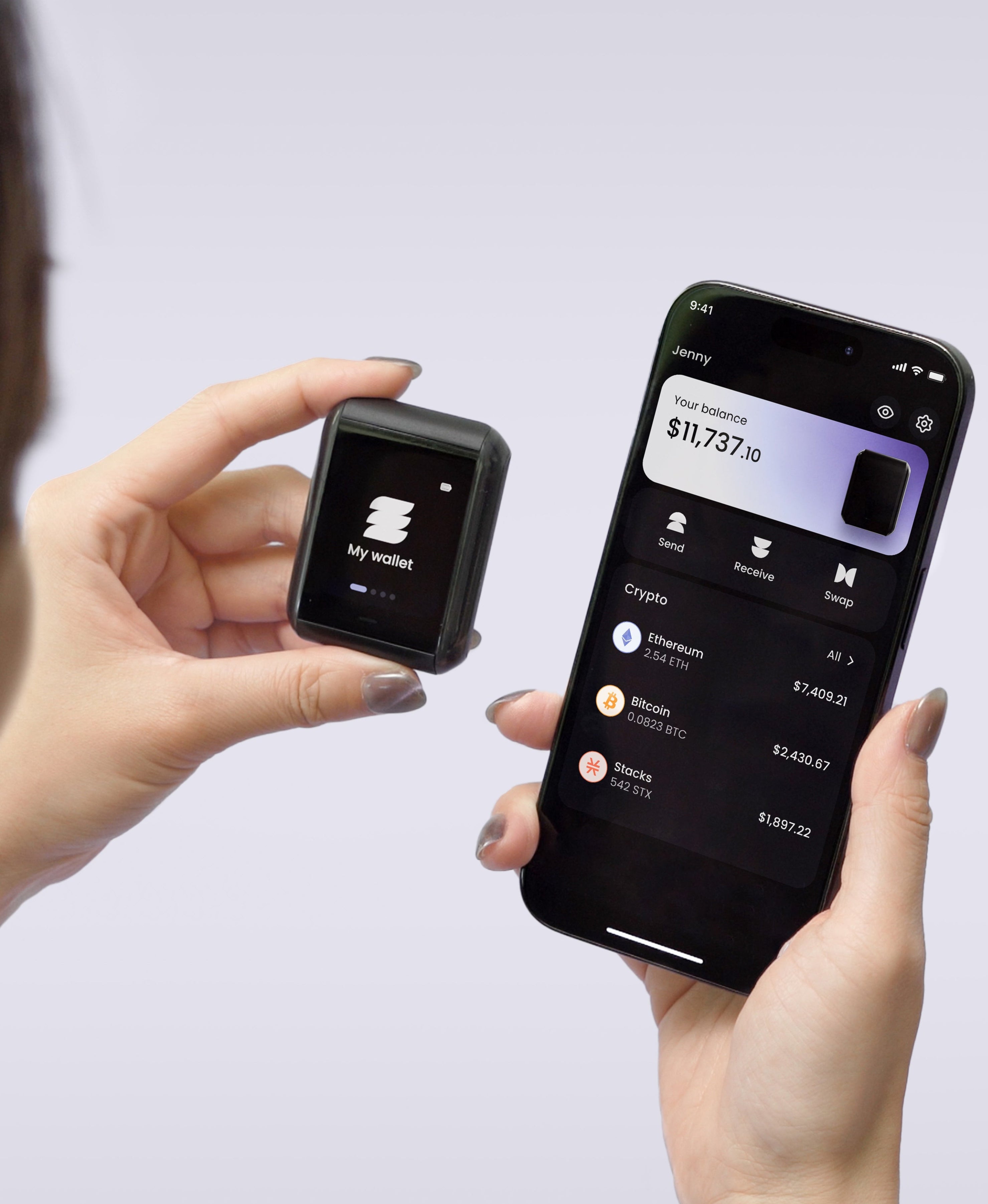
The Ryder One is 149 USD for the Starter Combo and 179 USD for the Super Safe Combo. Keys are generated inside an EAL6+ certified Infineon SLC38 secure element and never leave it, setup runs in three taps over NFC, and Halborn audited the firmware independently with the report published in full. Get your Ryder One.


Share: