

Developing story, last reviewed 7 November 2026. Loss figures come from one on-chain investigation and are a floor. Ryder makes a hardware wallet, so weigh our advice accordingly.
If you heard about the DarkSword exploit this week and keep crypto on an iPhone, start with Settings, then General, then Software Update. DarkSword is a set of attacks on older versions of iOS 18 that can take over an iPhone when its owner opens a booby-trapped web page in Safari, and once inside it reads saved passwords, photos, Apple Notes and wallet app data. Apple has fixed every flaw it uses, so a phone on the latest iOS isn't exposed to the known version. The second thing to do matters as much as the first: if a photo or a note on your phone holds your recovery phrase, treat that phrase as exposed and move your funds.
What the DarkSword exploit is
Google's Threat Intelligence Group described DarkSword in March 2026, working alongside the security firms Lookout and iVerify. It chains six separate bugs together: the first breaks out of a web page inside Safari, the next ones climb through the phone's defences, and the last one gives the attacker control of the operating system itself. Google found it working on iPhones running iOS 18.4 through 18.7, used by several groups against targets in Saudi Arabia, Turkey, Malaysia and Ukraine since at least November 2025.
The part that worries people is how little the victim has to do. There's no app to install, no file to open and no wallet prompt to approve, because loading the page is enough. Google says Apple patched all six bugs by iOS 26.3, most of them much earlier, and Apple says iOS 18.7.7, which it pushed to more iPhones on 1 April, carries DarkSword protections for phones that stay on iOS 18. An older companion kit, Coruna, covers iPhones on iOS 13 through 17.2.1, which Google says doesn't work on current iOS either.
Why it's in the crypto news now
What began as a spying tool has drifted toward theft. In October, iVerify described a later variant it calls P7, found on a customer's phone in August, which runs inside the iPhone's home-screen process, checks in with the attackers every 15 seconds for new orders, packages up the phone's saved passwords, uploads photos from the camera roll, copies the Apple Notes database and includes a command to pull data from the imToken wallet app. Two weeks later, iVerify and Report URI traced how everyday iPhone users were reaching the attack: through ads, including a World Cup-themed Instagram ad that infected a phone while its owner scrolled, through a fake Polymarket page, and through former advertising and analytics web addresses that attackers had bought after they expired and that thousands of websites still load. iVerify estimated that sites able to serve the exploit draw about 135 million visits a month, and listed Binance, Coinbase Wallet, OKX, Bitget, Trust Wallet, Exodus, TronLink and Bitpie among the wallet apps the theft tools look for.
On 6 November the blockchain security firm CertiK warned that an updated version of the kit is being used against crypto wallets on iPhones that haven't been updated, naming MetaMask, Trust Wallet, Phantom, Exodus and Coinbase among the apps at risk. CertiK's point that matters most for your next step is that the weakness sits in the phone, so moving to a different wallet app doesn't protect anything an infected phone has already exposed.
The clearest picture of the money so far comes from the blockchain data firm Bitquery, which followed one documented iPhone theft outward and found a coordinated operation that took at least 4.16 million USD from about 430 wallets between 5 October and 4 November, mostly USDT on the Tron network. In the case Bitquery matched to the second, an iPhone owner said they opened a video in Safari and tapped an ad before their wallets were emptied. Bitquery is careful to say the blockchain never records which phone or app was involved, so the data proves a coordinated drain and one exact match to a reported iPhone infection, while leaving open how many of the other victims were on iPhones.
Are you affected?
Your exposure depends mostly on which iOS version your phone runs. A phone on the latest iOS 26 release, or on iOS 18.7.7 if it stayed on iOS 18, has the fixes Apple lists for DarkSword, while a phone on any earlier version is the one to worry about. If your iPhone can't install either, Coruna or DarkSword may still work on it. iVerify has seen attackers trying to rework the kits for iOS 26 and described those attempts as mostly non-working so far, which is a reason to keep installing patches as they arrive rather than a reason to relax.
The harder question is whether an unpatched phone was already hit. DarkSword runs quietly and leaves little for its owner to see, so the useful test is what was on the phone during the months it ran unpatched software. If you browsed on an out-of-date iPhone while it held any of the following, act as though that data is in someone else's hands:
- a screenshot, photo or note containing a recovery phrase
- a wallet app that stores its key on the phone, such as MetaMask, Trust Wallet, Phantom or Exodus
- saved passwords for an exchange or for the email account linked to one
What to do now
Update iOS first, and turn on automatic updates while you're there. If your phone can't run a current version, Google recommends Lockdown Mode, which you'll find under Settings, Privacy & Security, and iVerify suggests the same for anyone holding a large amount of crypto. Lockdown Mode switches off some of the web features these attacks rely on, at the cost of a few conveniences in Safari and Messages.
Next, go looking for your recovery phrase. Search your photos, screenshots, Notes and any files synced from iCloud Drive for anything that looks like a list of 12 or 24 words, and if you find one, deleting it isn't enough. Create a new wallet on an updated, clean device, write the new phrase on paper or metal, and send your funds across, because a phrase that has sat in a photo library can't be made private again by removing the picture. CertiK and iVerify both give the same advice: never reuse the old phrase.
After that, change the passwords saved on the phone, starting with your exchange and the email account behind it, and check that withdrawals on your exchange need a second factor that isn't a text message. If you hold coins on an exchange, DarkSword doesn't reach the exchange's own wallets, but a stolen password plus a weak second factor can still reach your account.
Where a hardware wallet fits
DarkSword works by taking over the phone, so it can only steal secrets that live on the phone. A key created inside a secure element on a separate device, and never copied out, isn't in the keychain, the camera roll or any app's storage, which means an attacker with full control of the iPhone still has no key to copy. That's the reason CertiK's advice includes using a hardware wallet for larger holdings, whichever brand you pick.
There are limits worth stating plainly. A hardware wallet doesn't help if you photograph its recovery phrase, and a hacked phone can still ask you to approve a transfer you didn't intend. The protection comes from reading the address and amount on the device's own screen before you confirm, because the phone's screen is the part the attacker controls.
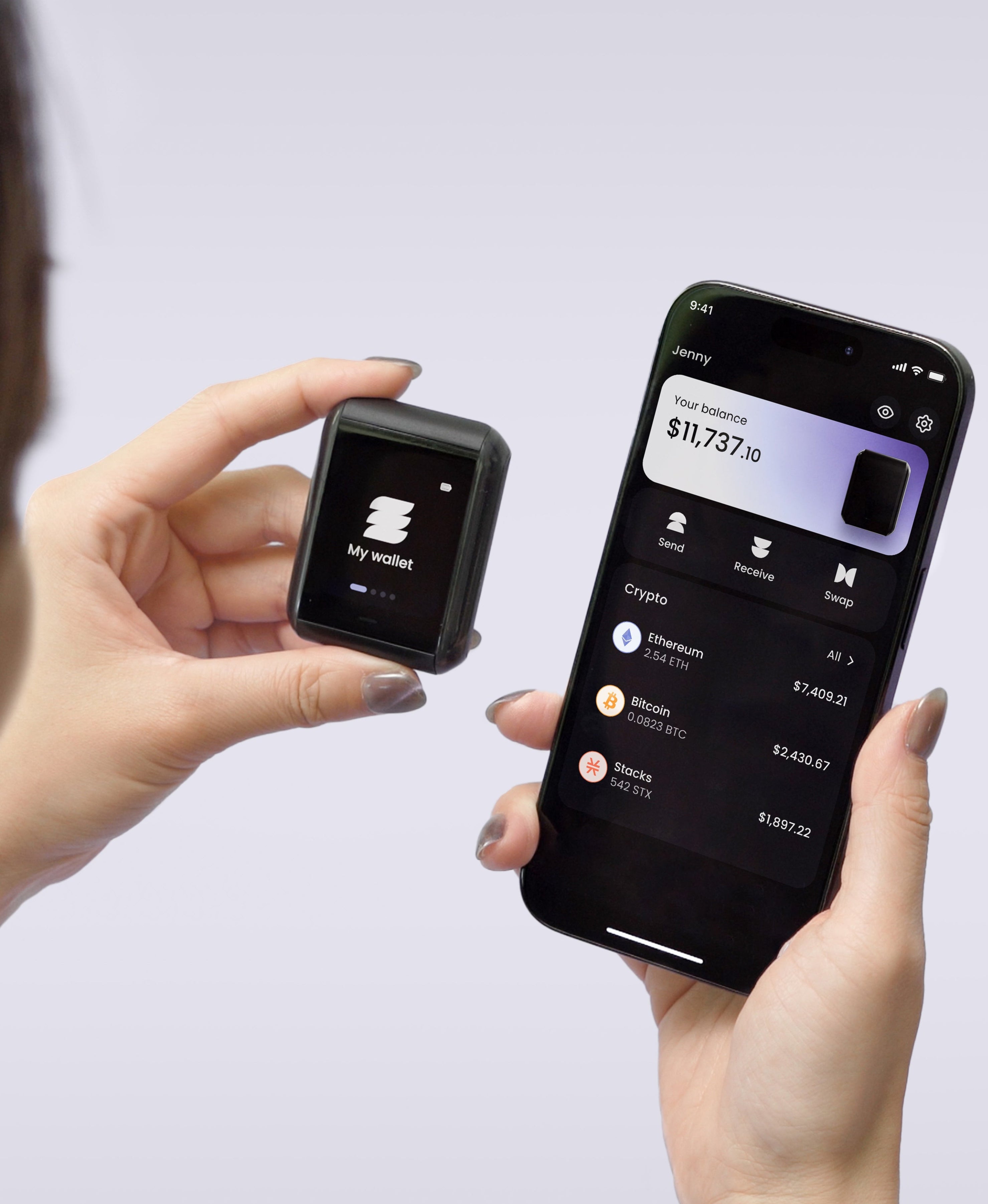
On Ryder One, the private key is generated inside an EAL6+ certified secure element and stays there, the device talks to your phone only over NFC while you hold them together, and every transaction appears on its 1.6-inch AMOLED touchscreen for you to check before signing. Its backup, TapSafe Recovery, is designed so you don't need a written phrase in day-to-day use, which removes the temptation to keep a copy in Notes; the phrase is still viewable on the device if you ever want it.
What we're watching
Three questions are still open: how many of the drained wallets Bitquery traced belonged to iPhone users, whether the version CertiK describes uses any bug Apple hasn't yet fixed, and whether attackers manage to rework DarkSword for iOS 26. We'll update this page as the researchers publish more. In September we covered a similar full-chain iOS warning from SlowMist, and if you're weighing your first device, our checklist on your first hardware wallet covers what to compare.


Share: