

Buying your first Bitcoin or Ether is the easy part. The next decision is the one most people fumble: where do you keep it? This is the question a crypto wallet answers, and the answer matters more than the question makes it sound.
A wallet doesn't hold your coins the way a leather wallet holds cash. It holds the keys that prove the coins on the blockchain belong to you. Lose the keys, lose the coins. Hand the keys to someone else, you've handed them the coins. That single mechanic is what makes wallet choice so different from picking a bank.
This guide walks through the full analysis: hot versus cold, custodial versus non-custodial, software versus hardware, and what each one is best at. By the end you should know which kind of wallet matches the amount you're holding and the way you plan to use it.
What a crypto wallet really is
A wallet is a key manager. It generates a private key, keeps it secret, and uses it to sign transactions on your behalf. The matching public key becomes your address, which is what you share when someone wants to send you crypto. The blockchain doesn't know about the wallet at all. It only knows that signed messages from a particular key are allowed to spend the coins at a particular address.
Two consequences fall out of this. First, the same wallet seed can be loaded into a different wallet app and the coins will appear there, because the blockchain doesn't care about the app, only the keys. Second, if multiple devices have the keys, all of them can spend. Wallets are key holders, not coin containers.
Hot wallets vs cold wallets
A hot wallet is connected to the internet. A cold wallet isn't. That's the whole distinction.
Hot wallets are convenient. You open the app, tap a button, and the transaction goes through. Phone wallets, browser extension wallets, and desktop wallets all live here. The cost of that convenience is exposure: anything connected to the internet can be reached by malware, phishing, or a compromised app store update.
Cold storage keeps the keys offline. The keys are generated and stored on a device that never connects to the internet, and signing happens on the device itself. Even if your computer is loaded with malware, the key never leaves the secure environment, so there's nothing for the malware to steal.
For day-to-day spending, hot is fine. For long-term holdings, cold is the standard.
Custodial vs non-custodial
This is the cut that matters most for risk.
A custodial wallet means someone else holds your keys. Most exchange wallets are custodial. You log in with a password, and the exchange signs transactions on your behalf using its own keys. You don't have a wallet so much as you have an account at a service that has a wallet.
A non-custodial wallet means you hold your keys. The wallet app generates them on your device, you write down the seed phrase, and nobody else has access. If the wallet company disappears tomorrow, you load the seed into a different wallet and your coins are still yours.
The custody question maps cleanly to the question of who's responsible when things go wrong. With custodial, the exchange is on the hook for security but also on the hook in bankruptcy. With non-custodial, you're on the hook for security but you're nobody's creditor.
The four flavors of wallet you'll see
Mobile wallets live on your phone. Best for small amounts and frequent use. Examples worth knowing include Phantom on Solana and MetaMask Mobile across EVM chains. Treat the phone itself as part of your security: a stolen unlocked phone is a stolen wallet.
Browser extension wallets like MetaMask, Rabby, and Phantom live in your browser. Best for interacting with web apps and DeFi. The risk surface is larger than a mobile wallet because every site you visit can attempt to interact with the extension.
Desktop wallets are full applications installed on your computer. Less common now, but still around for power users running a Bitcoin node or a Lightning channel. The security depends on the security of your operating system.
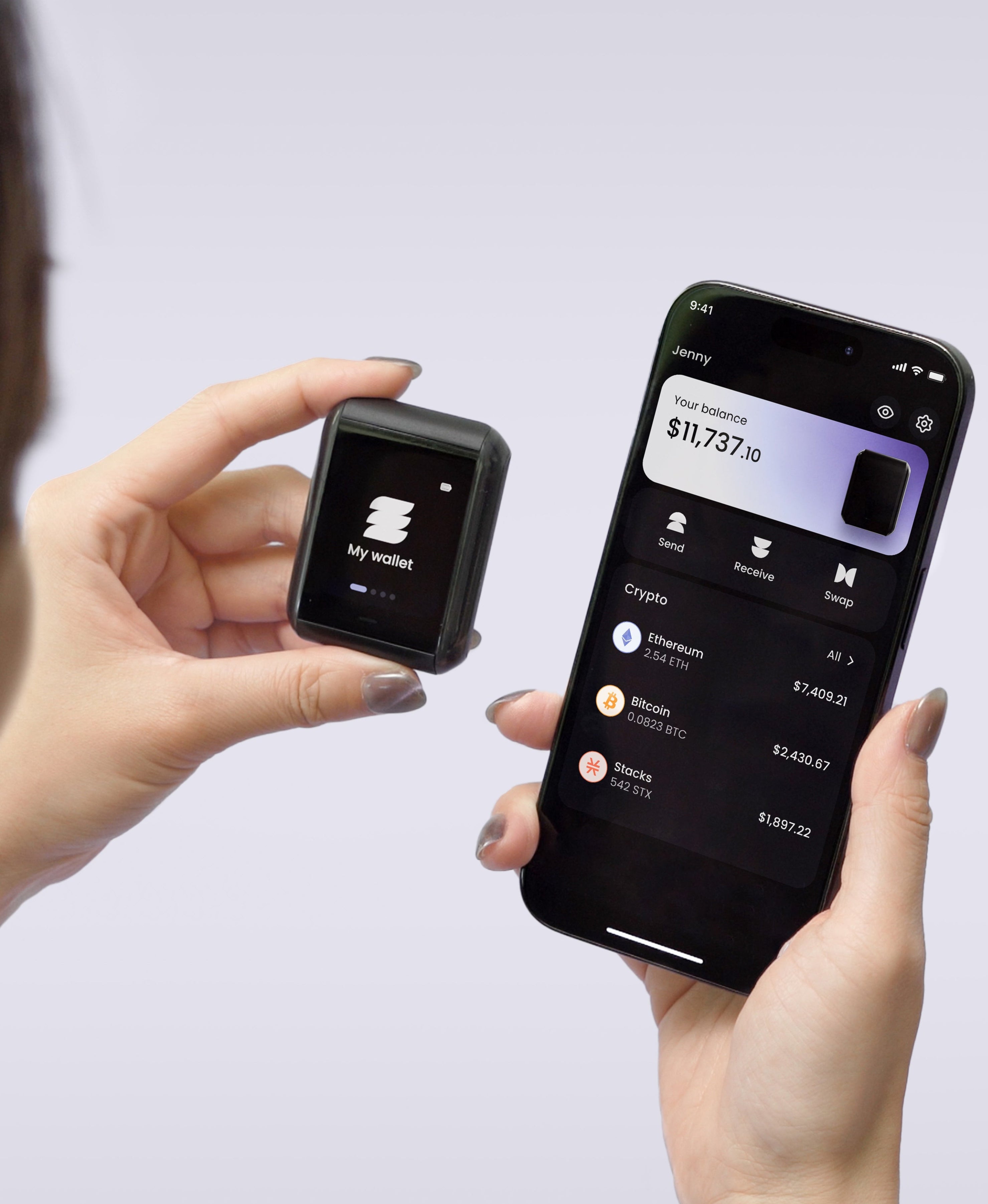
Hardware wallets are dedicated devices that hold the keys offline. They connect to a phone or computer when you want to sign a transaction, but the keys never leave the device. This is the standard for any holding you'd be sick to lose.
Multisig and smart wallets
Two newer categories deserve a mention.
A multisig wallet requires multiple signatures to spend, the way a corporate bank account might require two signers on a check. You can split signers across devices, locations, or people. This is overkill for casual holders and useful for treasuries.
A smart wallet uses an on-chain account that programs the rules: spend limits, recovery via trusted contacts, gas paid in any token. These are growing fast on Ethereum and other EVM chains under the heading of account abstraction. They blur the line between hot wallet and recovery system.
Which wallet for which use case
Small amounts you spend regularly: hot, non-custodial mobile or browser extension wallet. The convenience is worth more than the risk for sums you can afford to lose to a bad click.
Medium amounts you don't move often: a hardware wallet paired with a hot wallet for daily use. Move savings to the hardware wallet, keep spending money in the hot wallet.
Large amounts or long-term savings: hardware wallet, full stop. If the loss would change your life, the marginal effort of cold storage is the cheapest insurance you'll find.
Treasuries and shared accounts: multisig.
The recovery question every wallet has to answer
Wallets fail. Phones get dropped in pools, hardware breaks, accidents happen. Every non-custodial wallet has to give you a way to restore access on a new device.
The standard answer is the seed phrase. Twelve or twenty-four words you write down at setup. Burn the paper, lose the words, and the coins are gone forever. The next standard step up is a stamped steel plate that survives fire and water. Metal is more durable than paper, but your security still hinges on one object surviving every fire, flood, theft, and house move that happens over the rest of your life.
We built Ryder One to take the single-object dependency out of the equation. TapSafe Recovery splits the wallet backup across three layers: a battery-free Recovery Tag, your phone, and an optional circle of Recovery Contacts. No single layer on its own gives anyone access. The seed phrase is still there as a last resort on the device, so you're not locked into our hardware. You just don't have to bet your savings on a single piece of metal.
The short answer
Custodial is the easiest place to start. Non-custodial is where you should land for anything you'd be upset to lose. Cold storage is the standard for anything long-term. And the recovery question is the one most beginners haven't thought about and the one that catches people out a decade in.
Pick a wallet you don't have to babysit. Ryder One is a non-custodial cold wallet with three-layer recovery and an EAL6+ secure element. See how it works.


Share: