

If you've used Crypto.com, you've experienced an entire crypto stack in one app: buy, sell, swap, earn, spend with a Visa card, and (until 2023) a celebrity-fronted Super Bowl ad to boot. The convenience is real. The trade-off is one most users don't think hard enough about until something goes wrong.
This guide compares Crypto.com to self-custody as a way of holding crypto. The two aren't competing products. They're competing models. By the end you should know which is right for which portion of your stack, and what's at stake when you choose one over the other.
Crypto.com in one paragraph
Crypto.com is a centralized exchange and consumer crypto app. You sign up, you verify your identity, you fund the account, and you can buy hundreds of cryptocurrencies, earn yield on stablecoins, swap between pairs, and spend through a debit card. The app is polished, the fees are competitive on credit-card buys, and the user experience is clean. As of 2026, Crypto.com is one of the largest exchanges in the world by spot trading volume. [VERIFY BEFORE PUBLISHING: current Crypto.com global trading volume rank as of Q1 2026]
What you get with the convenience is custody by Crypto.com. The app holds the keys. You hold an account.
Self-custody in one paragraph
Self-custody means you hold the keys to your own crypto. Most often this is done with a hardware wallet, a dedicated device that generates and stores your private keys offline. You sign transactions on the device, the keys never leave it, and the only person who can spend the coins is the person holding the device and knowing the PIN. There's no account, no login, no platform between you and the blockchain. The trade-off is that you're responsible for backing the wallet up correctly, because there's nobody to call when you lose access.
Comparison table
| Property | Crypto.com | Self-custody (e.g. Ryder One) |
|---|---|---|
| Who holds your keys | Crypto.com | You |
| Account recovery | Email + ID verification | Recovery method on the device |
| Failure mode if company fails | Funds at risk in bankruptcy | Unaffected |
| Failure mode if you lose access | Customer support recovery | Backup-dependent |
| Buy/sell crypto | Built in | External (use a separate exchange) |
| Yield on holdings | Built in (custodial) | External (DeFi or none) |
| Card spending | Built in | External |
| KYC required | Yes | No (for the wallet itself) |
| Privacy | Account tied to identity | On-chain only, pseudonymous |
| Best for | First purchase, day-to-day use | Long-term holdings, large sums |
| Worth knowing | Subject to local jurisdiction freezes | Backup loss is unrecoverable without redundancy |
Where Crypto.com is the right choice
Crypto.com is the simpler tool for the first phase of any crypto holder's journey.
If you're buying your first 200 USD of Bitcoin, the practical experience of Crypto.com (or Coinbase, or Kraken, or any reputable exchange) is hard to beat. You hand over a credit card, the coins appear in the app, and you can sell them back when you want to. Self-custody at this stage adds learning curve without adding much practical protection: a hardware wallet for 200 USD is overkill in time, money, and the risk of getting the setup wrong.
Crypto.com is also the right tool for crypto used as currency. The Visa card, the rewards program, the swap function, and the bill-pay integrations are designed for active spending. Holding the corresponding amount of crypto on the platform makes those features work. You wouldn't move dollars between your bank and a wallet for every coffee, and you don't need to do the equivalent in crypto either.
Best for: first-time buyers, day-to-day spending balances, sums you can replace.
Worth knowing: any centralized exchange can be forced to freeze accounts, and it can also run out of money. That is part of what happened with FTX in 2022 and during the Terra-Luna crash in 2023. Crypto.com’s prepaid Visa card rewards have also changed over time. Crypto.com says some card plans can earn up to 5% back in CRO. The exact rewards and monthly caps depend on the plan, and the rules can change. Source: Crypto.com Help Center — Prepaid Card Rewards & Benefits
Where self-custody is the right choice
Self-custody becomes the right tool the moment your holdings cross the threshold of "I can replace this without much pain" into "I'd be sick if this went away."
Two reasons. First, exchange failures happen. The list of platforms that have collapsed, paused withdrawals, or settled with regulators since 2020 is long, and includes some of the largest names in the industry: FTX (8 billion USD missing), Celsius (frozen withdrawals, bankruptcy), BlockFi (bankruptcy), Voyager (bankruptcy), Binance (4.3 billion USD DOJ settlement). Crypto.com hasn't been on the failed list, but the question worth asking isn't whether your specific exchange has failed before. It's whether the model has, and the model has.
Second, custody mistakes are cheaper to fix than custody losses. If you misplace a hardware wallet, the recovery method gets you back in. If your exchange disappears, the recovery is whatever the bankruptcy court eventually decides, years later, in cents on the dollar.
Best for: long-term holdings, sums you'd be devastated to lose, anyone who values privacy or wants to interact with on-chain protocols directly.
Worth knowing: self-custody puts the responsibility for backups on you. A burned paper seed phrase or a damaged metal plate means losing access. The standard recovery tools have improved a lot in the past three years, but the failure mode hasn't disappeared.
The hybrid approach (and the right one for most people)
You don't have to pick one model for your whole stack. Most experienced holders run a hybrid setup.
Use Crypto.com (or whatever your local equivalent is) for the small balance you actively spend, and for the on-ramp from fiat. Use a hardware wallet for the long-term self-custody portion you want to hold for years. Move funds to the hardware wallet when the exchange balance grows beyond what you'd be willing to lose. Move them back when you want to sell.
The split is about matching the tool to the use. Crypto.com is built for liquidity and convenience. A hardware wallet is built for holding without depending on anyone.
Why Ryder One for the self-custody side
If you've decided some part of your stack belongs in self-custody, the next question is which hardware wallet. The category has matured a lot in the past five years.
Most hardware wallets in the market still rely on a 24-word seed phrase as the only backup. You write the words on paper, then upgrade to a stamped steel plate. Metal is more durable than paper. Your security still hinges on one piece of metal surviving every fire, flood, and house move between now and the day you need it. That's a single point of failure dressed in stainless steel.
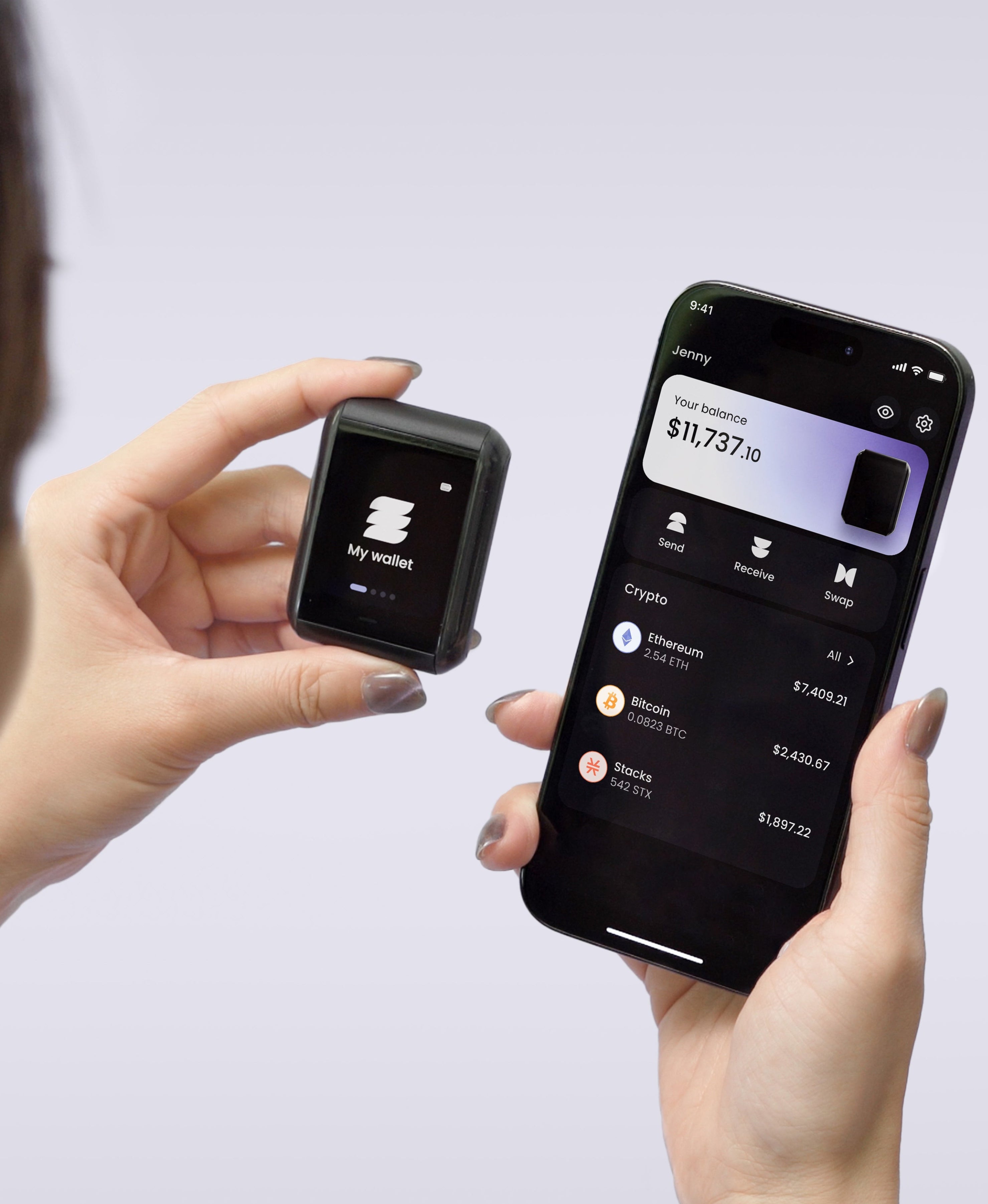
We built Ryder One to remove that single point of failure. TapSafe Recovery splits the wallet backup across three layers: a battery-free Recovery Tag, your phone, and an optional circle of Recovery Contacts. No single layer on its own gives anyone access to your coins. The seed phrase is still on-device as a last resort, so you're never locked into our hardware.
The other parts of the spec sheet matter too. Ryder One uses NFC-only communication (no USB cables to leave plugged in or fail), an EAL6+ Infineon secure element, and a 1.6-inch AMOLED touchscreen that displays every transaction before you sign. Setup takes 60 seconds out of the box. The price includes the Recovery Tag, wireless charger, and travel pouch.
The decision
Crypto.com is the right tool for the first 200 USD, the spend balance, and the daily-driver experience. Self-custody is the right tool for the holdings you want to keep for years and would feel sick to lose. Most people belong in both, with the split managed by what they're using each portion for.
For the part of your stack you'd lose sleep over. Ryder One keeps your keys offline, your transactions verified on-device, and your backup across three independent layers. See how it works.



Share: