

If you went looking for the Coinbase Wallet extension in the past year and found something called Base App instead, you were not imagining it. Coinbase renamed the product in July 2025, then reversed the decision on 10 September 2026 after a year of trying to turn a wallet into a social network. The name is back, the software is the same lineage, and the documentation is still catching up in places.
Naming aside, the question people are asking when they search for this is practical. What does the extension hold, what can reach it, and is it the right place to keep the amount you are holding? The answer depends almost entirely on where the keys sit.
What the Coinbase Wallet extension is
It is a self-custody wallet that lives in your browser as an add-on, and it is a different product from the Coinbase exchange account most people start with. Your exchange balance is held by Coinbase. The extension's balance is held by you, which means Coinbase cannot freeze it, cannot move it, and cannot get it back for you either.
Access is controlled by a 12-word recovery phrase generated when you set it up. Coinbase's own setup documentation is direct about the consequence: no wallet provider, Coinbase included, can recover that phrase on your behalf. Keys are encrypted and stored locally in the browser rather than on a company server, which is what makes it self-custody and also what defines its limits.
Where the keys live, and why that decides your exposure
An encrypted key sitting in browser storage is reachable by anything that can execute code in or around that browser. Infostealer malware looks for exactly these files. A malicious or hijacked add-on with broad permissions can read page content and intercept what you type. Cloned listings in extension stores, built to look like the one you meant to install, collect the phrase during a fake setup flow and empty the wallet before you have finished reading the confirmation screen.
None of that is a flaw in Coinbase's engineering. It follows from running a key on a general-purpose machine that also opens email, loads unfamiliar pages, and installs whatever looked useful last month. The protection stops at the edge of the device, and the device is doing a dozen other jobs.
There is a second limit that costs people more money than malware does. When a site asks the extension for a signature, what you see is rendered by software on the same computer that might be compromised, and complex approvals often appear as data you cannot read. Approving something you have not been shown is how careful people with good habits still lose funds.
What it is good for
Small, active balances. If you are minting, trading on a decentralised exchange, or moving in and out of applications weekly, a browser wallet is the fastest way to do it, and the convenience is worth something.
The sensible way to use one is as a spending account rather than a vault. Keep what you would be annoyed to lose in the extension and hold the rest somewhere a compromised browser cannot reach. Coinbase Wallet also supports pairing with hardware, so the extension can act as the interface while a separate device holds the keys and approves each transaction, which is the arrangement worth moving to once the balance stops feeling small.
Your recovery phrase and what has to survive
Whichever wallet you use, the 12 or 24 words are the part that outlives the software. Writing them on paper is the standard advice and paper is the weakest link in the chain, since it tears, burns, fades, and gets cleared out by someone who has no idea what they are holding. Stamping them into steel is a sensible upgrade because metal survives a house fire, and the deeper problem stays where it was: one object still reconstructs the entire wallet, and it has to remain both intact and unseen for as long as you hold crypto.
A phrase that has been typed into a browser extension carries a further complication, because you cannot prove what was watching when you typed it. If a machine was compromised at any point, those words should be treated as exposed and the funds moved to keys that have only ever existed inside dedicated hardware.
TapSafe Recovery exists to retire the single-object model. We split recovery with our own implementation of Shamir's Secret Sharing: the Recovery Tag holds half, your paired phone holds the other half encrypted into your own iCloud or Google Drive rather than on the handset, and optional Recovery Contacts hold a quarter each while learning nothing about your holdings. Since no single share opens the wallet, losing one piece becomes a repair job. Your seed phrase stays readable on the device as a last resort under the BIP-39 standard, so you keep the option of walking away to other hardware.
Moving the part you cannot afford to lose
The useful split is between what you transact with and what you are saving. A browser extension is a reasonable home for the first and a poor one for the second, and the line moves as your balance grows.
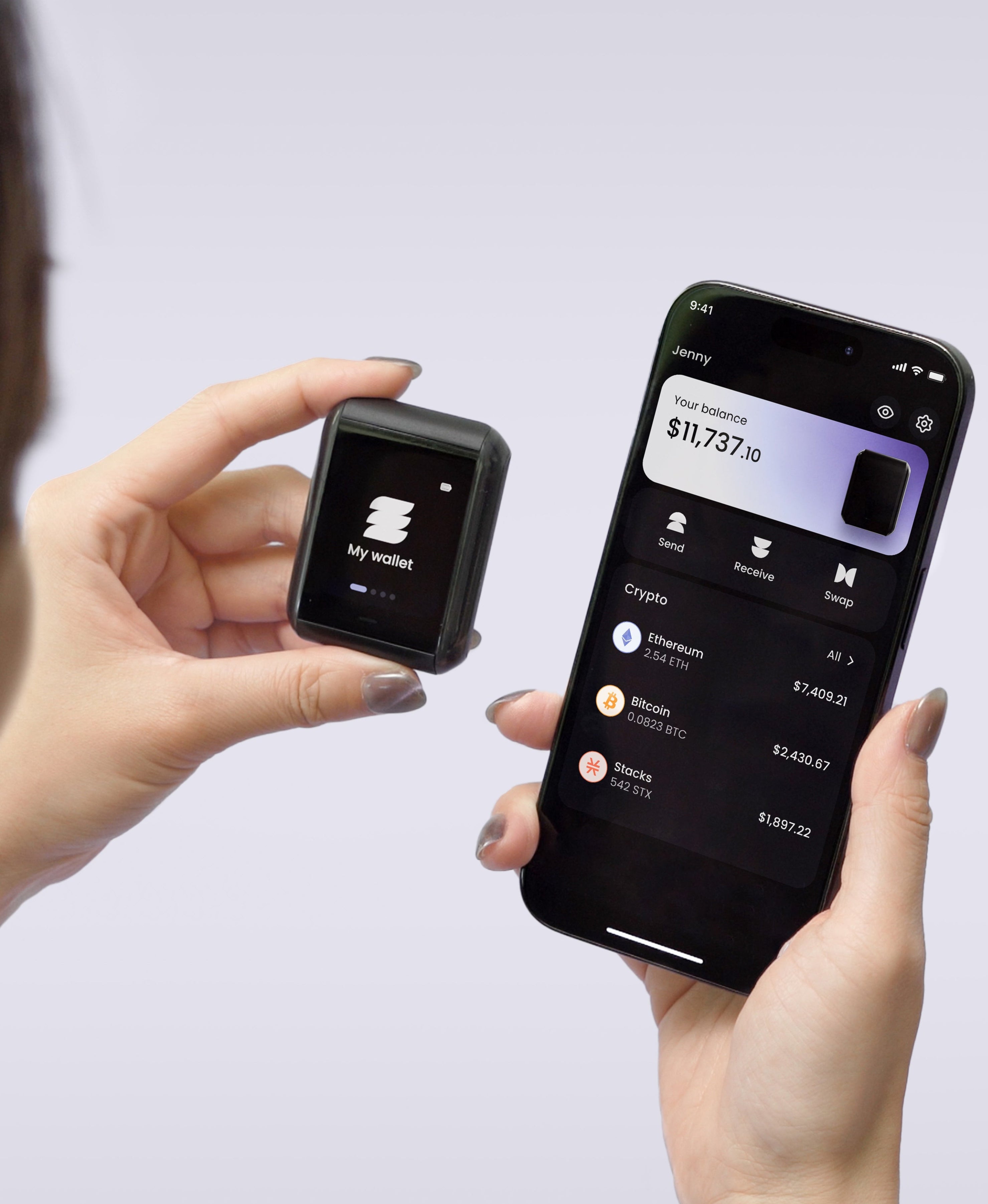
The Ryder One generates keys inside an EAL6+ certified Infineon SLC38 secure element and never lets them out, so no code running on your laptop can read them. Every transaction renders in full detail on the 1.6-inch AMOLED touchscreen before you approve it, which closes the gap between what a page claims and what you are signing, and receive addresses are verified on the device so clipboard-swapping malware has nothing to gain. Communication is NFC only, with no Bluetooth radio, no Wi-Fi, and no data moving over a cable, so the device answers while you hold it to your phone and stays unreachable otherwise. Halborn published a full independent audit of the firmware.
Supported assets are Bitcoin, Ethereum, Solana, and a growing list of top ERC-20 and SPL tokens, so check your holdings against that list before buying any hardware, ours included.
Our own position, since the question follows: Ryder One does not act as the signer for a browser extension. There is no WalletConnect bridge and no equivalent, because NFC-only communication means the device answers a phone held against it and nothing else. It is built to be the vault in that split, and pairing it to an extension is not something we support today.
Setup runs about 60 seconds across three taps. The Starter Combo is 149 USD and the Super Safe Combo is 179 USD, each with the Recovery Tag, a wireless charger, and a pouch included. Get your Ryder One.


Share: