

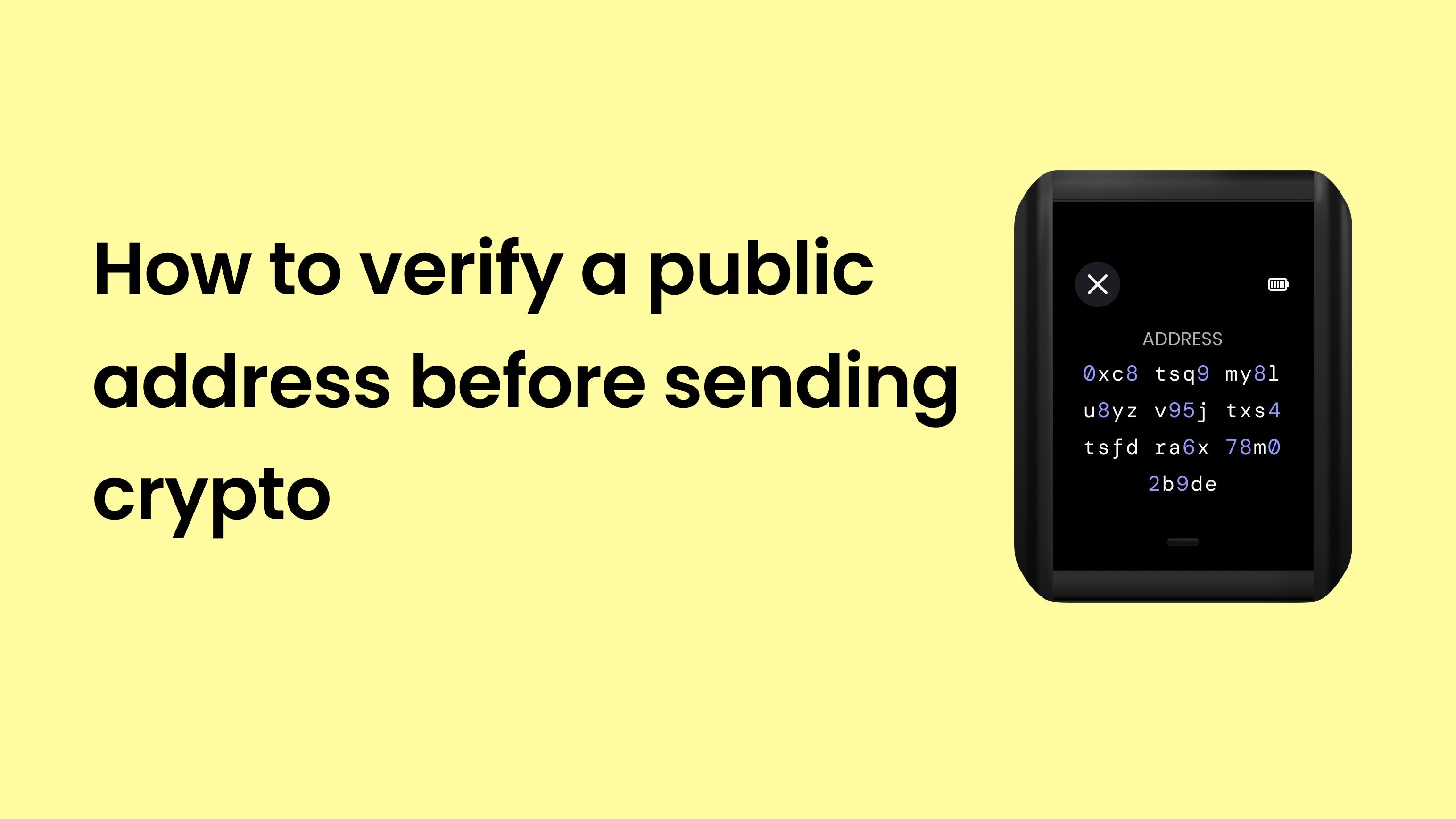
Every time you send crypto, your Ryder One displays the recipient address on its screen for you to verify before signing the transaction. This single habit protects you from one of the most common ways people lose funds: address-swapping malware. Here's how it works and why it matters.
The threat: address-swapping malware
When you copy a crypto address on your phone or computer, malware can silently replace it in your clipboard with an attacker's address. You paste what you think is your friend's address, but it's actually been swapped. Without a second layer of verification, the transaction goes through — and the funds are gone.
This isn't a hypothetical. Clipboard hijackers and compromised dApps are among the top causes of crypto loss today. They target software wallets and any setup that relies solely on what's shown on your phone or computer screen.
How Ryder One protects you
Your Ryder One has its own screen, and that screen is the source of truth. Every time you send a transaction:
- You enter or paste the recipient address in the Ryder app.
- You tap your phone against your Ryder One to review the transaction.
- The full recipient address appears on the Ryder One screen. Not the app screen — the device screen.
- You compare the address on the device to the address you intended to send to.
- Only if they match, you confirm the transaction on the Ryder One.
Because the Ryder One is a separate, offline device, malware on your phone cannot modify what's displayed on its screen. If your clipboard was tampered with, you'll see the wrong address on the Ryder One and can cancel the transaction safely.
How to verify properly
For verification to actually protect you, you need to do it right:
- Compare the full address, not just the first and last few characters. Sophisticated malware can generate addresses with matching prefixes and suffixes. Check several characters from the middle too.
- Verify with the recipient through a separate channel for large transactions. A quick call or message confirming the address (read aloud or via a different app) catches anything your screen might have missed.
- Never rush. Take the extra 10 seconds. The whole point of a hardware wallet is the deliberate confirmation step.
What to do if the address doesn't match
If the address on your Ryder One screen doesn't match what you intended to send to, cancel the transaction immediately. Do not confirm on the device.
Then:
- Run a malware scan on your phone or computer.
- Check that you're using the official Ryder app and an official wallet interface on the destination side.
- Re-enter the address manually instead of pasting from your clipboard.
If you're unsure what happened, contact Ryder support before attempting the transaction again.


Share:
How to verify your Ryder One is authentic
What Ryder will never ask you for