

What is TapSafe Recovery?
TapSafe is the backup and recovery method of Ryder One.
Instead of asking people to rely on and protect a fragile 12–24 word recovery phrase, TapSafe splits the wallet recovery secret into multiple cryptographic pieces and lets you store those pieces across:
- Recovery Tags (physical NFC tags)
- Your phone’s cloud storage accessed through the Ryder App, and
The result is a recovery setup that is more resilient (no single point of failure), more intuitive (tap-based), doesn’t require you to remember anything from PIN codes to seed phrases, and yet, it’s still fully self-custodial.
The TapSafe Solution for Traditional Seed Phrases
Seed phrases are the industry default, but they create a harsh trade-off:
- If someone steals the phrase, they can take everything.
- If you lose the phrase, recovery can be impossible.
- One mistake when writing it down can permanently lock you out.Designed for Resilient Recovery
TapSafe is designed to remove the problems of seed phrases:
- Stay in control, even if something goes missing: losing one recovery method (a tag or your phone) does not automatically mean losing access.
- Safer against opportunistic theft: finding or stealing one item does not give anyone enough to restore your wallet.
- Built for everyday wear and accidents: physical backups are designed to withstand water, dust, and daily wear better than a single paper backup.
- Less room for costly mistakes: no long word list to copy, store, and re-enter, which reduces the chance of human error.
What Does TapSafe Consist Of?
Recovery Tags
Recovery Tags store a TapSafe portion in the chip inside the tag.
- Recovery Tags hold 50% of your wallet recovery.
- Tags are designed for durability and long life.
- They are IP69K rated, surviving high-pressure water jets, dust, and extreme temperatures.
- The tag chip (NXP MIFARE DESFire EV3, CC EAL5+ certified) supports long-term storage with 25-year data retention.
Your paired phone
- Your paired phone establishes a secure connection with Ryder One during setup and holds 50% of your wallet recovery, stored in your iCloud (iOS) or Google Drive (Android).
How TapSafe Works: Your Backup in Under 60 Seconds
Most wallet backups ask you to write down 24 words, store them somewhere safe, and never lose them. TapSafe works differently. Instead of a single phrase that can be lost, stolen, or miscopied, your backup is split into encrypted pieces and spread across multiple sources. No single piece can unlock your wallet, only a valid combination can. The image below has a few recovery scenarios.
Step 1: Pair your phone
Open the Ryder App and tap your phone on your Ryder One. This stores the first encrypted piece of your backup in your iCloud or Google Drive, not on your device, so losing your phone doesn’t mean losing this backup.
Step 2: Tap your Recovery Tag
Hold your Recovery Tag against the back of your Ryder One. The tag stores the second encrypted piece. That’s your physical backup: battery-free, waterproof, and ready whenever you need it.
Step 3: Tap your Phone
Tag + phone together equal 100% of your recovery. Neither piece works on its own. If someone finds your tag, they can’t do anything with it.
TapSafe allows you to add more redundancy
Add more Recovery Tags
Want more redundancy? You can strengthen your setup at any time without starting over:
- Add more Recovery Tags: tap a new tag to your Ryder One to create an additional physical backup. Keep one at home, one at the office, one in a safe deposit box.
- Add Recovery Contacts: trusted friends or family can hold a 25% portion of your backup via the Ryder App. Meet them in person, tap your Ryder One to their phone, and their portion is set.
- Two tags, no phone: prefer a fully offline setup? Two Recovery Tags together also equal 100% recovery with no cloud dependency.
Add Recovery Contacts
Recovery Contacts let you distribute extra TapSafe backups to trusted people, so recovery can still work even if you lose a tag or change phones.
- Each Recovery Contact holds only a 25% portion of your backup.
- One contact alone can’t do anything with it.
- Setup happens in person via NFC (you tap your Ryder One to your contact’s phone).
After the tap, the contact’s backup is stored in their iCloud or Google Drive via the Ryder App, so it stays safe even if they replace their phone.
When to add Recovery Contacts
- If you want redundancy without buying extra tags.
- If you travel a lot and want backups spread across locations.
- If you want an “emergency” recovery option that isn’t in your home.
Example of recovery paths
- Tag + phone (default): 100%
- Phone + 2 Recovery Contacts: 100%
- Tag + 2 Recovery Contacts: 100%
There’s no single right configuration. TapSafe adapts to your life, whether that’s a Recovery Tag in a drawer or six Recovery Contacts across two continents.

What if you already have a seed phrase? TapSafe is fully compatible
A note on the seed phrase: Ryder One still supports the BIP39 standard. If you’re an existing wallet user, you can import your 24-word phrase and add TapSafe on top. Your seed phrase remains viewable and exportable on the device at any time.
The word “setup” usually undersells what’s happening here. In under a minute, you’ve created a cryptographically distributed backup with no single point of failure, something that traditionally required either deep technical knowledge or trusting a third party to do for you.
The technical core: Ryder’s Shamir Secret Sharing implementation
TapSafe is powered by Shamir’s Secret Sharing (SSS), a cryptographic scheme that splits information into parts or pieces such that:
- No single piece reveals the underlying secret.
- Only a threshold combination of these pieces can reconstruct what is needed for recovery.
TapSafe is an advanced custom SSS implementation with several differences. It is used to split your wallet backup into parts. NFC is something people already trust and understand from everyday life (payments, transport, pairing devices). TapSafe reuses that familiar interaction for crypto recovery.
Many Shamir implementations in the ecosystem traditionally assume a one-time event:
- Choose a fixed total number of pieces
- Choose a fixed threshold
- Generate that exact set of pieces
- Throw away internal generation state
That approach is not ideal for real life. People often want to add backups later, replace a lost tag, or change their recovery setup without starting over.
TapSafe’s Shamir design was built around a different set of real-world requirements:
- No single backup should provide access to the wallet.
- No single backup should reveal any information about the wallet.
- Backups should not reveal how many backups exist.
- Users should be able to create additional backups later.
- Backups must remain compatible over time and across devices.
What makes TapSafe flexible (the “generator” concept )
To support those requirements, TapSafe introduces a concept that traditional Shamir flows typically lack: a securely stored generator.
- TapSafe creates a generator and stores it safely in the secure element.
- That generator can produce as many backup pieces as needed, later, without breaking compatibility.
- During recovery on a new Ryder One, the process reconstructs the generator, so the new device can keep generating compatible backups.
This is what makes TapSafe feel simple to use, while still remaining cryptographically strong.
TapSafe Building Blocks: the security chips
TapSafe is a recovery technology, but it is supported by security-focused hardware choices in Ryder One.
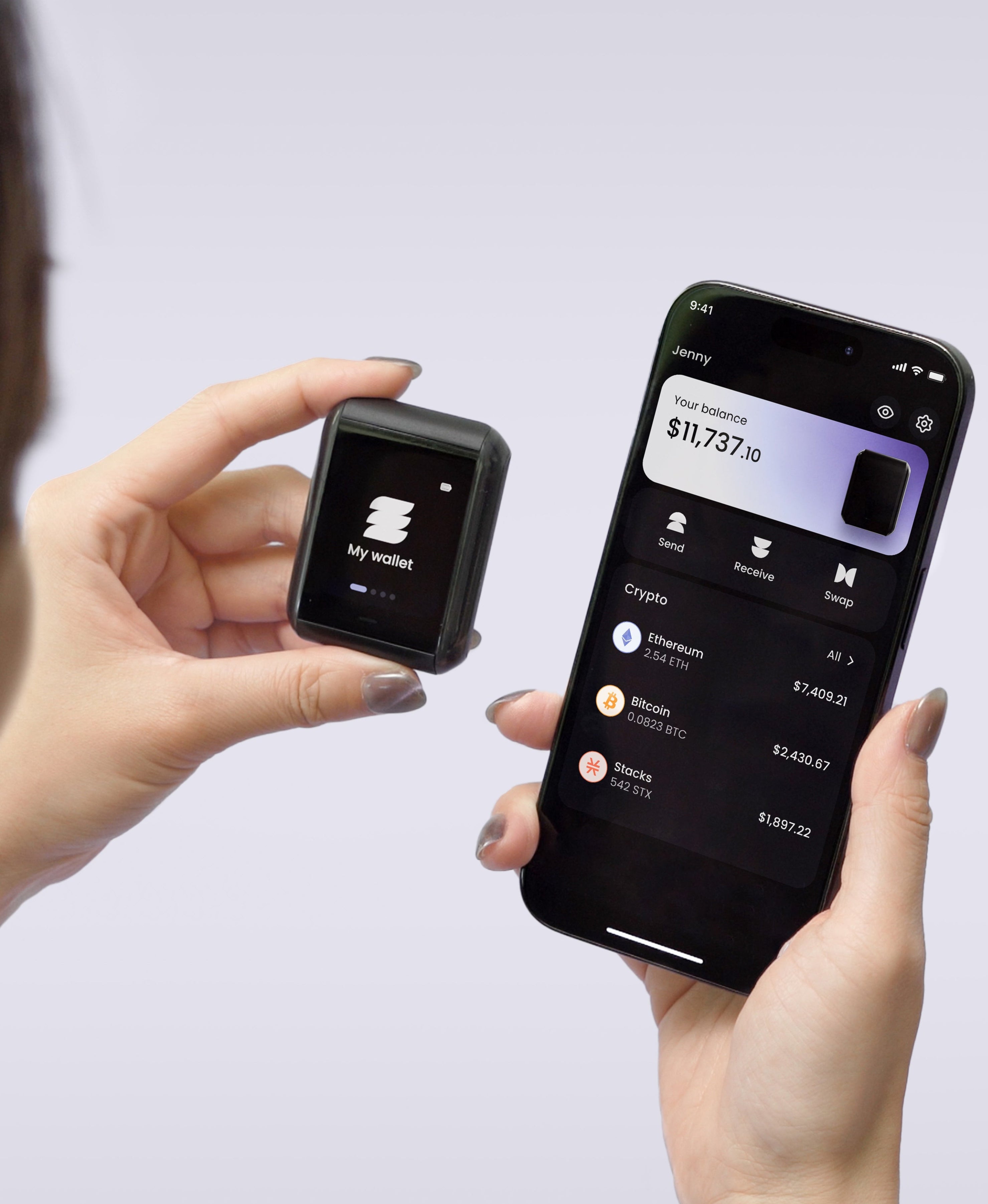
Ryder One uses an Infineon secure element (CC EAL6+), designed for cryptographic operations and secure key storage. Ryder One is designed to operate without Bluetooth, Wi‑Fi, or cables. For TapSafe, this means the entire experience is powered by NFC.
Recovery Tags use an NXP MIFARE DESFire EV3 chip (CC EAL5+), with contactless interface compliant with ISO/IEC 14443.
TapSafe and open-source: why it matters
TapSafe is audited by Halborn and will be going open source as part of Ryder’s broader transparency and trust strategy.
For security tools, open source is not a nice-to-have, it’s a must-have.
- It allows independent review.
- It eliminates vendor lock-in, allowing you to take your backups anywhere
TapSafe FAQs
Does TapSafe Replace my Seed Phrase
Not entirely. TapSafe is Ryder One’s default backup and recovery system, designed so you don’t have to rely on a single seed phrase to secure your digital assets. Instead, it uses multiple recovery pieces, such as Recovery Tags, phone backup, and Recovery Contacts to store your wallet backup.
That said, Ryder One still supports a traditional seed phrase as an optional fallback for advanced users (BIP39). You can view, import, and export a 24‑word recovery phrase on the device, and that seed phrase can recover the wallet by itself if you choose to use it.
Is TapSafe a way to restore my crypto faster?
Yes. By removing the need to import the traditional seed phrase, Ryder One allows you to restore your wallet in seconds using TapSafe Recovery.
How long does it take to set up?
The TapSafe Recovery system was designed so you can create a secure backup in under a minute during onboarding.
What happens if I lose a Recovery Tag or my phone?
TapSafe is built for redundancy. Recovery is based on combining a valid set of TapSafe pieces, so losing one component does not necessarily mean losing access. You can create new backups by purchasing additional Recovery Tags, adding new Recovery Contacts, or creating a new phone backup.
Losing your phone does not mean losing the backup since it’s stored in the cloud. Essentially, the cloud serves as a backup for your phone backup. TapSafe is designed to let you create more backups over time which can be combined with existing ones.
Can I Recover Without My Phone?
Yes. Two Recovery Tags together count as 100% of your recovery. You don’t need your phone at all. This makes TapSafe viable for users who prefer a fully physical, offline recovery setup.


Share: