

Search interest in Sparrow wallet climbed sharply this summer, and the reason is not hard to find. After a firmware bug in Coldcard devices let attackers rebuild seeds and drain more than 130 million USD in bitcoin, a lot of people went looking for a setup they could inspect themselves. Sparrow is where many of them landed, and it deserves the attention. It also solves a different problem from the one that caused those losses, which is worth understanding before you rely on it.
What Sparrow wallet is
Sparrow is a free, open-source desktop application for Bitcoin, and it behaves less like a consumer app than like a workshop bench. Most hardware wallets can be imported over USB or through their own file formats, and the whole program was built around Partially Signed Bitcoin Transactions from the keystore design outward. For devices that never touch a cable, Sparrow moves those transactions using animated QR codes, so a signer sitting in a drawer with no radio and no port can still take part.
You can point it at your own Bitcoin Core node, or at an Electrum-style server such as Fulcrum or electrs, reached over SSL or Tor. That choice matters more than it sounds. Because Sparrow indexes against a full node rather than using the lightweight SPV method, your addresses are not being handed to a stranger's server every time you open the app, and the transaction view doubles as a private blockchain explorer.
The part Sparrow gets right
Coin control is where the software earns its following. You can see which coins came from where, choose exactly which ones fund a payment, label everything, and avoid merging histories you would rather keep apart. Fee handling is precise, replace-by-fee is there when a transaction stalls, and multisig setups that feel like surgery elsewhere are laid out clearly.
None of that is beginner comfort, and Sparrow does not pretend otherwise. What it offers is visibility. Someone who wants to understand what their wallet is doing, rather than trust that it is doing something sensible, gets further with Sparrow in an afternoon than with most mobile apps in a year.
Where Sparrow keeps your keys
Sparrow can run as a software wallet, holding an encrypted keystore on your computer. The encryption is thoughtful: key derivation uses Argon2 and is tuned to take at least half a second on current hardware, and the key stays unlocked only for the moment of signing. Still, the secret is on a general-purpose machine, and an infostealer that reaches the file has all the time in the world to work on it offline.
The stronger way to run Sparrow treats it as a watch-only interface. Your extended public key lives on the desktop, the wallet builds and broadcasts transactions, and signing happens on separate hardware that never exposes the private key to the operating system. Run this way, Sparrow is not the thing protecting your bitcoin. Your signer is.
What Sparrow cannot check for you
This is the lesson the Coldcard incident handed everyone, and it is easy to miss while admiring a good interface. Coinkite's own advisory traced the failure to seed generation falling back to a software pseudo-random number generator instead of the chip's hardware source, dropping the entropy behind affected seeds from 128 bits to roughly 72, which put those words within reach of anyone willing to grind through the possibilities without ever touching the device. A desktop wallet cannot detect that. Sparrow will happily show correct balances for a wallet whose seed a stranger can reconstruct, because from the outside nothing looks wrong.
Two questions decide your outcome, and both live on the signing device rather than in the software. Where did the randomness behind your keys come from, and what does the device show you before it signs? A signer without a proper screen leaves the description of the transaction on the computer's display, which is the display an attacker would edit first.
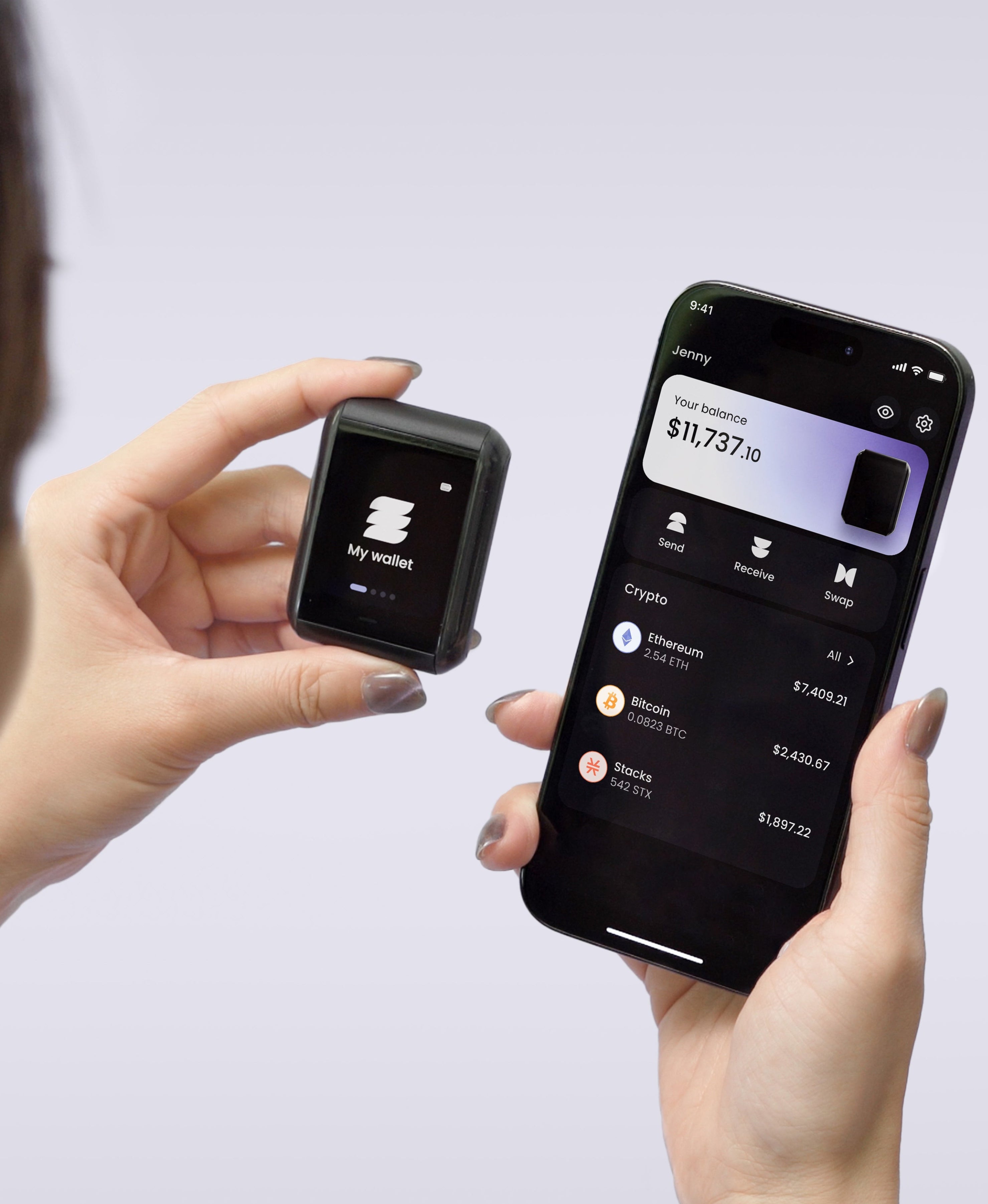
On Ryder One, keys are generated inside an EAL6+ certified Infineon SLC38 secure element and never leave the chip, the firmware was independently audited by Halborn with the full report published, and every transaction renders on the 1.6-inch AMOLED touchscreen in readable detail before you approve it. The button that authorises signing is wired straight to the secure element, so nothing in software can sign on its own.
Bitcoin only, and what that leaves out
Sparrow does one chain, deliberately and well. If bitcoin is all you hold, that focus is a feature, since every design decision has been made with one asset in mind. Anyone holding ether, solana or tokens alongside it ends up running a second wallet, and the seed phrase count doubles along with the number of places something can go wrong.
Backup after you have chosen your setup
Notice what survives every configuration described above. Whether you run Sparrow with a hot keystore, with a hardware signer, or in a multisig arrangement across three devices, recovery still comes back to phrases written on something in your house. Multisig spreads the risk of any one device failing, and it multiplies the number of secrets you have to keep track of for years.
TapSafe Recovery approaches that differently by splitting access itself. The Recovery Tag holds 50%, your paired phone holds 50% encrypted into your own iCloud or Google Drive rather than resting on the handset, and optional Recovery Contacts hold 25% each without learning anything about your wallet. No single component restores anything alone, so losing one object does not end the story and no one conversation can extract a complete answer from you. The seed phrase remains on the device as a last resort under the BIP-39 standard, which means you are never tied to our hardware.
Metal plates get recommended constantly in Sparrow circles, and stamping steel is a sensible upgrade from paper, since paper burns and steel does not. The trade is that your security still rests on one object surviving everything that could happen to a house. Splitting the secret removes that dependency rather than hardening it.
Who Sparrow wallet is for
If you hold bitcoin, want to run your own node, and enjoy understanding the machinery, Sparrow is among the best software you can put on a desktop, and the Coldcard fallout has not changed that. Just be clear about the division of labour. Sparrow gives you privacy, control and a clear view of your coins, while the device you sign with decides whether your keys were sound in the first place and whether the transaction in front of you is the one being broadcast.
Setup on a Ryder One takes about 60 seconds over NFC, with no wired data path and no Bluetooth radio, and the Starter Combo is 149 USD. Get your Ryder One.
Meta description: Sparrow wallet gives you node-level privacy and coin control for bitcoin. What it protects, what it leaves to your signing device, and how to run it safely.


Share: