

People searching for Ledger alternatives are rarely starting from scratch. They own a working device and have hit something specific: a connection that drops, an app that will not pair, a recovery arrangement they are no longer comfortable with, or a 2020 customer-data leak whose consequences still arrive in the post. The question is narrower than "what is the best hardware wallet," and it deserves a narrower answer.
Switching well means matching the next device to how you hold crypto rather than to whichever brand is loudest this quarter. Four things decide that fit, and the first one rules out more candidates than the rest combined.
Start with how you connect, because it sorts the market
Ledger's range connects over a cable and, on some models, Bluetooth, with Ledger Live as the companion app. If the friction you are trying to escape is connection-related, which is the most common complaint we see, then connectivity is the specification to shop on and almost nothing else matters until it is settled.
There are three designs available. Cable-based devices are the oldest and most widely supported, and they tie you to a port and often to a desktop. Bluetooth adds range and a radio that is permanently part of your threat model. NFC devices work only when physically tapped against a phone, which removes the radio and the cable at the cost of needing the phone in your hand.
Air-gapped wallets are a fourth route, moving transactions by QR code or SD card with no direct connection at all. They are the most isolated option and the slowest to use, which suits people who sign rarely and frustrates people who do not.
Pick the one that matches the way you already behave rather than the way you intend to. Someone who holds long term and signs twice a year should choose differently from someone moving funds weekly from their phone.
Then check the assets, in both directions
Ledger's breadth of asset support is its strongest practical advantage, and it is where switchers most often get caught. Before you commit, list everything you hold, including positions too small to think about, and confirm each against the new manufacturer's own list rather than a comparison article.
Watch for the distinction between what a device signs natively and what its companion app reaches through third-party integrations. A headline number covering thousands of assets usually describes the second thing.
Our own position, stated plainly because it is the kind of detail that should not surprise you after delivery: the Ryder One supports Bitcoin, Ethereum, Solana, and a growing list of top ERC-20 and SPL tokens, and it does not support XRP or Tron. If your portfolio leans on assets outside that set, a different device fits you better, and we would rather say so here.
Work out what you are asking of your own habits
A device that does not match your routine stops being used, and an unused hardware wallet is worse than no hardware wallet because it creates the impression of safety without the substance.
Ask where you keep the crypto you move most often, whether you sign from a phone or a desk, whether a desktop application is something you want in the loop, and how often you expect to approve a transaction. Then ask whether your candidate supports signing inside the specific wallets and applications you already use.
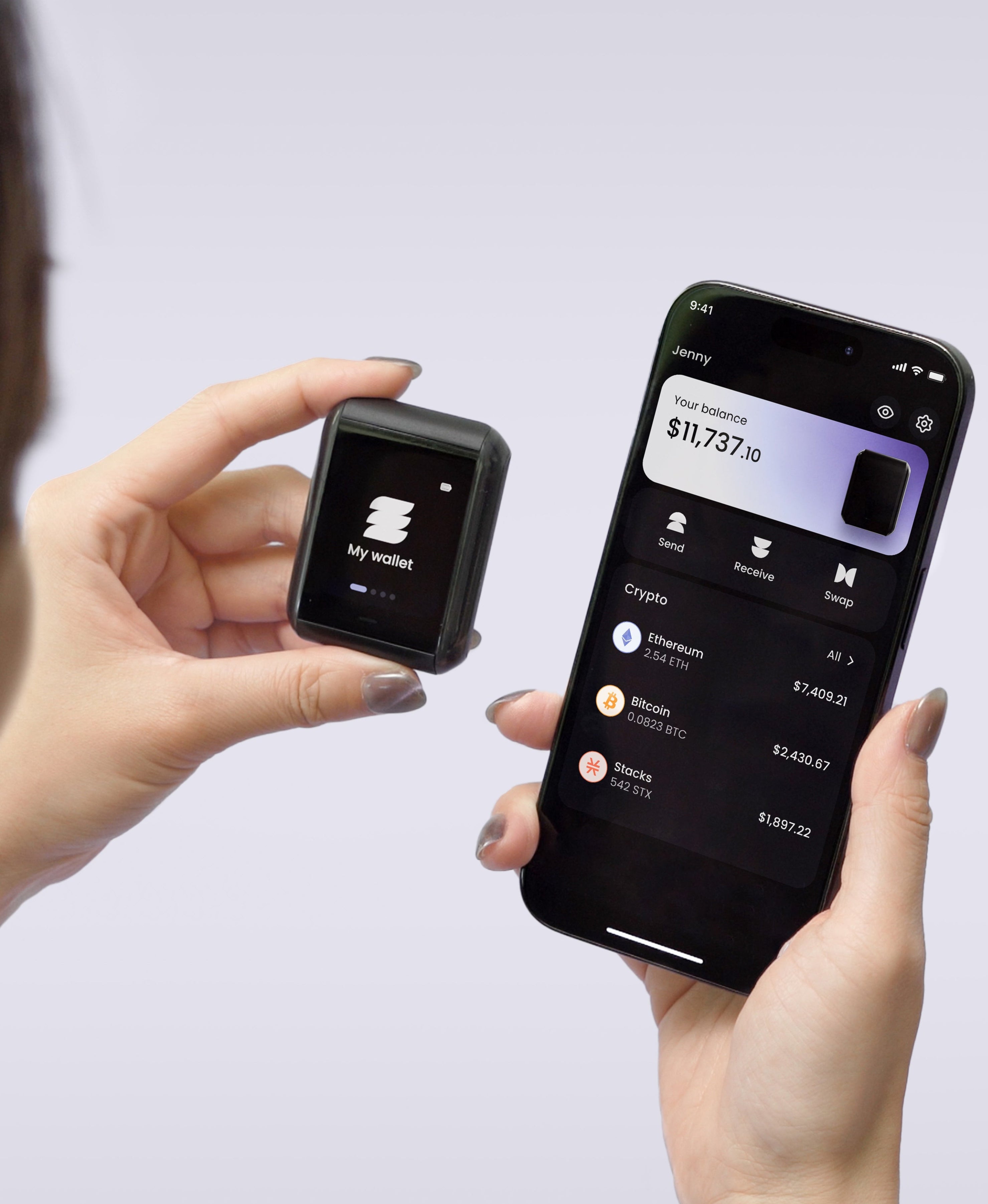
On that last question we are a poor fit for some people today. The Ryder One has no desktop plugin and no browser-extension bridge, so if your routine involves signing inside a desktop wallet or a browser extension, that is a limitation to weigh now. Setup and signing both run from your phone over NFC, with no cable and no Bluetooth radio on the device.
The recovery model is the switch worth making, and what TapSafe changes
Most people comparing hardware wallets compare chips and screens, then accept an identical backup arrangement from whichever one they buy. That is the decision with the longest consequences, and it is the one worth thinking hardest about while you are already shopping.
Ledger now ships a Recovery Key with its touchscreen models, an offline PIN-protected backup that restores access with a tap, and it is a real improvement on a card in a drawer. Ledger Recover, the paid service that splits an encrypted copy of your seed between custodians, drew a backlash because it demonstrated that a firmware update could change what the device was able to do with your keys. Whether that bothers you is a judgement call, and it is worth making deliberately rather than by default.
Every one of these arrangements, including the steel plates people buy as an upgrade, shares a structure: one object has to survive everything and be discovered by nobody, for as long as you hold crypto. Metal beats paper in a house fire and it does not change that structure.
TapSafe Recovery was built to end the single-object dependency. Recovery is split with a Shamir's Secret Sharing implementation we wrote: the Recovery Tag holds half, your paired phone holds the other half encrypted into your own iCloud or Google Drive rather than on the handset, and optional Recovery Contacts hold a quarter each while learning nothing about your holdings. No single share opens the wallet. Your seed phrase stays on the device as a last resort under the BIP-39 standard, so you keep the freedom to leave, which is the same freedom that let you consider switching in the first place.
How to move without a gap in coverage
Switching does not mean trusting a transfer. Set the new device up completely, verify you can restore it, then move funds in stages and confirm each arrival before sending the next.
Your old Ledger stays useful as a second wallet or a long-term store while you settle in, and the one thing not to do is wipe it before the new device has been tested with a small amount. Keep both recovery arrangements separate and intact until you are finished.
Ledger, best for: the widest asset coverage and a mature desktop and mobile app. Worth knowing: the 2020 customer-data leak still drives phishing attempts by post and email, and recovery remains a single object you protect.
Ryder One, best for: phone-first holders who want no cable and no Bluetooth radio, and who want recovery split across components rather than concentrated in one. Worth knowing: narrower asset support, and no desktop or browser-extension signing today.
The Ryder One is 149 USD for the Starter Combo and 179 USD for the Super Safe Combo. Keys are generated inside an EAL6+ certified Infineon SLC38 secure element and never leave the chip, the signing button is wired directly to that chip, each transaction renders in readable detail on the 1.6-inch AMOLED screen before you approve it, and Halborn audited the firmware independently with the report public.
Run the four checks against your own setup. If they point our way, get your Ryder One.


Share: