

Every few months, a wave of Phantom wallet drain stories shows up on crypto Twitter. Users connect to what looks like a normal Solana app, and hours later, the wallet is empty. The attacks keep working because the pattern is effective, repeatable, and mostly invisible to the person getting drained. Here is how a Phantom wallet hack actually works, and what stops it.
This isn't specific to Phantom. The same pattern drains Ethereum wallets, Bitcoin light wallets, and every other hot wallet on every chain, including Metamask, Solflare, and Trust Wallet. Phantom shows up in headlines more often because Solana has more active users than most chains, and more users means more chances of something going wrong.
How the attack usually works
Most Phantom wallet hacks aren't hacks of Phantom itself. Phantom, installed from the official site, isn't the weak link in most cases; the weak link is the connection between the wallet and the websites you click connect on.
A typical drain runs in four steps.
- The user clicks a link in a Discord message, a Twitter reply, or an ad. The link looks like a real project, a new token, or an airdrop page.
- The fake site asks the user to connect their wallet. Phantom pops up, the user clicks approve, and the site now has a way to ask for more approvals.
- The fake site then asks the user to sign a transaction. The wording is vague (verify your wallet, claim your airdrop, prove you are human). What the transaction does is grant the site permission to move the user's tokens.
- Once signed, the attacker runs a second transaction that drains whatever the user approved. This happens in seconds.
The user sees a wallet with no balance and a history showing their own signature on the drain. To most people it looks like their wallet got hacked, but what happened is that they signed the drain themselves, because the site lied about what the signature did.
Wikipedia's entry on phishing covers the general tactic. The CISA page on avoiding phishing walks through the same pattern outside crypto.
Habits to prevent hacks
Signing a bad transaction is almost the entire problem, but these two habits can stop it.
Read the transaction before you sign. Phantom will show you, in plain text, what the transaction is asking to do. If it says approve all token transfers or grant spending permission, that is a broad permission that most legitimate actions don't need. A real swap, a real NFT mint, a real game all show specific amounts for specific tokens. Anything that says unlimited or all tokens should make you close the popup and walk away.
Do not interact with random links. Airdrops, giveaways, new mints, limited-time anything. The number of real, time-sensitive opportunities that you will only hear about through a random DM is zero. The FTC's page on crypto scams puts it the same way: if the pitch works by rushing you, it is a scam.
Why Phantom users get hit more than other wallets
Two reasons, and neither is about Phantom being less safe.
First, Solana is one of the fastest and cheapest blockchains: the cost is low, the wait is short, and the wallet connects in one click. That's great for real use, but it's also great for attackers, since users click through popups without reading them.
Second, the Solana NFT and token scene runs on Discord and Twitter. Both of those are full of bots, impersonators, and fake accounts pretending to be project admins. Phishing links in those channels hit a bigger target than they'd on less active chains.
None of this is a Phantom problem. If you switch to any other Solana wallet, the same tricks keep working.
The part most people skip
A lot of Phantom users have real funds in the wallet they use every day for swaps, games, and NFTs. That's the wallet that gets drained, because that is the wallet connected to the most sites.
The fix is to split the setup. Keep one wallet (the hot one) for small amounts and daily interaction with apps. Keep the long-term holdings on a separate wallet that almost never connects to anything, and ideally on a hardware wallet where signatures need the device. Cold storage is the formal term for that second wallet.
If the hot wallet gets drained, you lose whatever was in it that day, while the long-term stack stays safe because it never touched the bad site.
This is the same separation that banks use with checking and savings accounts. Different jobs, different risk levels, different security.
If you think you have been drained
The steps in order.
- Check the transaction history. If you see a transfer you didn't make, the wallet is compromised.
- Do not send more funds to that wallet. Any new deposits will be drained in seconds.
- Revoke any active approvals at the chain's approval tool.
- Make a new wallet, move any remaining assets to it, and don't reuse the old seed phrase. Throw it out and start clean.
- Report the scam site to the wallet company and to the FBI's IC3 complaint center if the amount was significant.
The money that's gone is usually gone, since chain transactions don't reverse. The goal after a drain is to stop any more from leaving and to make sure the same seed phrase isn't used again.
The bigger pattern
Phantom wallet hacks follow the same pattern as every wallet drain on every chain for the last decade. Fake site, bad signature, bad consequences. The defenses are also the same. Read what you are signing, don't click links from strangers, and keep the big holdings on a wallet that doesn't touch random apps.
None of this needs technical skills; it needs slowing down for 30 seconds before each signature and keeping most of your crypto in a wallet that isn't in the habit of connecting to things.
How we built Ryder One for the holdings you can't afford to sign away
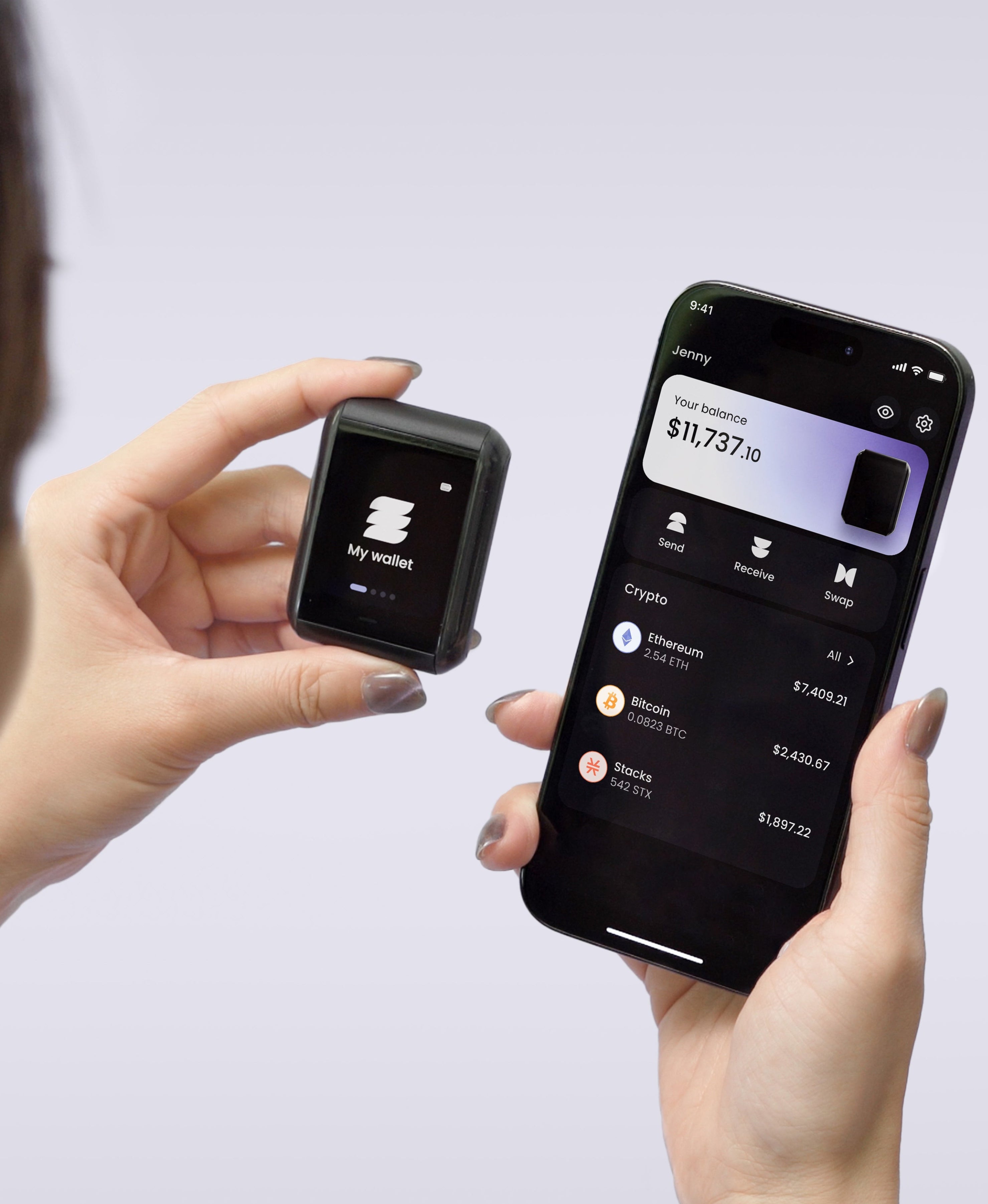
Phantom is fine for small, daily activity, but your long-term holdings belong somewhere that doesn't touch random sites at all. That's the job we built Ryder One to do by default.
Every Ryder One transaction is signed on the device itself, on a 1.6-inch AMOLED screen that shows the full destination address before you approve. Even if a fake site tricks your browser, the drain transaction has to display on the hardware first. A phishing page can't reach a wallet that signs offline.
We also rebuilt the part that drains most cold wallets after the device itself: the seed phrase backup. TapSafe Recovery splits the wallet backup across a battery-free Recovery Tag, your phone, and an optional circle of Recovery Contacts, so the long-term stack doesn't live on one piece of paper either. The seed phrase still exists on the device if you ever want to export it, since the standard is BIP-39 and we never lock you to our hardware.
If you hold more crypto than you'd want to lose in a single bad signature, don't let that stack live on a browser wallet. Move it to Ryder One and keep your hot wallets for smaller amounts.


Share: