

In June 2023, roughly 5,500 Atomic Wallet users lost more than 100 million US dollars in a single coordinated attack. Every account drained was a hot wallet, connected to the internet, holding balances the owners had been meaning to move somewhere safer and had not gotten around to.
That is usually how the hot wallet vs cold wallet question lands. It is not a technical distinction, it is a question of what happens when something goes wrong, and most people only find out which kind they had after the fact.
This guide covers what the two words mean, why the difference matters for anything you would be upset to lose, and the part that matters more than the wallet type: where your recovery material lives when nobody is watching.
What is a hot wallet
A hot wallet is any crypto wallet connected to the internet. Your phone wallet, your browser extension, your exchange account, all hot. The connection is what makes them convenient. You can send, receive, and trade instantly. It is also what makes them reachable by anyone with the right attack vector.
Phishing sites, malicious browser extensions, compromised WiFi, SIM-swap attacks: every one of these is an attempt to reach a hot wallet while it is connected. Across enough targets, some of them work. The 2022 Slope wallet compromise on Solana drained thousands of accounts in a single night because the wallet had been logging seed phrases to a third-party monitoring service. The users did nothing wrong on their end. Their wallet being online was enough.
Hot wallets are not reckless for what they are built for. Small amounts you are actively using: buying, swapping, paying. They make sense there. The problem is when people store serious holdings in them long-term, treating them like a savings account when they are really more like a wallet you leave on a park bench.
What is a cold wallet
A cold wallet keeps your private keys offline. Completely. The keys that control your crypto sit on a physical device that has never touched the internet and never will. Not during setup, not during signing, not ever.
When you want to send crypto from a cold wallet, the transaction is constructed on your computer, sent to the hardware device, signed offline using the keys inside, and then broadcast to the network. The keys themselves never leave the device. Even if your computer is fully compromised by malware, an attacker cannot reach what is on the hardware wallet, because it is never connected.
This is why cold storage is the default for anyone holding meaningful value. Not because it is more complicated, but because the attack surface effectively disappears. An attacker needs physical possession of the device, and even then they need whatever secondary factor protects it.
The part most people get wrong
The most common mistake is not choosing the wrong wallet type. It is treating the wallet as the whole security picture when the recovery material is the thing that matters.
On most cold wallets, that recovery material is a BIP-39 seed phrase: twelve or twenty-four words that reconstruct every private key on the device. If someone gets the phrase, they can rebuild the wallet on any device, anywhere in the world, and drain it. The hardware is irrelevant at that point. They do not need it.
So the security question is not just "hot or cold." It is "where is the recovery material, and who could theoretically reach it?" A cold wallet whose seed phrase is sitting in iCloud is not meaningfully more secure than a hot wallet. The hardware is only half the picture. The seed phrase glossary entry covers the other half, and the specific shortcuts that have cost people their entire holdings.
How to use both
The setup most people land on once they have thought it through: hot wallet for day-to-day activity, cold wallet for long-term holdings. Small amounts moving, large amounts sitting still.
For the cold side, the moment that matters most is whatever happens right after setup. On a BIP-39 device, that is seed phrase generation and backup. This is where most losses in self-custody occur: not from the device being attacked, but from the owner photographing the words, typing them into a password manager, or storing them in the same drawer as the wallet.
You do it once. If you do it right, you do not think about it again. If you do it wrong, you find out later, usually in the worst way.
Ryder One makes cold storage feel as easy as a hot wallet
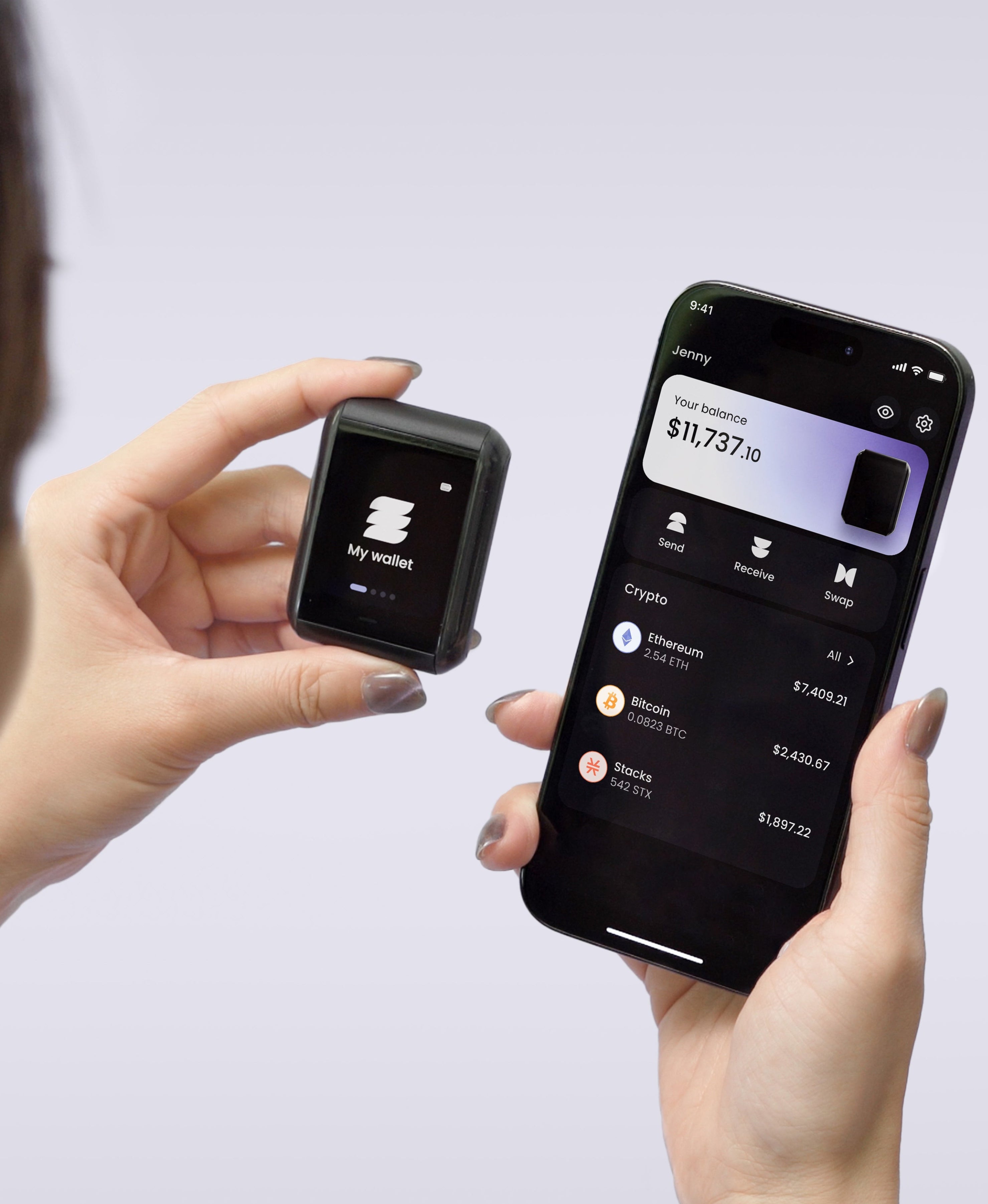
Ryder One is a cold hardware wallet built for the case most people want: the security of offline keys without the friction of writing down a seed phrase. Setup takes about a minute. Sending, swapping, and recovering are each one tap. The 1.6-inch AMOLED display shows the full destination address before you approve, so clipboard swaps and address-poisoning attacks fail at the last gate.
The bigger shift is underneath. We built Ryder One so that the day-to-day setup does not depend on a single piece of paper or metal surviving every fire, flood, and house move. TapSafe Recovery splits the wallet backup across a battery-free Recovery Tag, your phone, and an optional circle of Recovery Contacts, so recovery is a tap on a physical object paired with a signed request on a device you already own. The BIP-39 seed phrase is still on the device if you ever want to export it, since we never lock you to our hardware. The failure mode that drains most cold wallets, a leaked or lost seed phrase sitting on a sheet of paper, is no longer the only thing standing between you and your coins.
If the right setup for you has always sounded like "cold storage, but not annoying to use," that is exactly the device it was built to be.


Share: